Attention orders — review, refund or fulfil
When an order needs a decision — stock ran short, or it was flagged for review — Crate surfaces it as an attention order so you can verify the buyer, refund the excess, refund in full, or fulfil it.
Most orders flow straight through — placed, paid, fulfilled. A few need a human to look first: stock ran short for a popular item, or an order looked unusual enough to flag. Crate keeps those attention orders together so you can deal with them deliberately instead of discovering a problem after you've shipped.
Find what needs attention
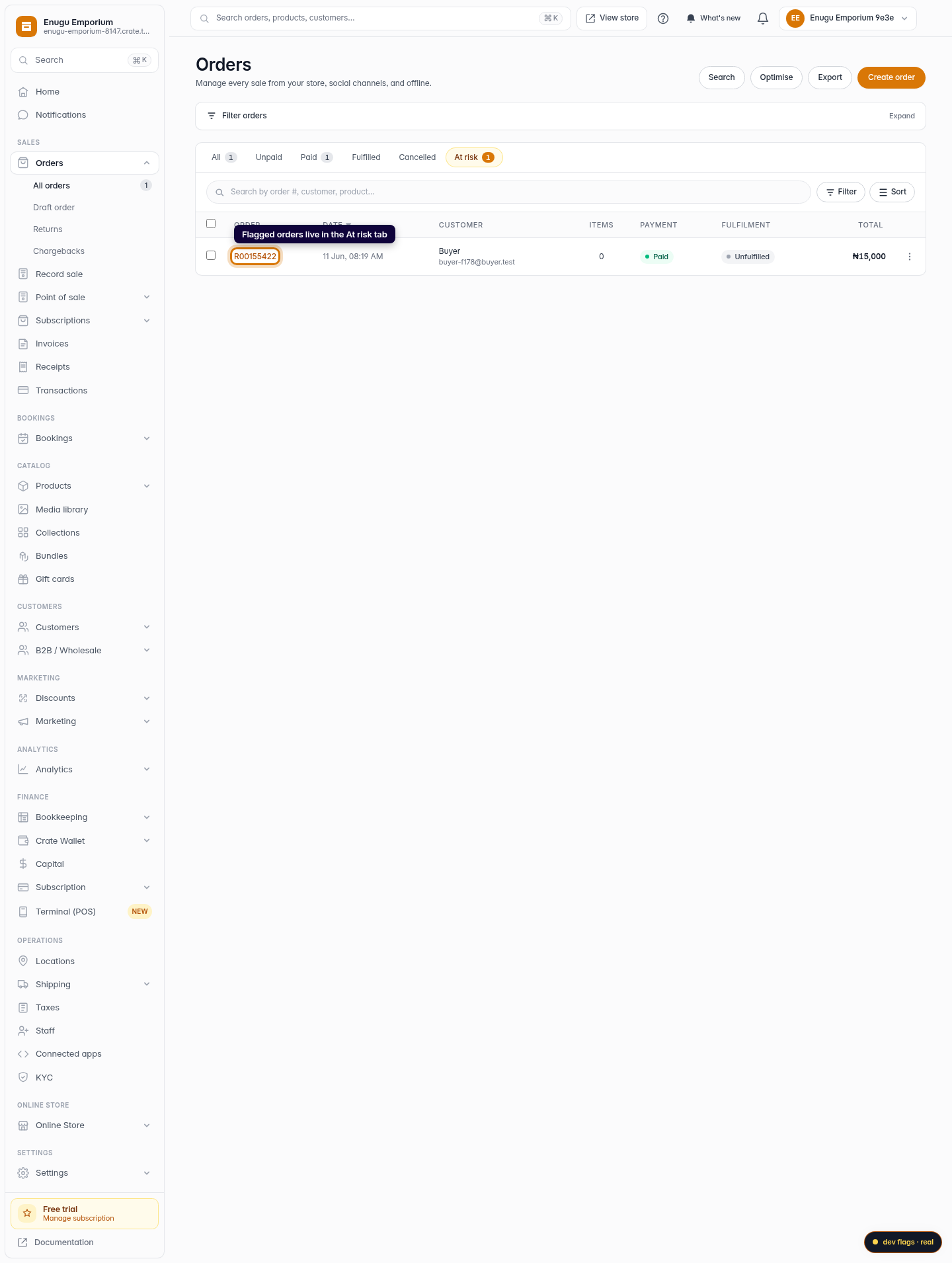
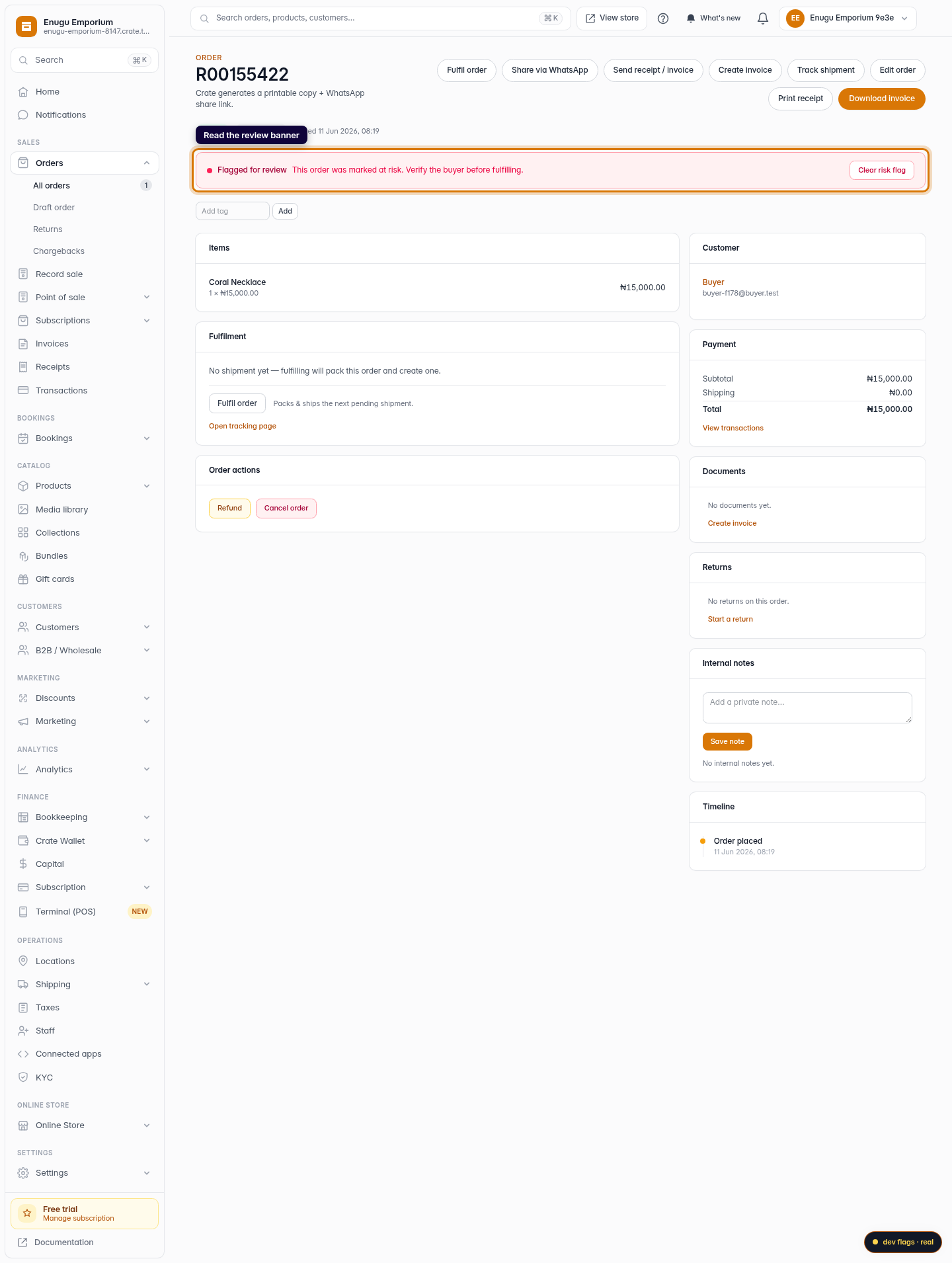
Your Orders list has an At risk tab that gathers every order flagged for review. Opening one shows a Flagged for review banner — a reminder to verify the buyer (confirm payment, check the address) before you commit stock to it.
Decide what happens next
From the order page you have the full set of resolutions:
- Refund the excess. If a customer ordered more than you can supply, refund only the over-ordered amount and fulfil the rest.
- Refund the entire order. If part-fulfilment won't work for the customer, refund in full — Crate returns the order to an unpaid state and adjusts your sales totals.
- Fulfil the order. If you can deliver after all, fulfil it normally; Crate updates the fulfilment status and records it.
Every one of these actions is written to the order's timeline, so the decision is auditable later.
Tip: You can also flag an order yourself. On any order, use Flag at risk to hold it for review — handy when a buyer's details look off and you want to confirm before dispatch.
Clearing the flag
When you've reviewed the order and acted, click Clear risk flag on the banner. The order drops out of the At risk tab and rejoins your normal queue, with the whole episode recorded on its timeline.
-
1
Spot flagged orders in the At risk tab
Orders that need a closer look are gathered in the At risk tab on your Orders list, so they don't get lost among completed sales.
Web 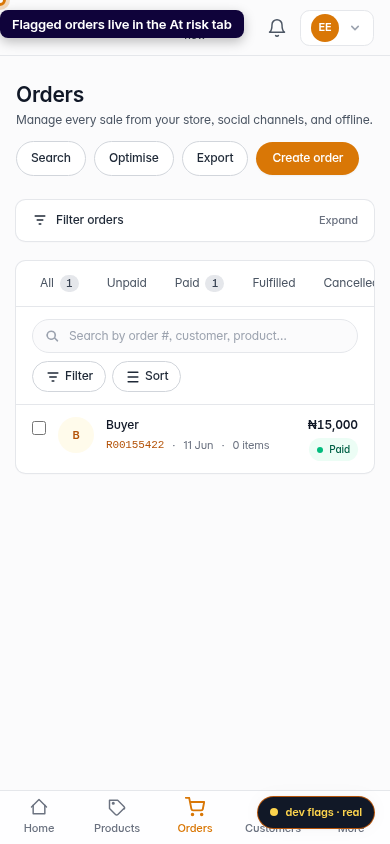
Mobile -
2
Open the order and read the review banner
A flagged order opens with a Flagged for review banner reminding you to verify the buyer before you fulfil. The banner stays until you clear the flag.
Web -
3
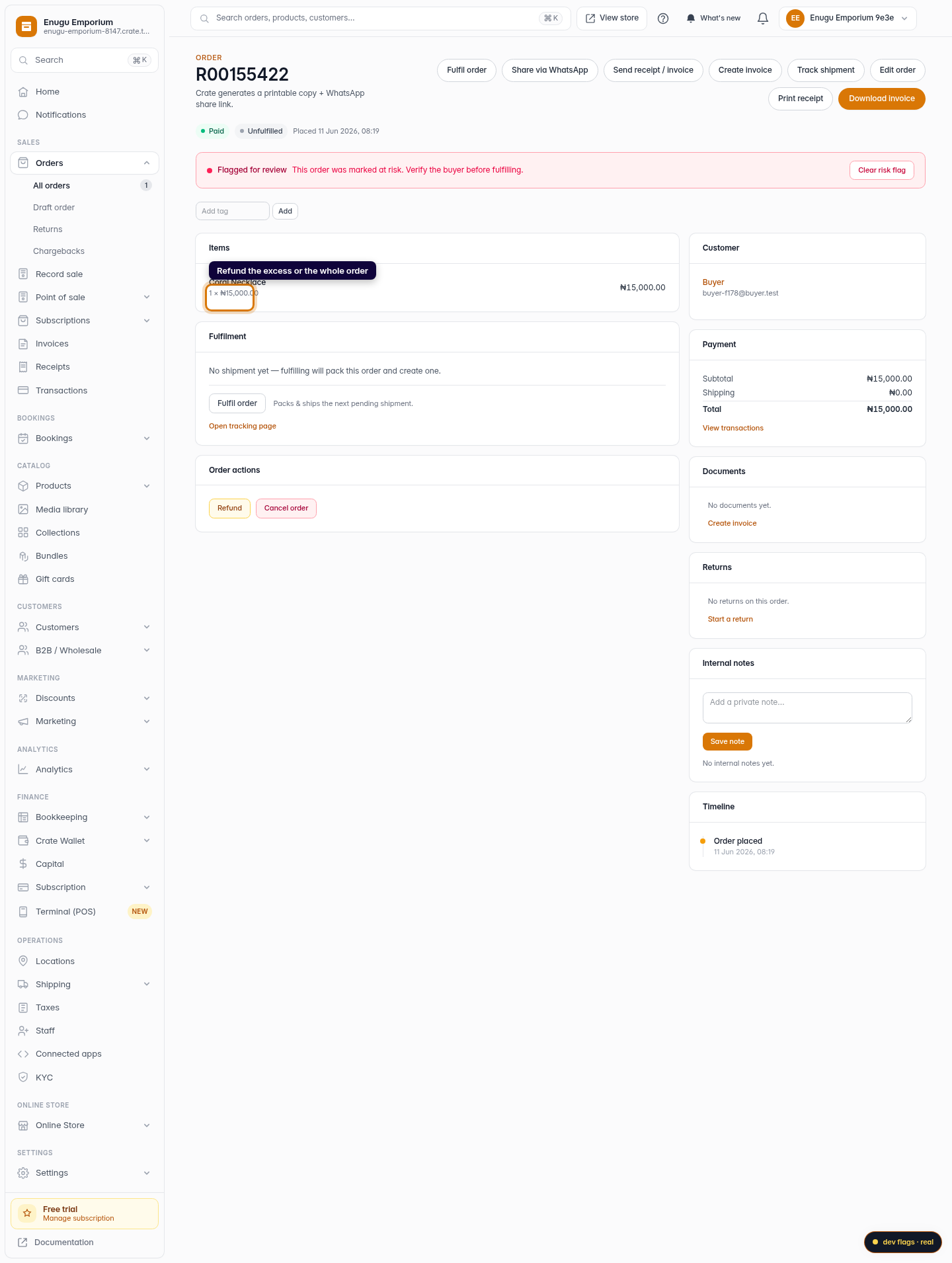
Refund the excess or the whole order
In Order actions, choose Refund. Refund only the over-ordered quantity, or refund the entire order — Crate returns the amount and keeps your totals honest.
Web -
4
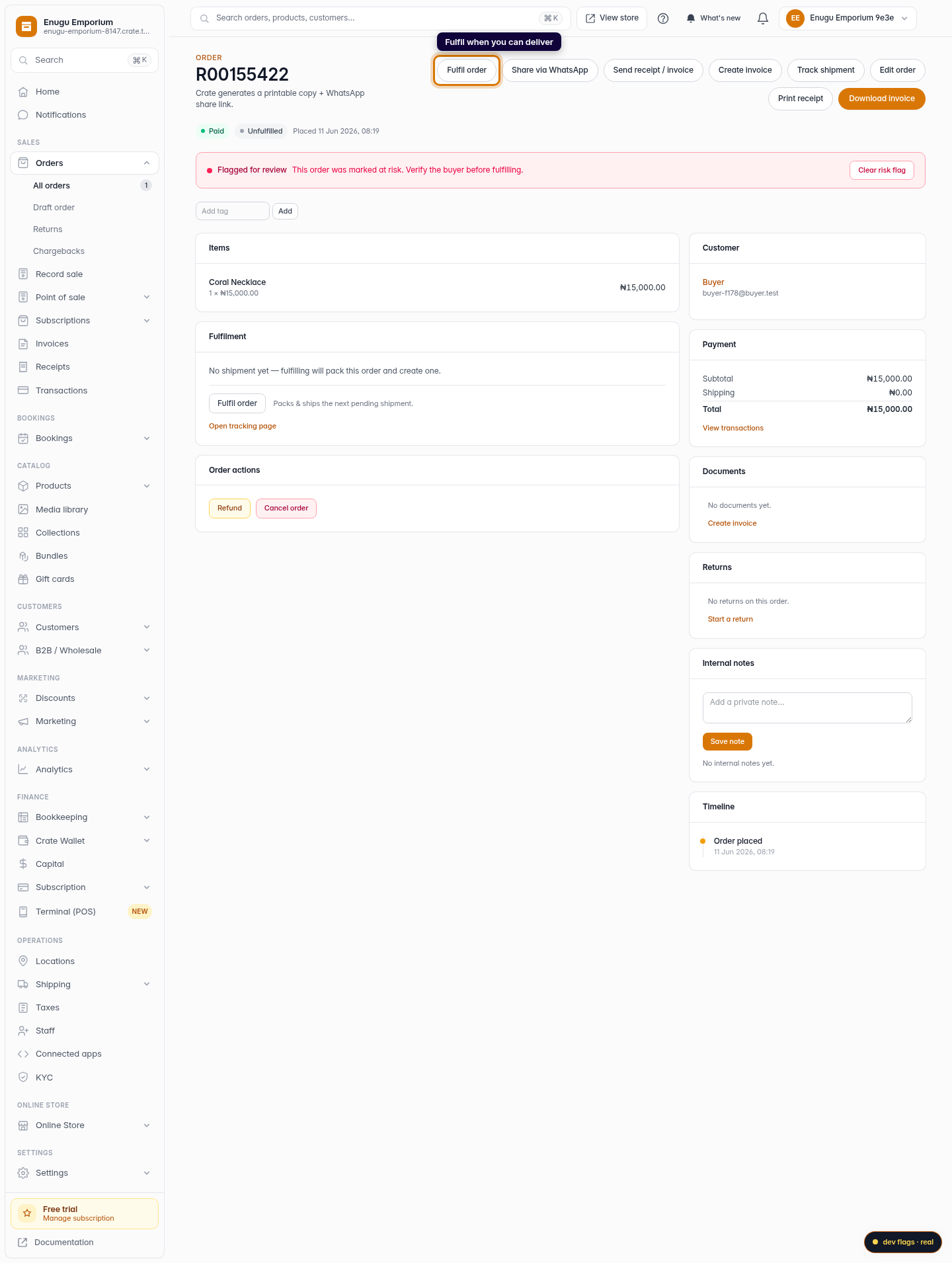
Fulfil when you can deliver
If you can fulfil the order, use Fulfil order to pack and ship it. Crate updates the order's fulfilment status and logs it on the timeline.
Web -
5
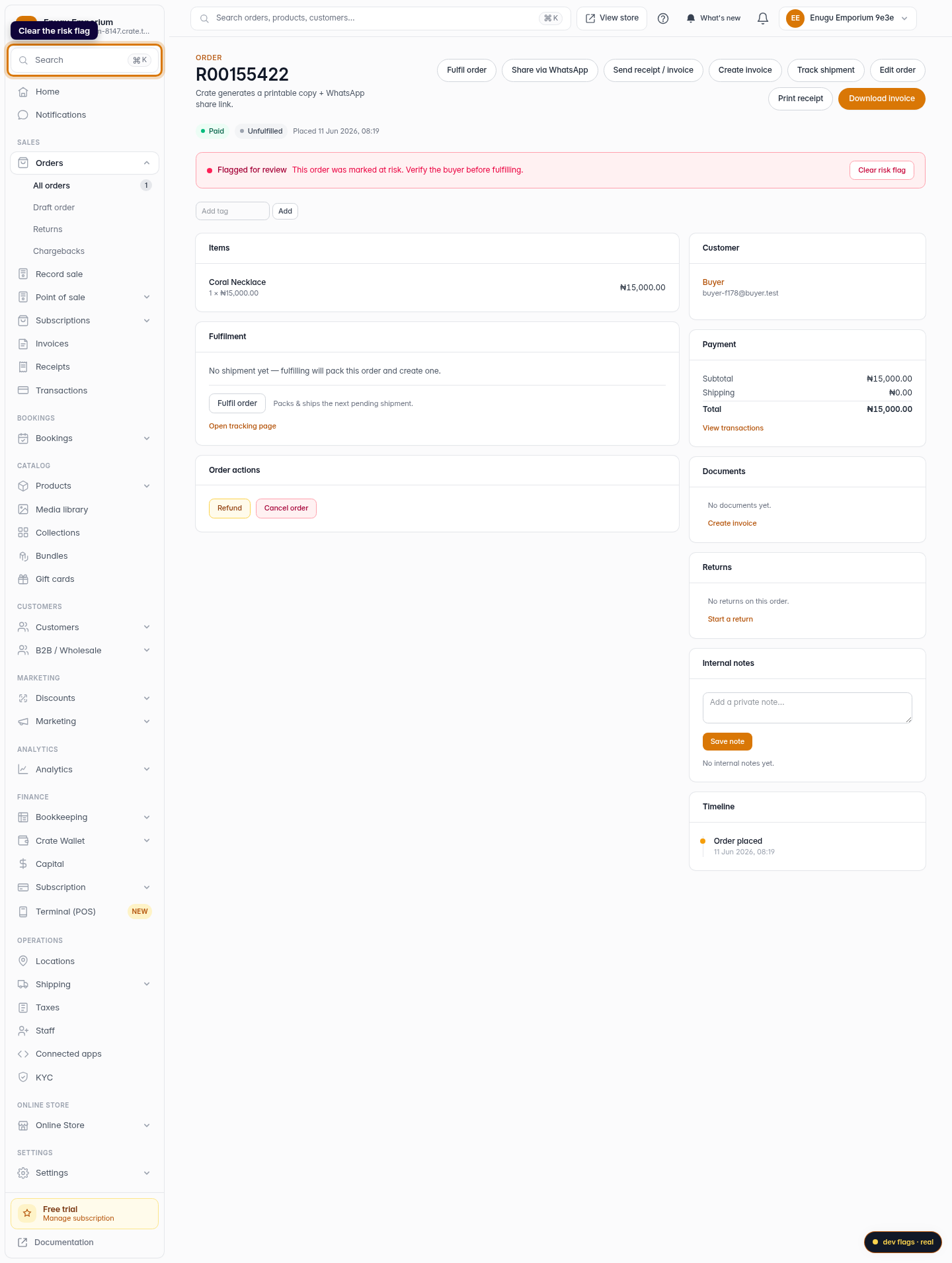
Clear the flag
Once you've reviewed and decided, click Clear risk flag on the banner. The order leaves the At risk tab and rejoins your normal flow.
Web