Recover abandoned carts
Win back shoppers who added to cart but didn't check out. See who walked away, then switch on auto-recovery so Crate nudges them for you.
An abandoned cart is a sale that almost happened: the shopper picked items, then left before paying. These are some of the easiest sales to win back, because the buyer already showed clear intent. Crate surfaces them on the Abandoned carts page and can chase them automatically once you switch on recovery.
What counts as abandoned
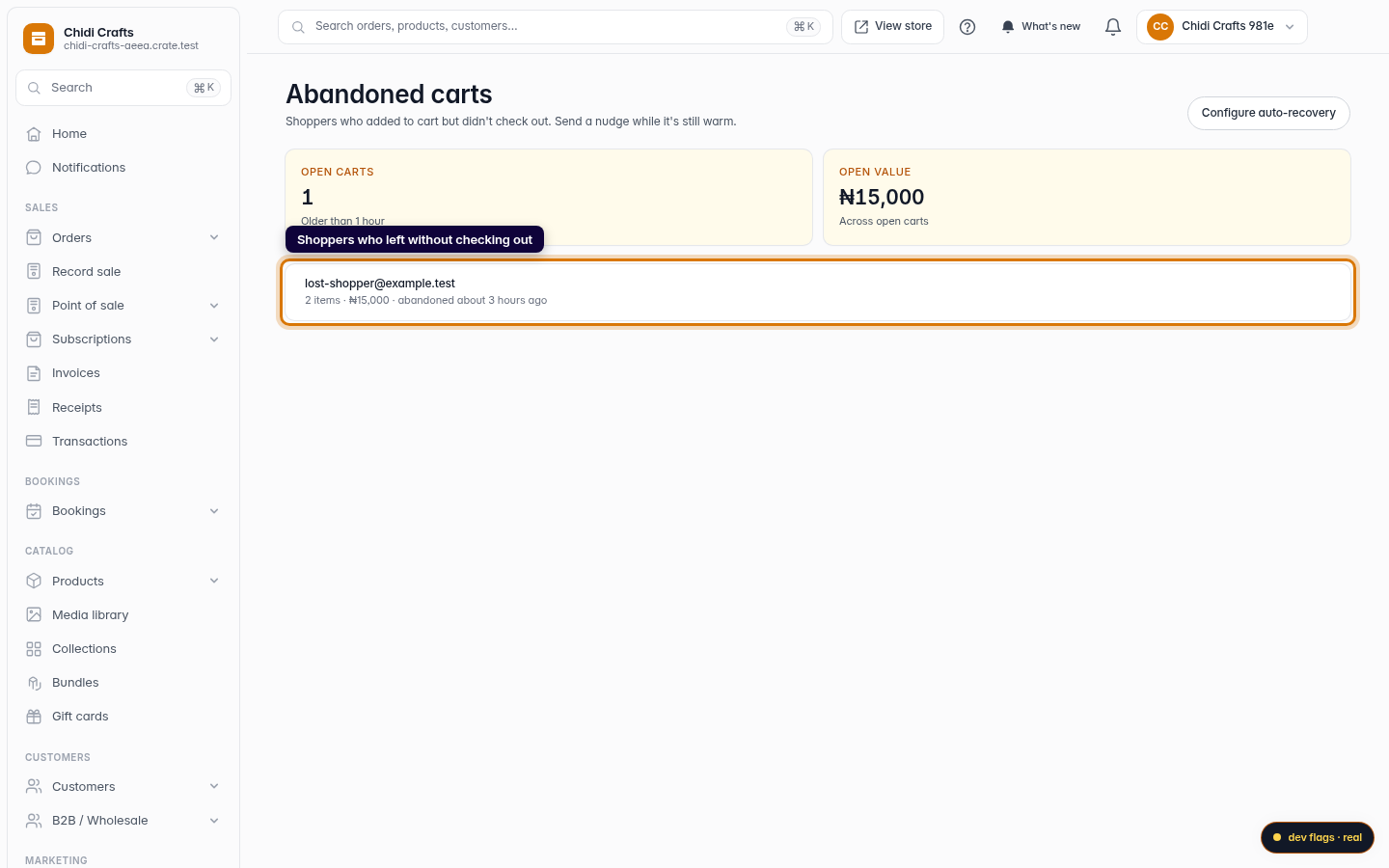
When a shopper adds items to their cart and an hour passes without checkout, Crate treats the cart as abandoned and lists it. The page shows two numbers at a glance — how many open carts you have and their total open value — so you can see how much revenue is sitting recoverable.
Turning on auto-recovery
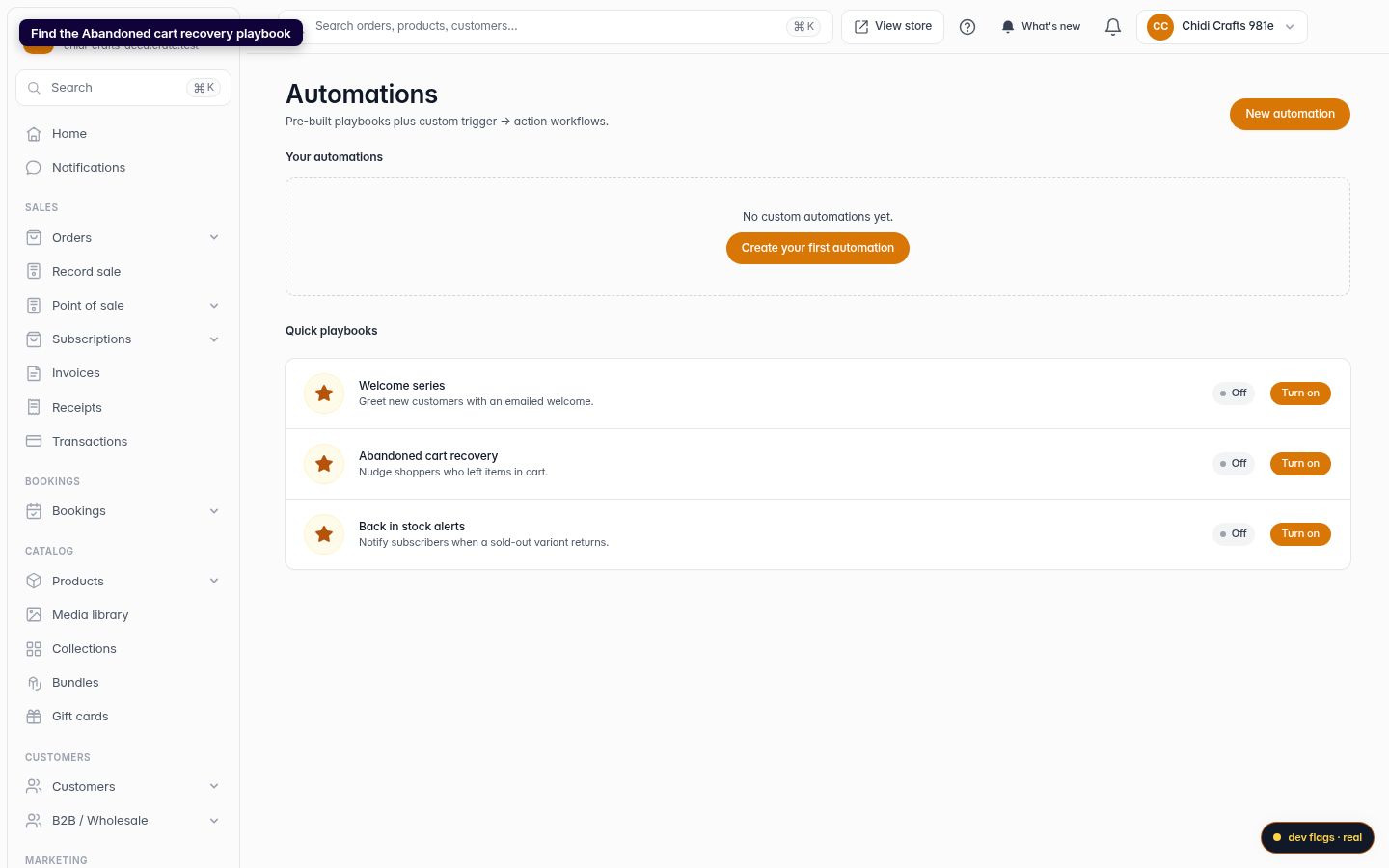
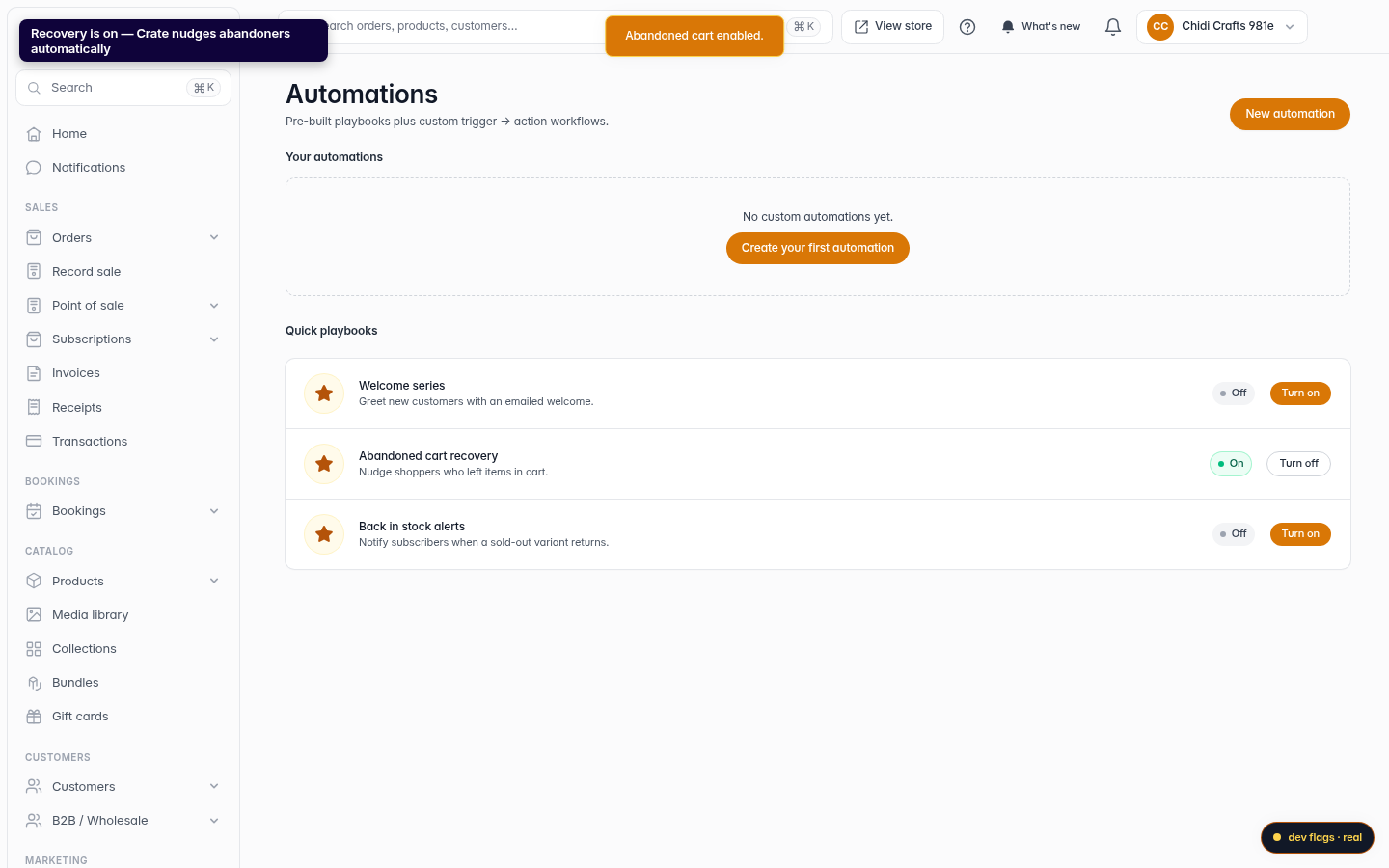
Recovery lives in Automations as a quick playbook. Flip Abandoned cart recovery on and Crate handles the follow-up for you whenever a cart goes cold — you don't have to chase each shopper by hand.
Tip: Pair recovery with a small coupon. A 5–10% nudge is often enough to bring a hesitant shopper back, and it's far cheaper than losing the sale entirely.
Keeping an eye on results
Come back to the Abandoned carts page any time to see which carts are currently open and what they're worth. As recovery does its job, carts that convert drop off the list — leaving you a live view of the revenue still in play.
-
1
Open Abandoned carts
From your dashboard, open Abandoned carts. It lists shoppers who added items but left before paying, with how much each open cart is worth.
Web -
2
Go to auto-recovery
Click Configure auto-recovery to set up the automatic nudge that chases these carts for you.

Web -
3
Find the recovery playbook
On the Automations page, look under Quick playbooks for Abandoned cart recovery.
Web -
4
Turn it on
Click Turn on. The playbook flips to On and Crate starts nudging shoppers who leave items behind — no further setup needed.
Web