Put a single product on sale
Drop the price on one product without touching the rest of your catalogue. Crate shows shoppers the original price struck through next to the new sale price.
When you want to mark down just one item — a slow-moving size, an end-of-line colour, a hero product for a weekend push — set the sale price right on that product. It's the fastest kind of discount: no code for the shopper to type, no rules to configure. The lower price simply shows on the storefront with the original struck through.
Sale price vs. discounts that span products
A sale price lives on the product itself and applies to that one product. If you want the same markdown across several products at once, use a discount that targets multiple products instead — it's one rule covering many items, rather than editing each product by hand.
Tip: Add a cost per item on the same page and Crate shows your live profit and margin as you type the sale price — so you can mark down with confidence that you're still in the black.
What shoppers see
Once saved, the storefront renders the original price with a line through it next to the new sale price, signalling a genuine markdown. If you set an end date, the sale price disappears automatically when it passes and the product returns to its normal price — nothing for you to remember to switch off.
-
1
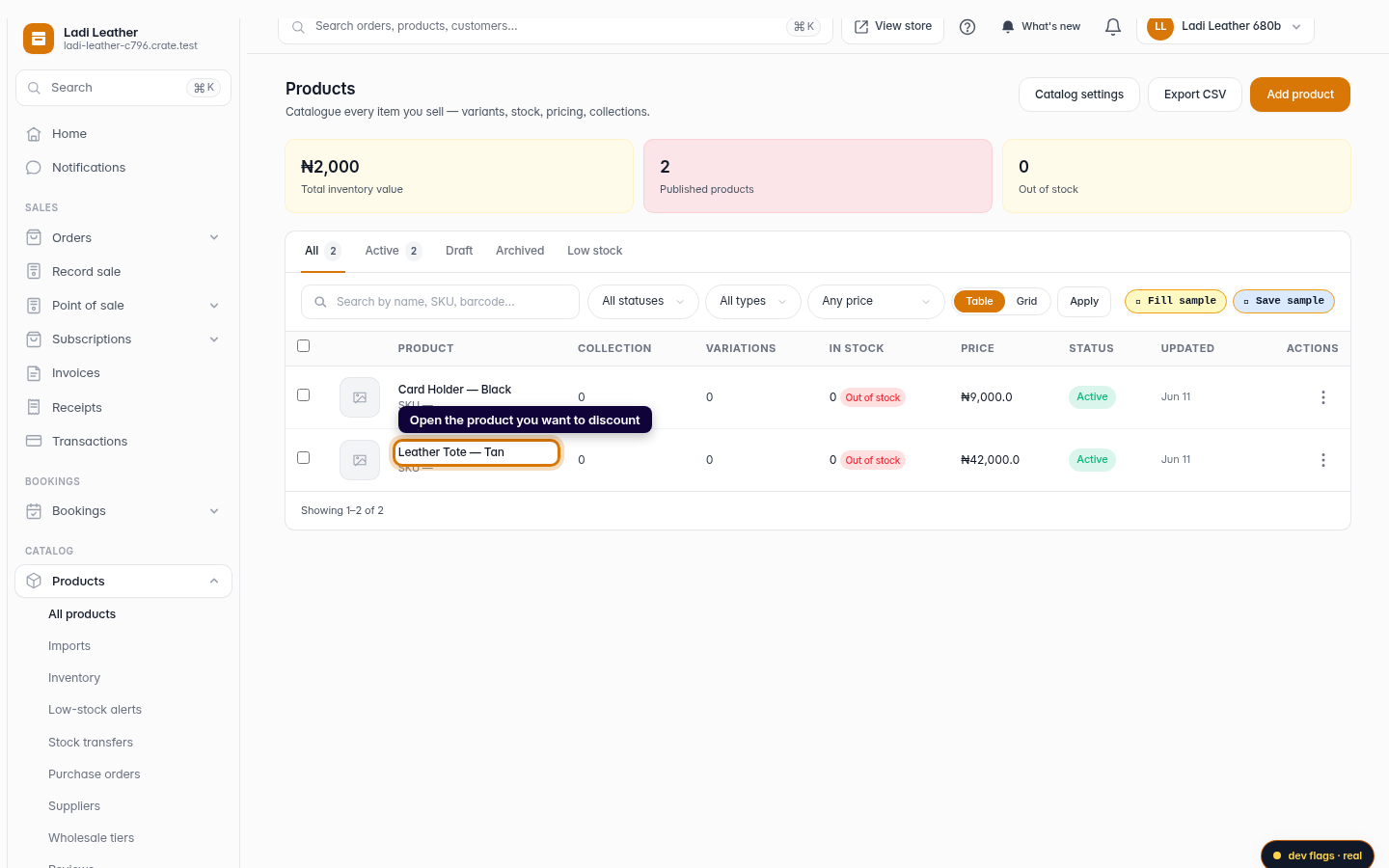
Open the product
From Products, click the product you want to put on sale. Each product has its own price, so a sale here affects only this item.
Web -
2
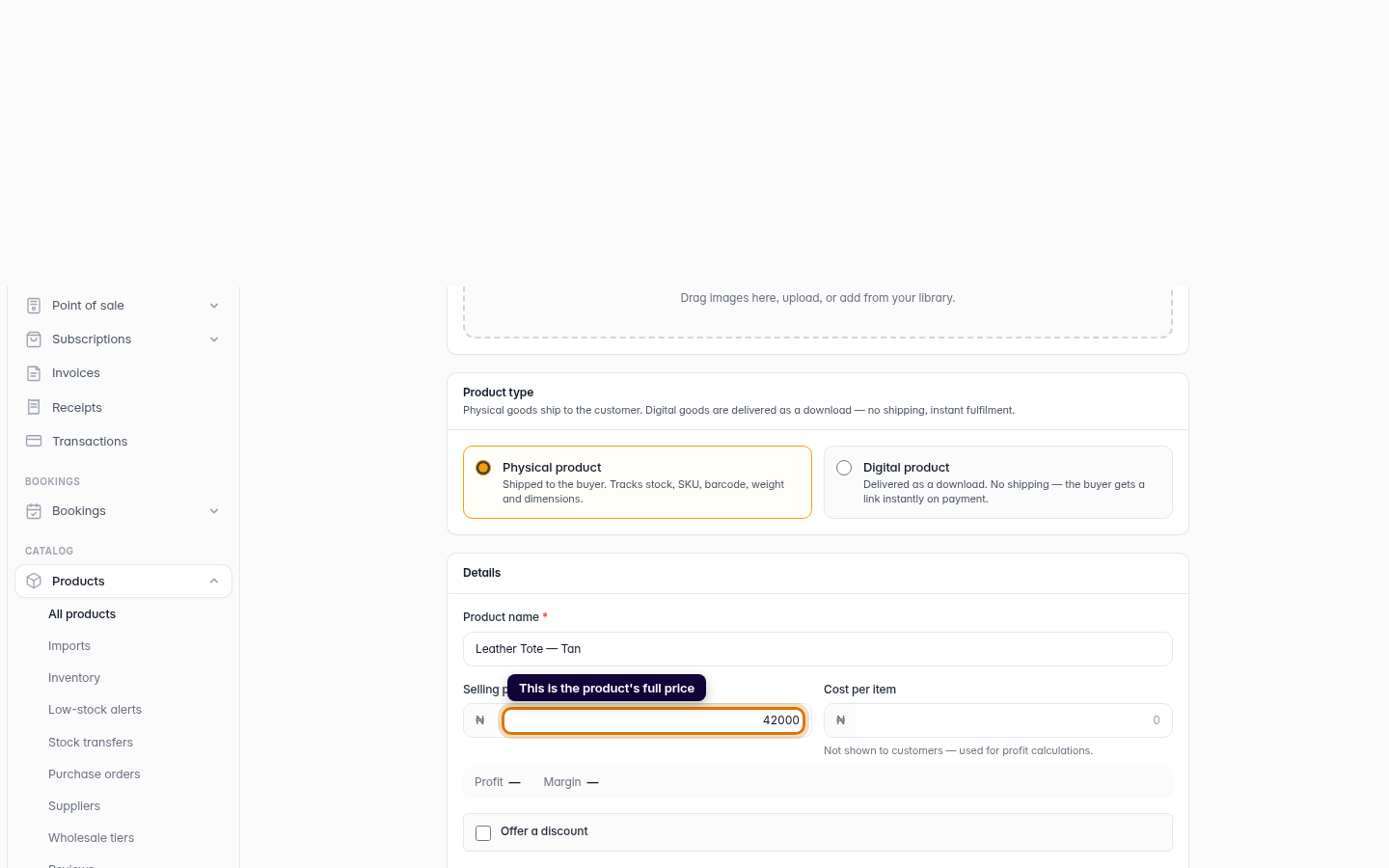
Find the price card
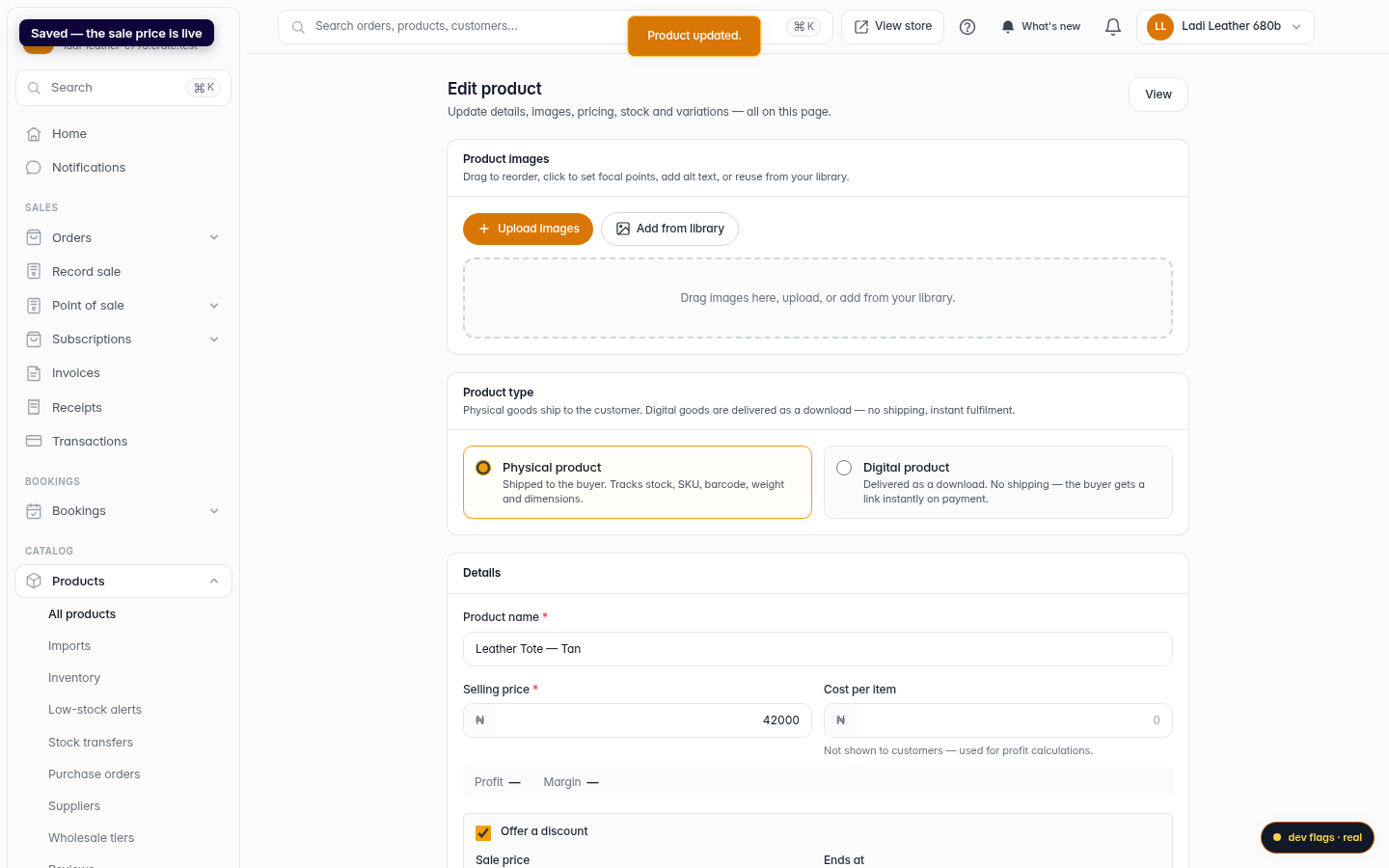
On the product's edit page, the Selling price is the full price shoppers normally pay. The discount controls sit just below it.
Web -
3
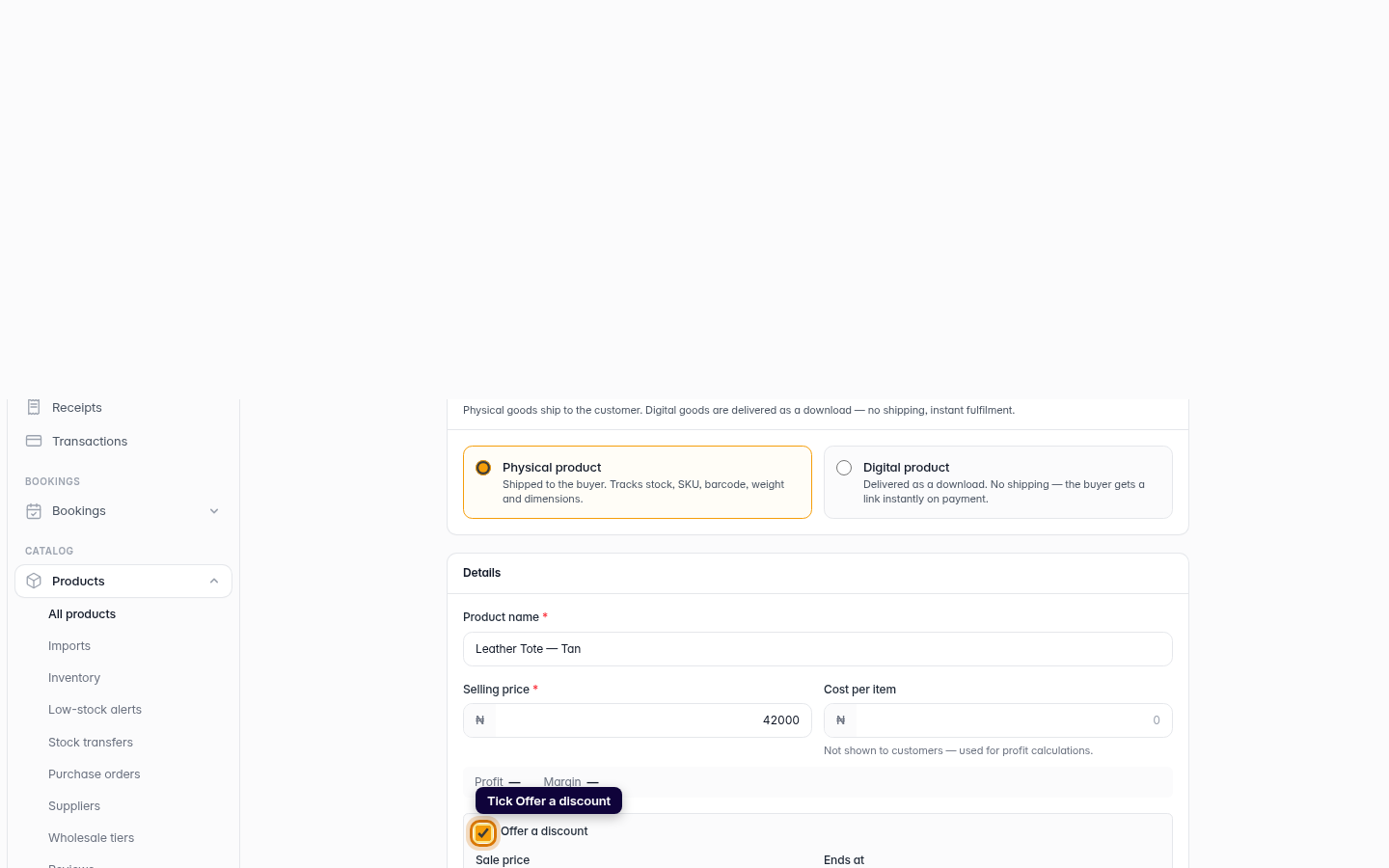
Turn on the discount
Tick Offer a discount. Crate reveals the sale-price fields.
Web -
4
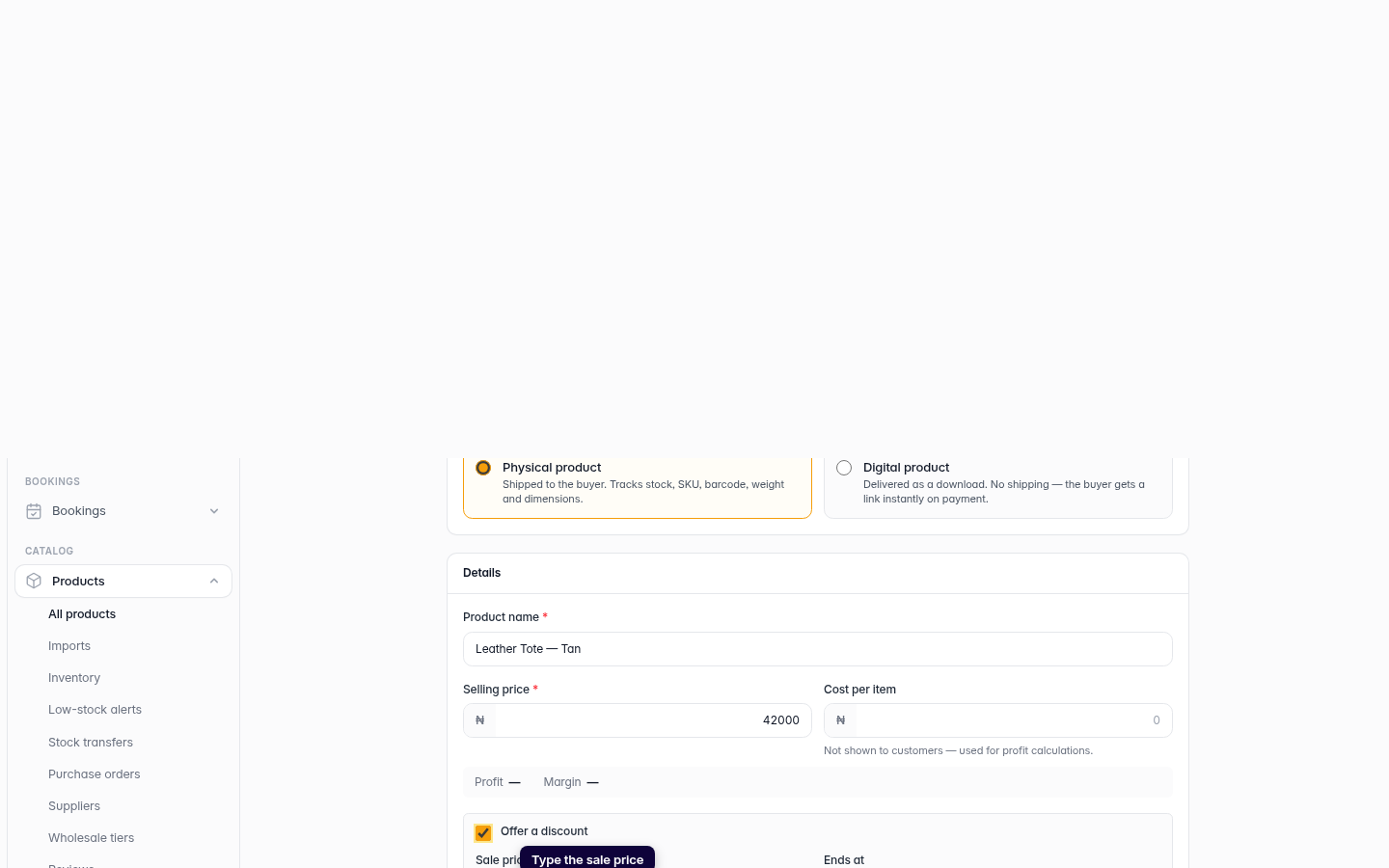
Enter the sale price
Type the sale price — the lower amount you want to charge. Optionally set an end date and the sale switches off on its own. Leave it blank to run the sale until you stop it.
Web -
5
Save
Click Save product. The sale price goes live immediately — shoppers see the original price struck through next to the new one.
Web