Cancelling an order
Cancel an order you can no longer fulfil. Crate records a reason, optionally restocks the items and messages the customer, and moves the order to your Cancelled tab — all in a few clicks.
Cancel an order when it's clear it won't be fulfilled — the customer pulled out, the item sold out, or the order looks fraudulent. Cancelling keeps the order on record (so nothing disappears from your history) while taking it out of your active pipeline.
What cancelling does
- The order moves to your Cancelled tab and stops counting toward live sales.
- A cancellation event, with your chosen reason, is written to the order's timeline.
- Cancelled orders can't be reopened — if the customer comes back, record a fresh order.
Restock and notify in one step
The cancel screen lets you tidy up everything at once:
- Restock the items returns the reserved units to your available stock.
- Refund the customer is there if money already changed hands (Crate never moves money silently — see Cancelling a paid order).
- WhatsApp the customer sends them a quick heads-up so they're not left wondering.
Tip: Need to remove the order entirely rather than just cancel it? If it's unpaid, you can delete it instead — see Deleting an order.
-
1
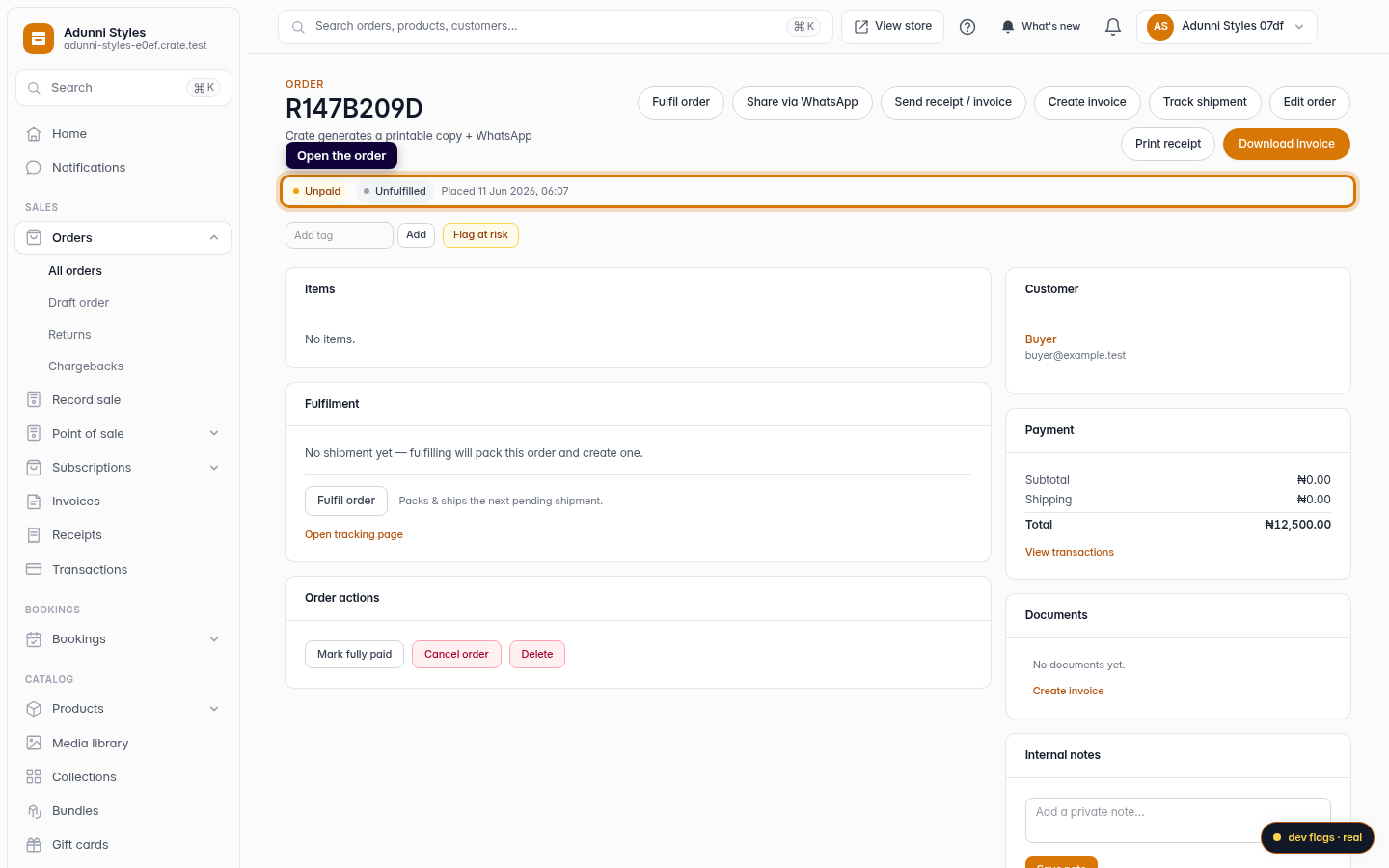
Open the order
From Orders, open the order you want to cancel.
Web -
2
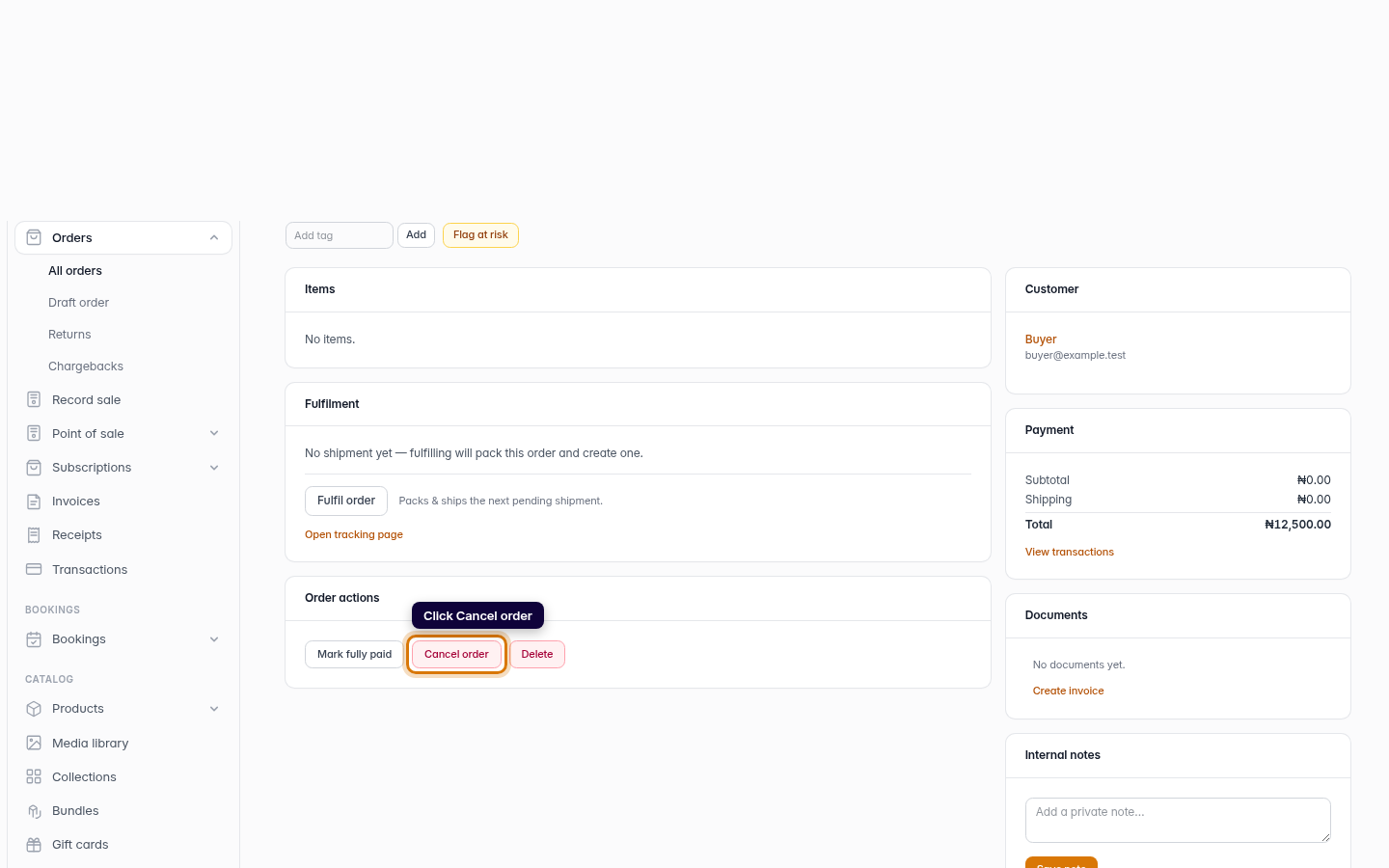
Click Cancel order
In the Order actions card, click Cancel order.
Web -
3
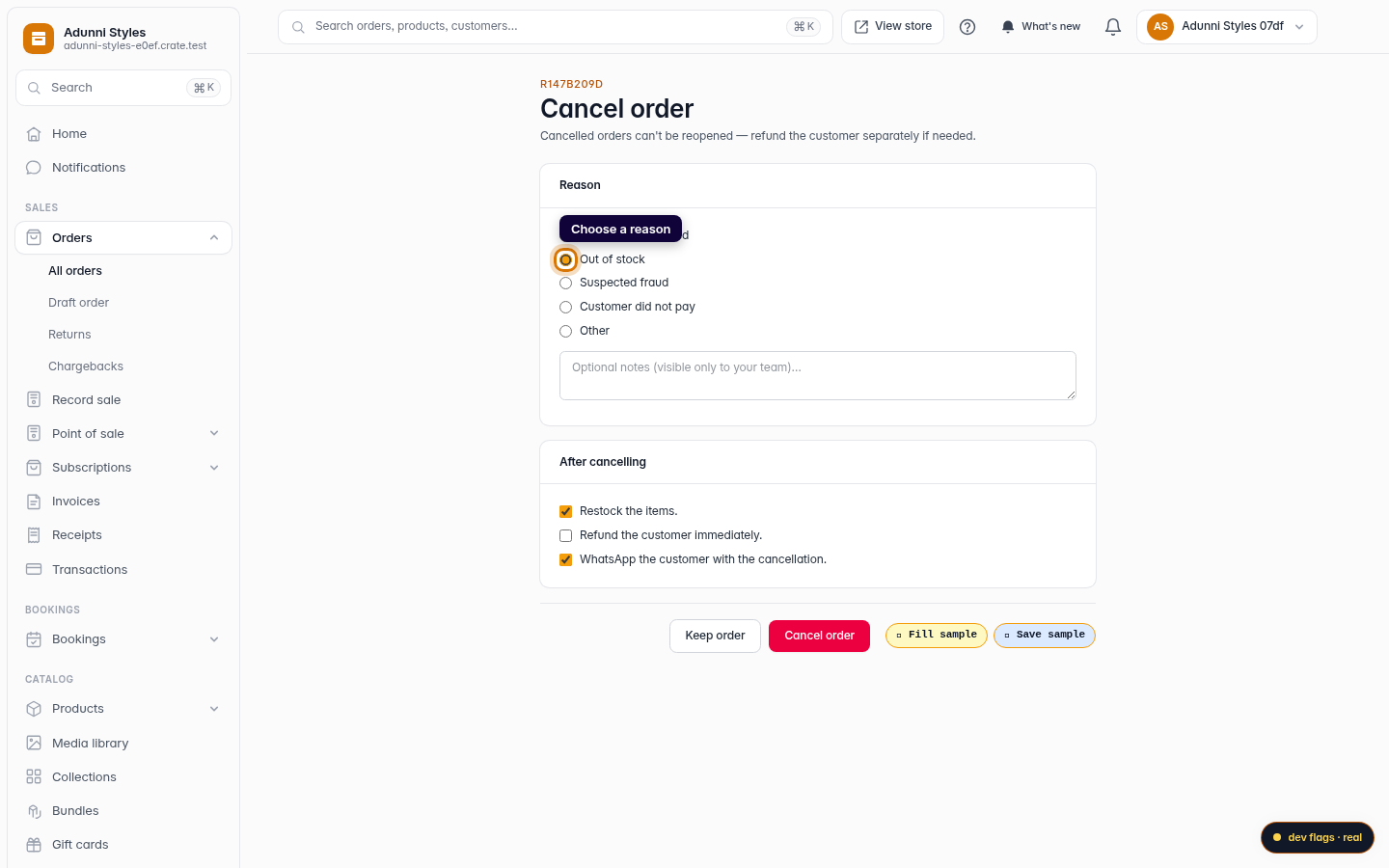
Choose a reason
Pick the reason that fits — customer request, out of stock, suspected fraud, and so on. The reason is saved to the order's timeline so your team can see why it was cancelled.
Web -
4
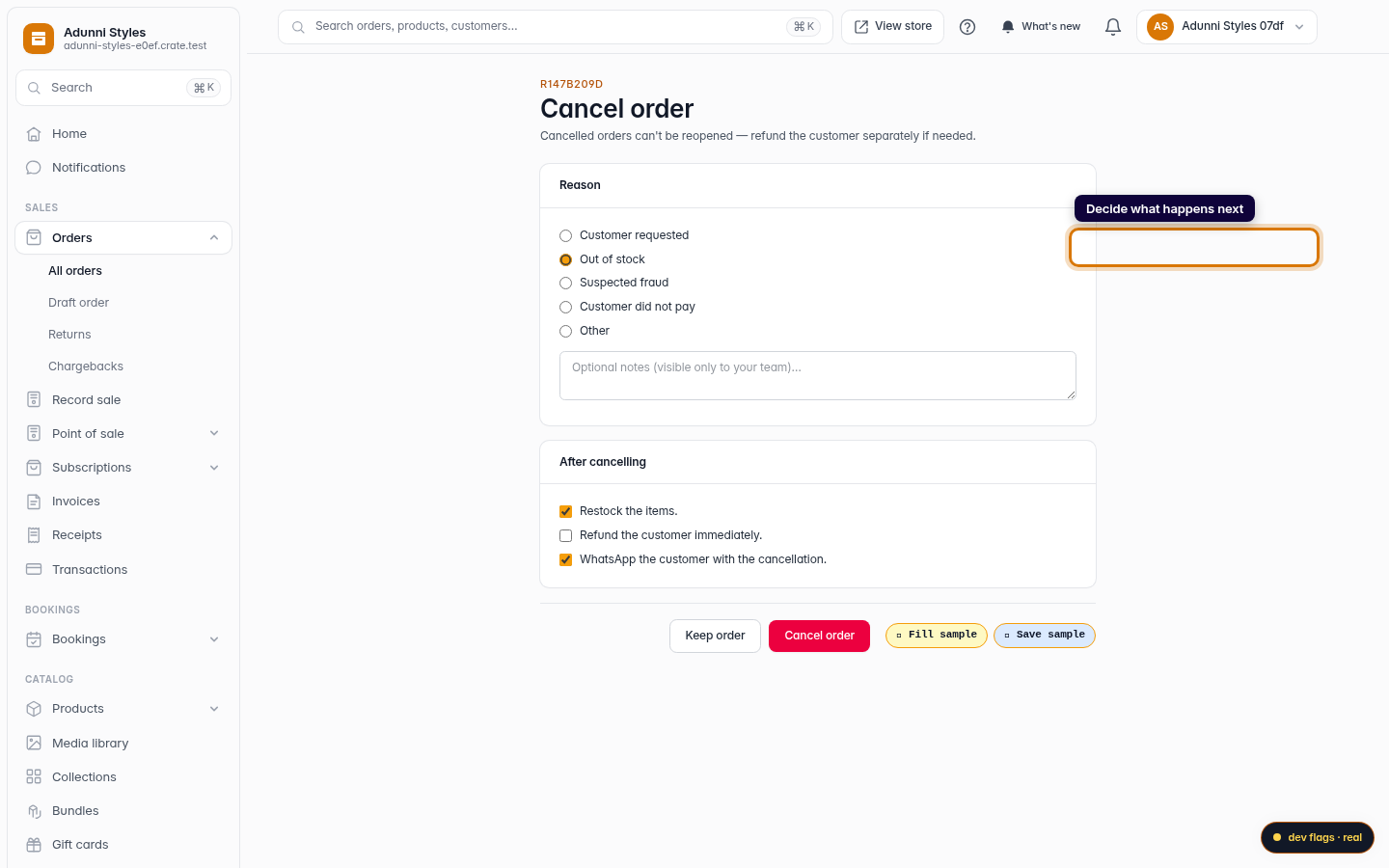
Decide what happens next
Choose whether to restock the items, refund the customer, and send them a WhatsApp message about the cancellation.
Web -
5
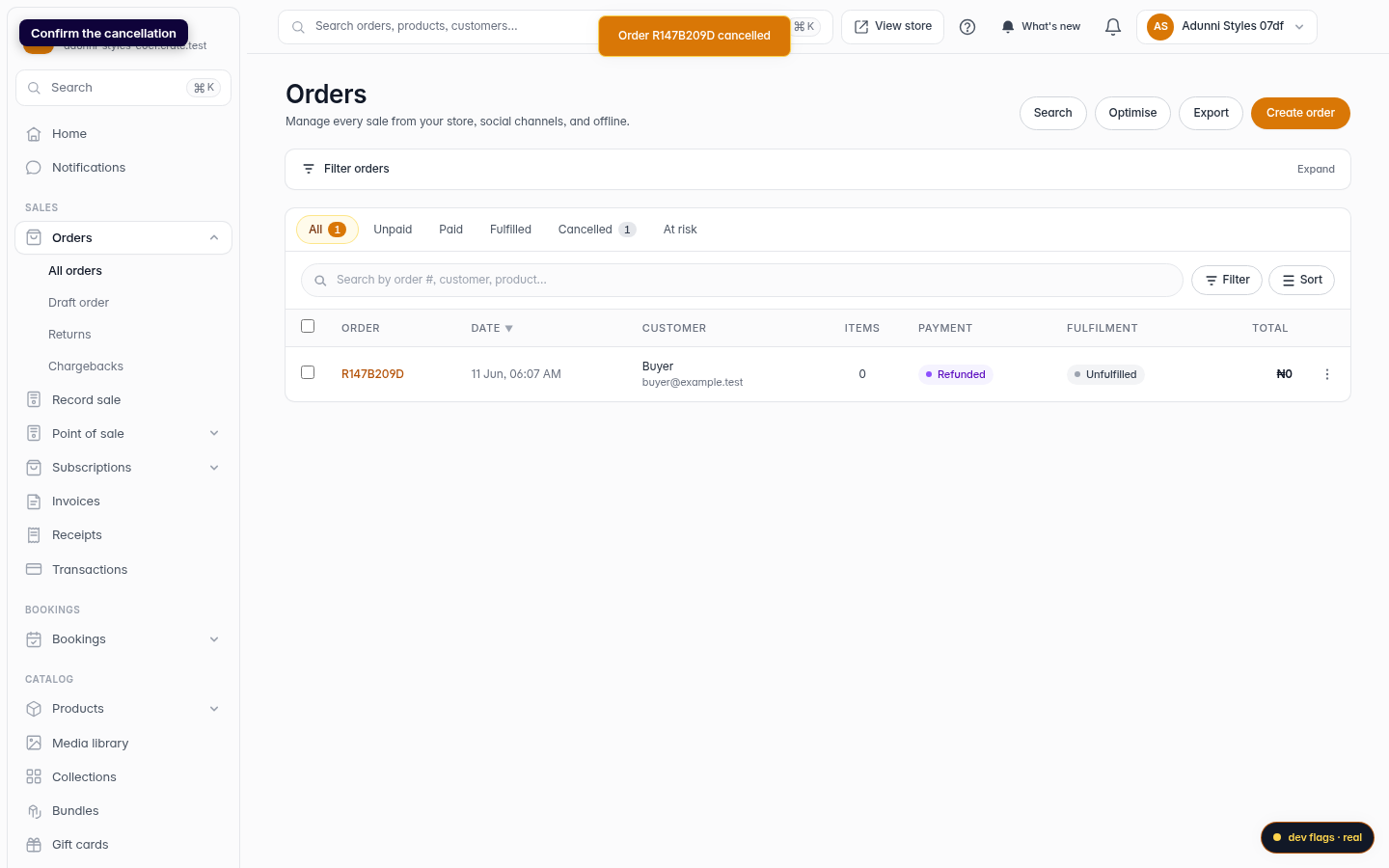
Confirm the cancellation
Click Cancel order. Crate confirms and moves the order to your Cancelled tab.
Web