How to set discounts with coupons
Create a coupon code that gives a discount only to the customers you share it with — perfect for targeted promotions, loyalty rewards or influencer campaigns.
A coupon is a discount with a code attached. Unlike a storewide discount that everyone sees, a coupon only rewards the customers you choose to share the code with — which makes it ideal for targeted campaigns: a loyalty thank-you, an influencer's audience, or a "first 50 customers" launch offer.
Coupon vs storewide discount
If you want every shopper to get a price cut automatically, use a discount instead. Reach for a coupon when the saving should be conditional on knowing a code. Same discounting engine — the difference is who gets it.
Building your coupon
In the coupon builder you'll set:
- Coupon code — what customers type at checkout (you can also generate one).
- How it applies — discount the whole cart, or only specific products.
- Discount value — a percentage or a fixed amount off.
- Optional limits — a maximum discount cap, a minimum cart value, and valid-from / valid-to dates so the offer expires on its own.
Click Create coupon and the code goes live straight away.
Tip: Set a valid-to date when you build a flash sale, so the coupon stops working automatically the moment the promotion ends — no need to remember to switch it off.
-
1
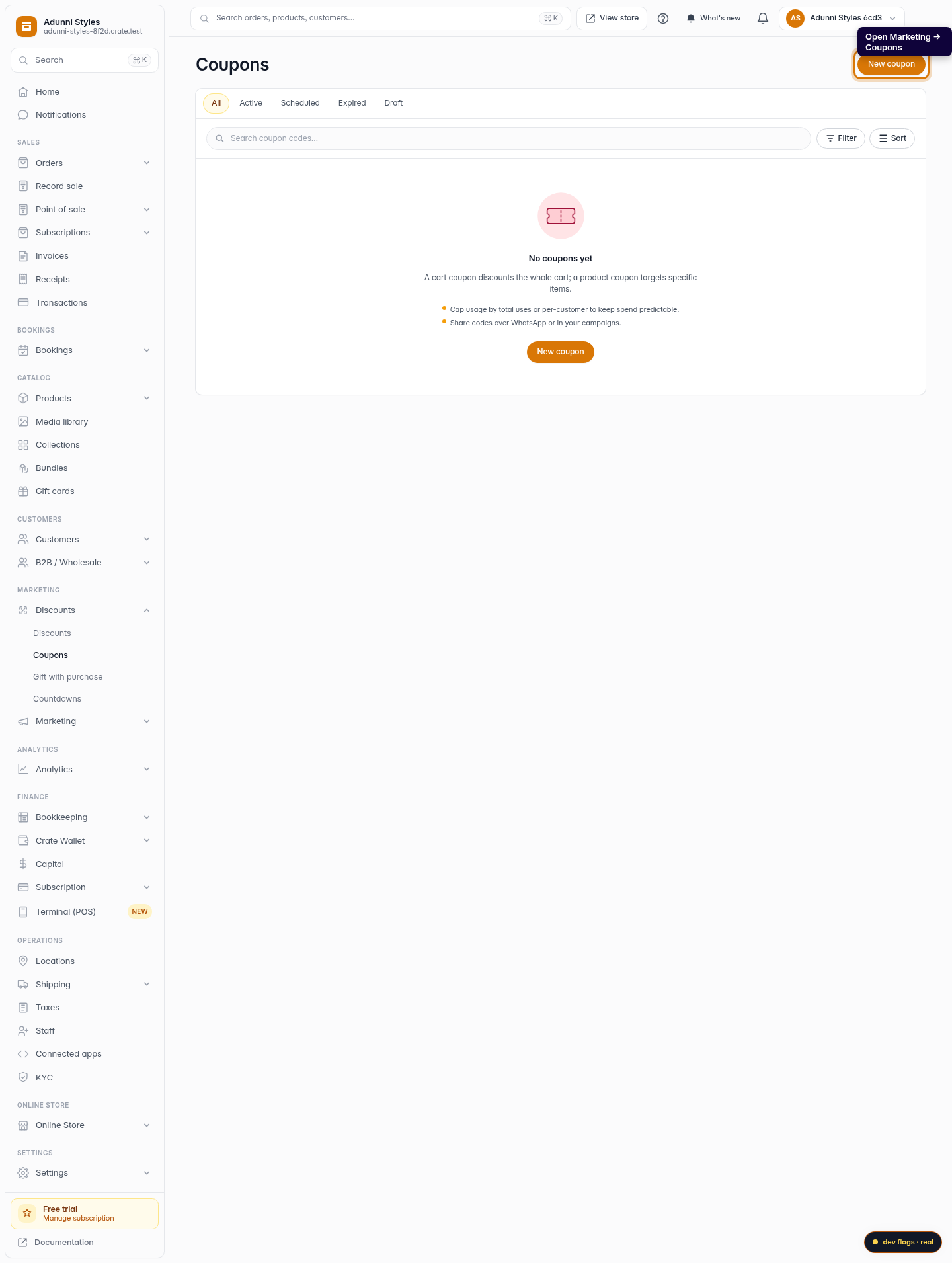
Open Coupons
From the dashboard sidebar, open Marketing → Coupons. This is where every shareable discount code lives.
Web -
2
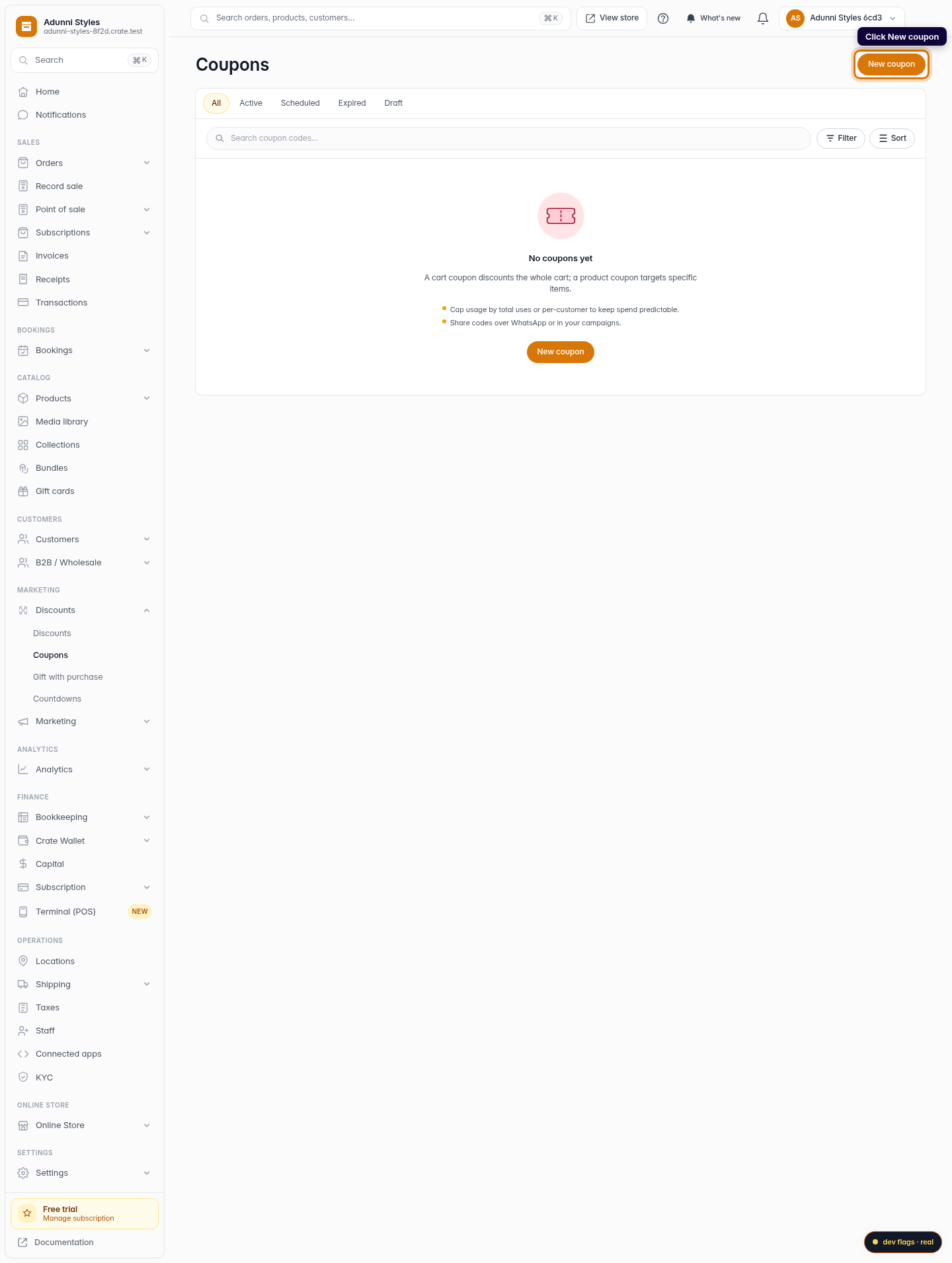
Start a new coupon
Click New coupon in the top-right corner to open the coupon builder.
Web -
3
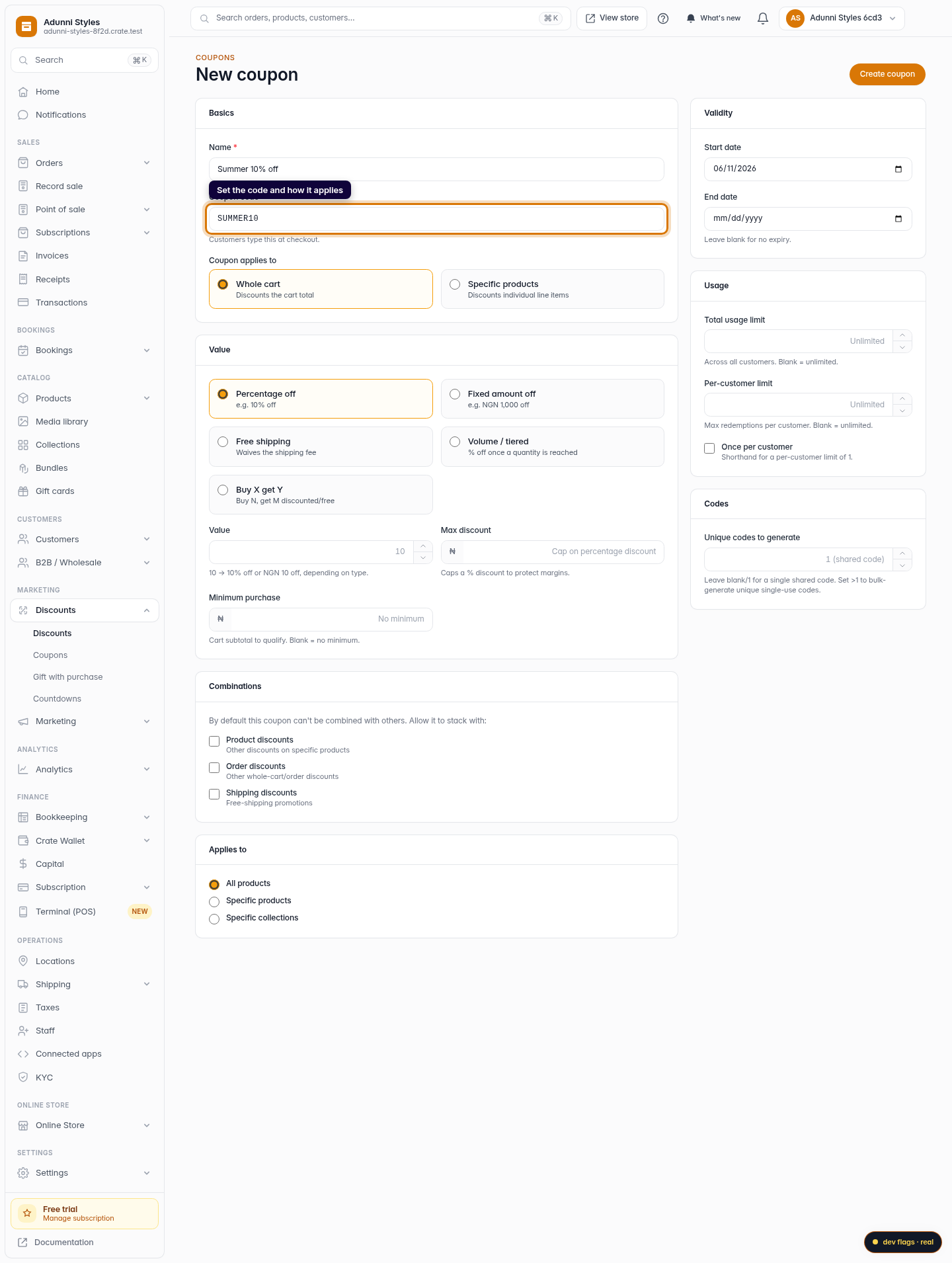
Set the code and how it applies
Enter a coupon code customers will type at checkout — something memorable like SUMMER10. Then choose whether it discounts the whole cart or only specific products.
Web -
4
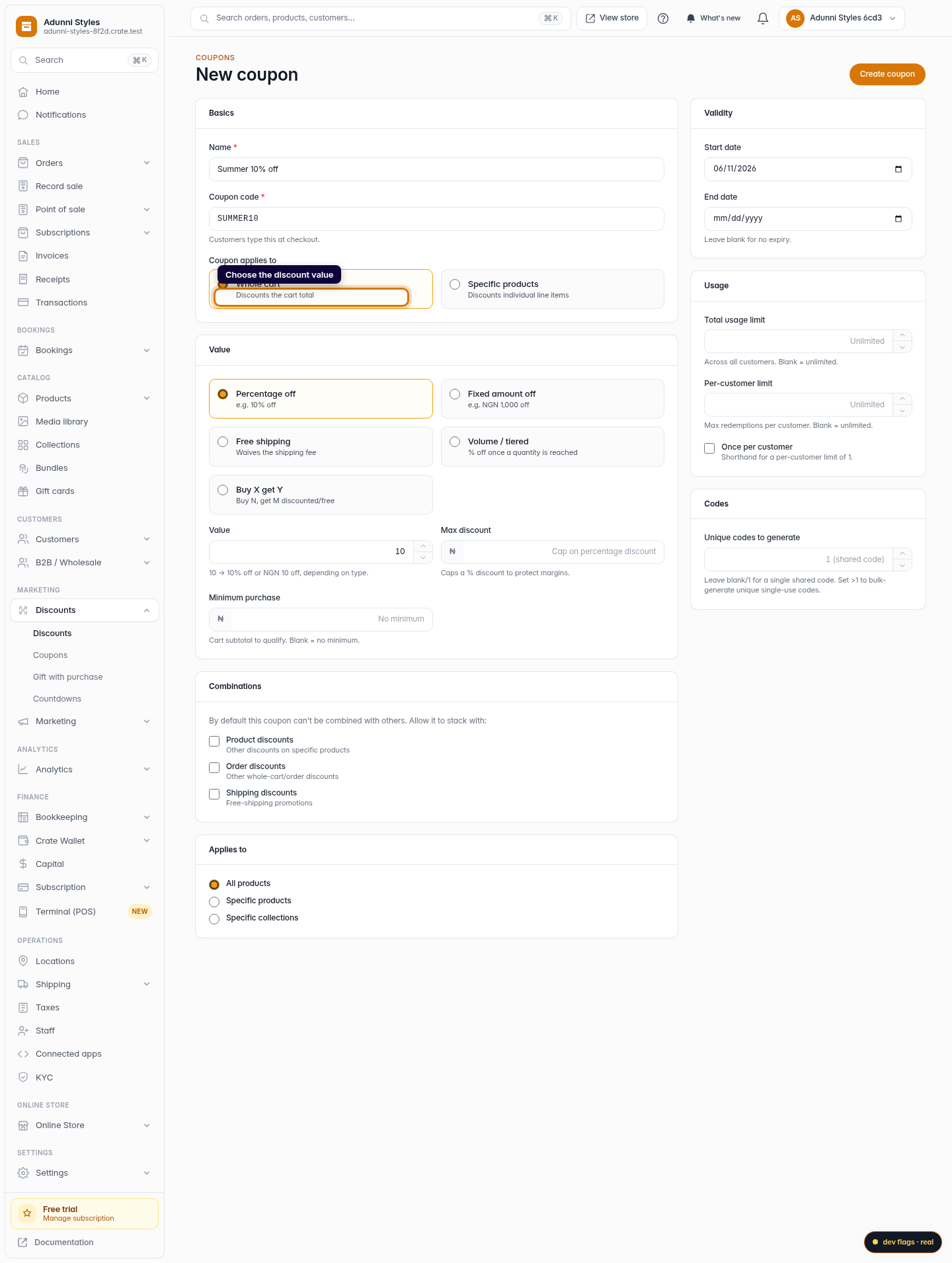
Choose the discount value
Pick the discount type — a percentage (e.g. 10% off) or a fixed amount — and enter the value. You can optionally cap the maximum discount and set a minimum cart value.
Web -
5
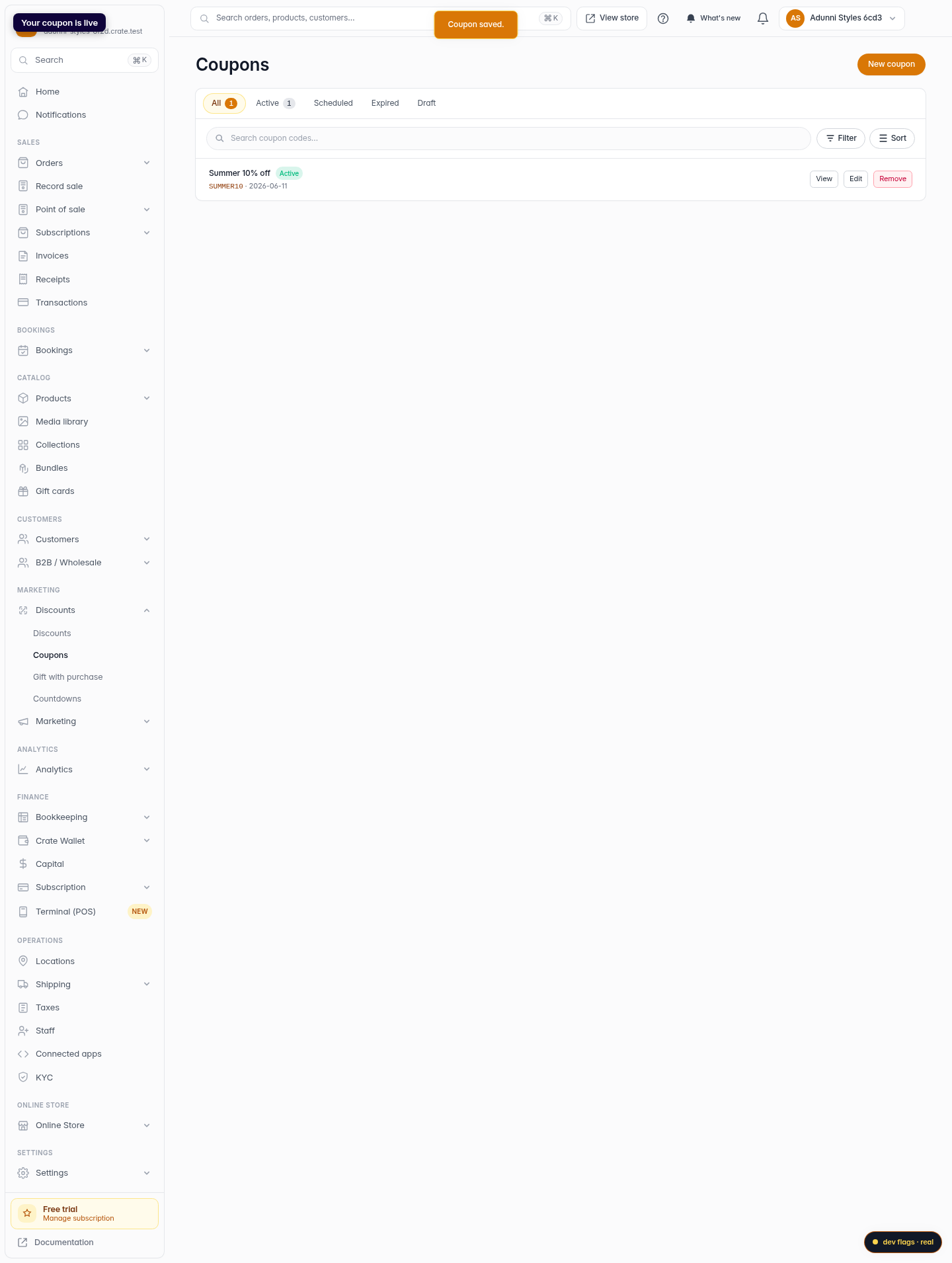
Save the coupon
Click Create coupon to save. Your code is live immediately — share it, and only customers who enter it at checkout get the discount.
Web