Record a balance payment on your phone
Out at a delivery or a market stall? Settle the outstanding balance on a part-paid order straight from your phone, and the order moves to Paid the moment you confirm.
When a customer settles the balance on a part-paid order while you're away from your desk, you don't have to wait until you're back to update your books. Crate's dashboard is fully responsive, so the same Mark fully paid flow works from your phone.
When you'd use this
A buyer paid a deposit earlier and is now handing you the rest on delivery; a market customer clears their tab; a WhatsApp order is completed on the spot. In each case, open the order on your phone and record the balance so the sale closes cleanly.
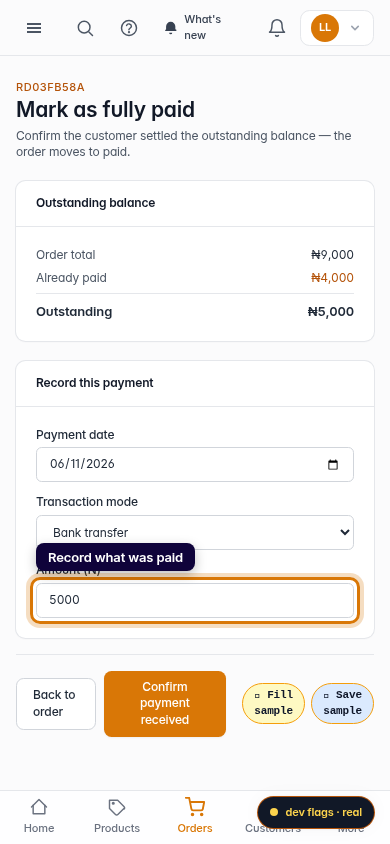
Tip: The amount field is pre-filled with exactly what's outstanding, so in most cases you only need to confirm the payment method and tap once.
After you confirm
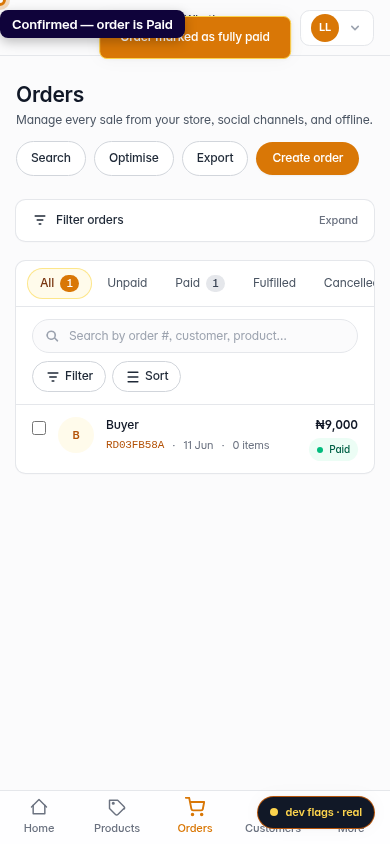
The order leaves your Unpaid list and is marked Paid, Crate generates a receipt you can send over WhatsApp from the order page, and the payment is recorded on the order's timeline with the date and time — the same as if you'd done it on a laptop.
For the full walk-through (including the desktop view of the confirmation screen), see Mark a part-paid order as fully paid.
-
1
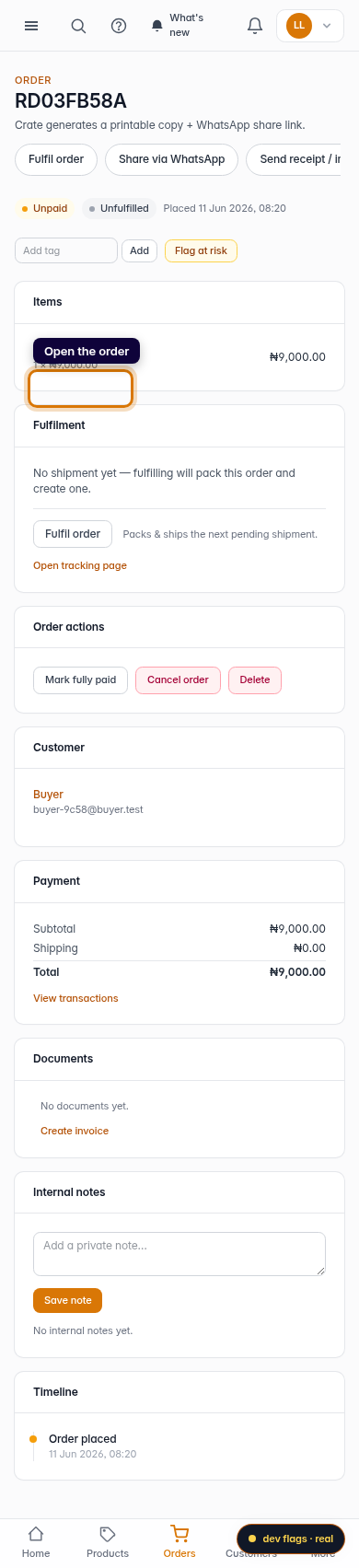
Open the order on your phone
From Orders, tap the order the customer is paying off. The same Crate dashboard works on mobile, so you can do this from the road.
Mobile -
2
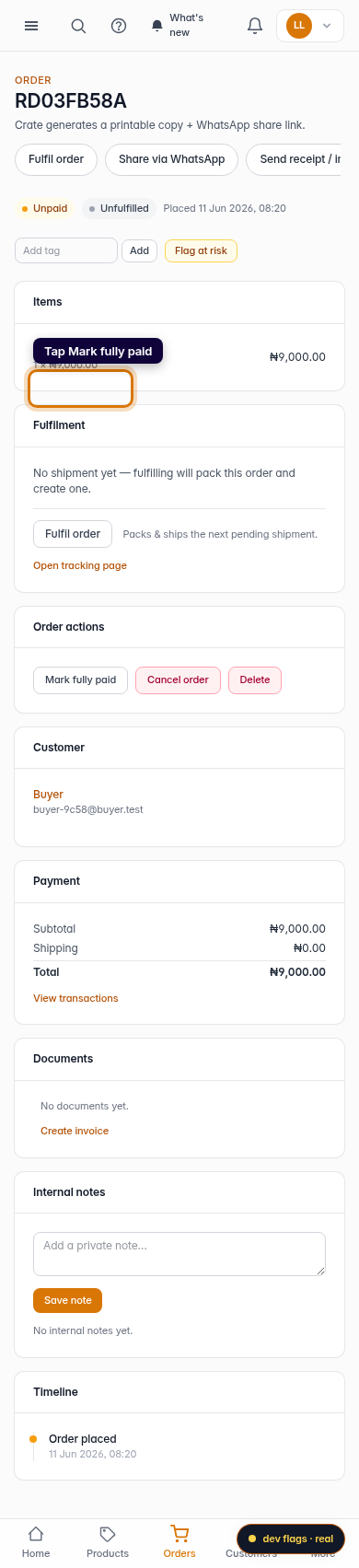
Tap Mark fully paid
Scroll to the Order actions card and tap Mark fully paid.
Mobile -
3
Record what was paid
Crate shows the outstanding balance and pre-fills the amount. Set the date, choose how the money came in, and confirm the figure.
Mobile -
4
Confirm
Tap Confirm payment received. The order is now Paid, a receipt is ready to share, and the payment shows on the order timeline.
Mobile