Connect a domain you already own
Already bought a domain elsewhere? Point it at your Crate store in three steps — add one verification record, two DNS records, and your store goes live on your own web address.
A custom domain makes your store look established — yourshop.com reads far more professionally than a default subdomain, and it's the address customers remember. If you already own a domain, you don't need to buy a new one: you point the one you have at Crate.
Connecting a domain doesn't move your old website's pages or design across — it only routes the web address to your Crate store. Visitors who type your domain land on your Crate storefront.
Keep your old site? Use a subdomain
If you want to keep an existing website and run your Crate store, connect a subdomain instead — for example shop.yourshop.com. Your main site stays exactly as it is, and the subdomain points shoppers to Crate.
Crate manages your SSL certificate for you. Once the domain verifies, HTTPS is switched on automatically — there's nothing to buy or renew.
What happens after you connect
Crate watches for your DNS records and verifies ownership in the background. While that's happening the domain shows as pending verification. As soon as the records resolve, the domain flips to connected, SSL goes active, and your store is live on your own address. If you ever need to change where it points, you can edit its DNS records from the domain's page.
-
1
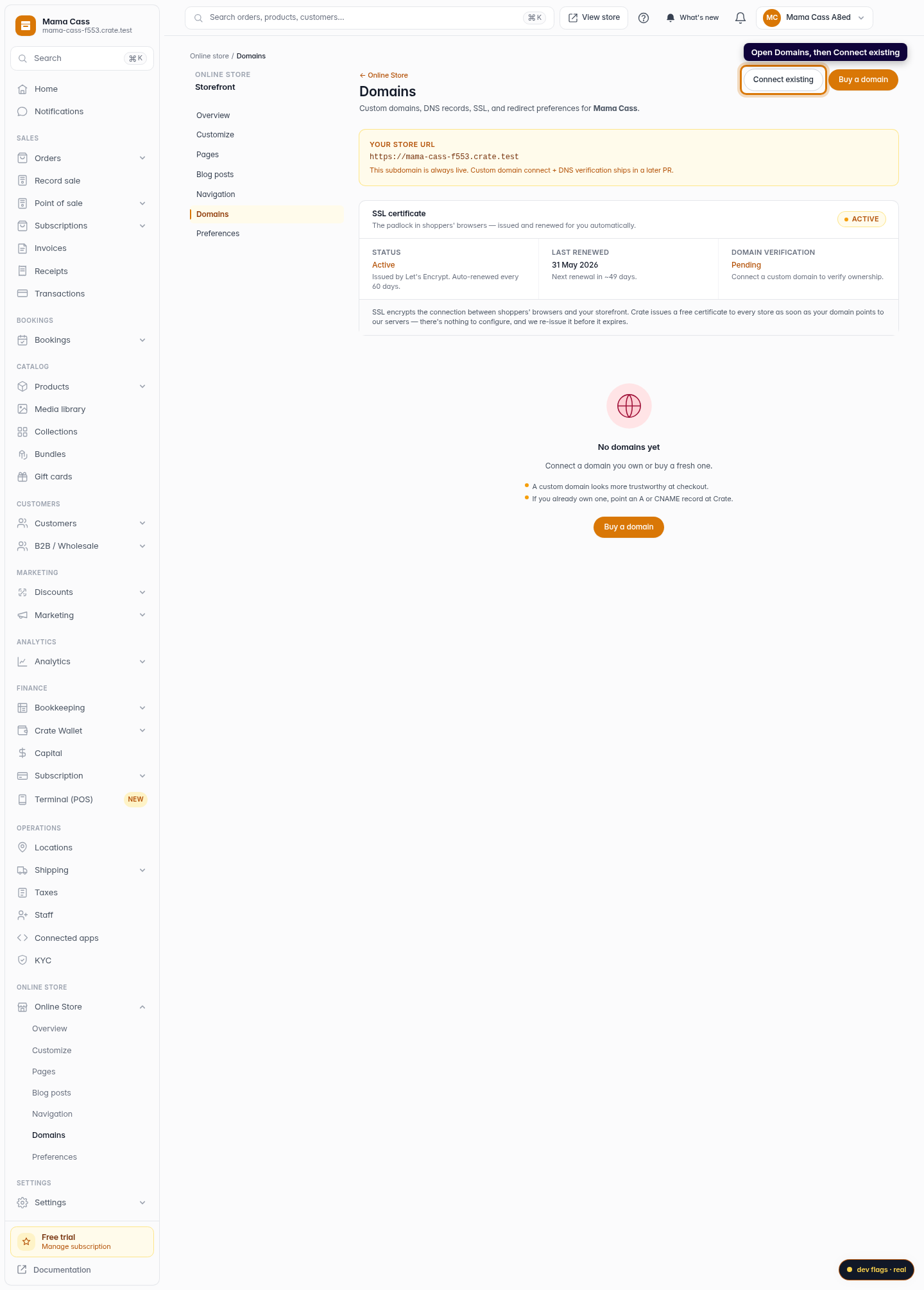
Open Domains
From your Crate dashboard, go to Storefront → Domains. This is where every web address that points at your store lives.
Web 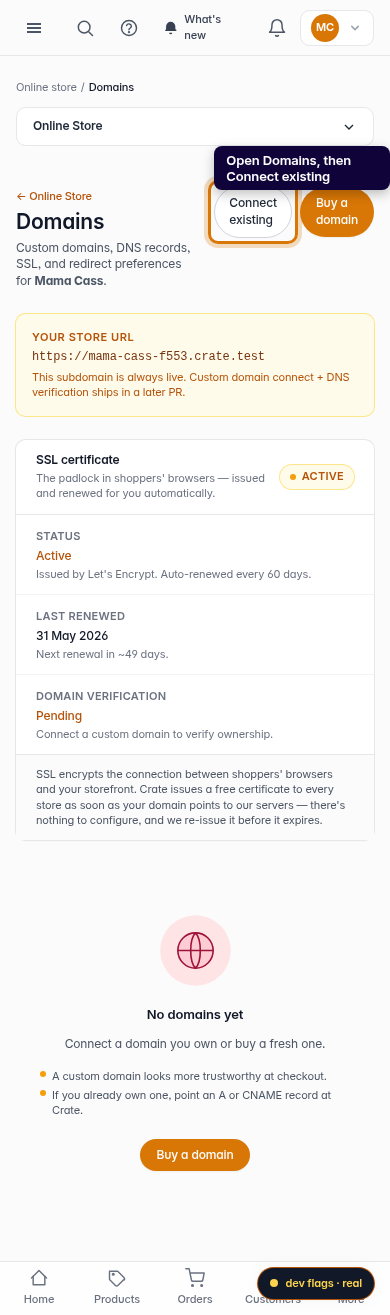
Mobile -
2
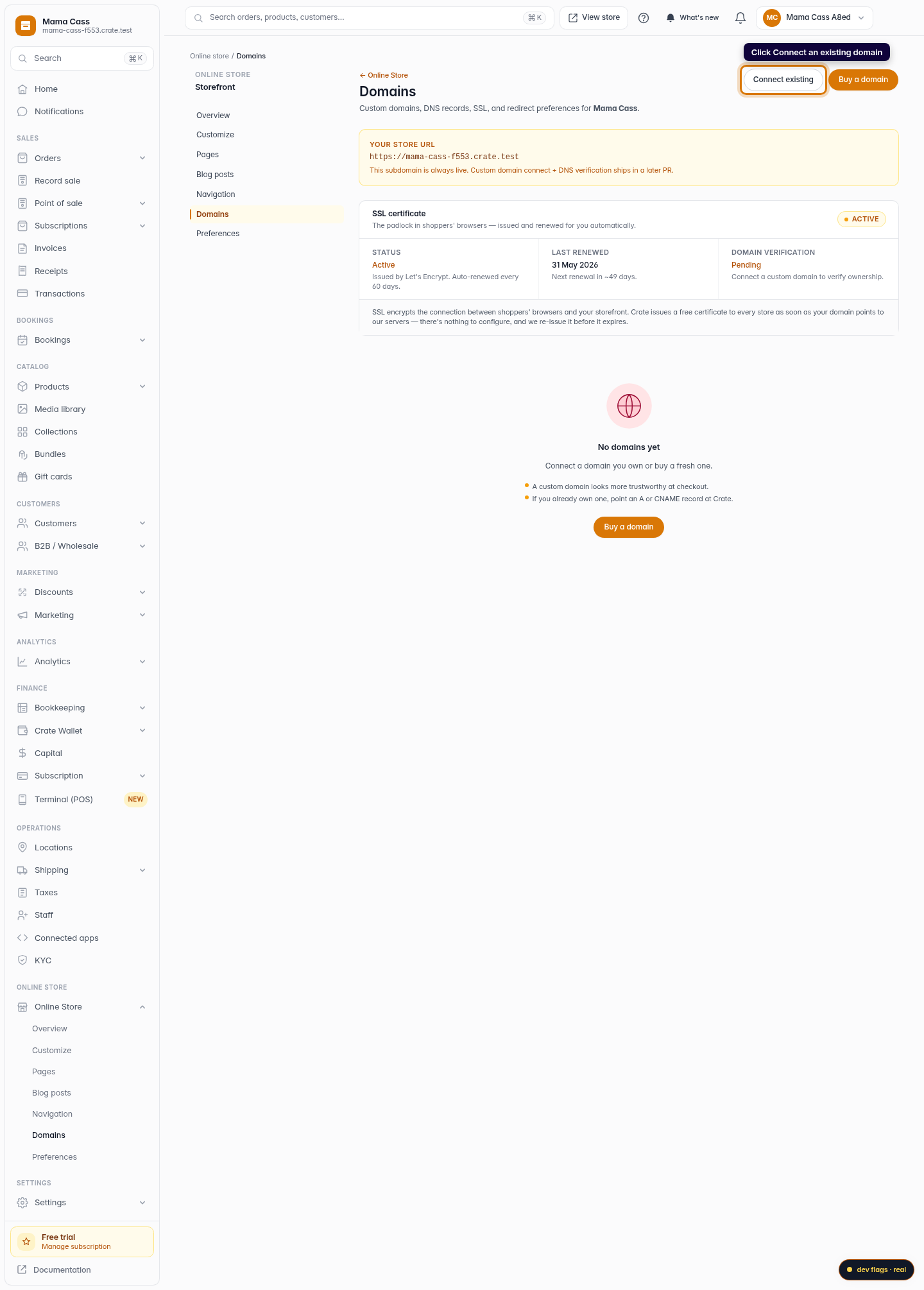
Start connecting
Click Connect an existing domain. Use this when you bought your domain from a registrar like Whogohost, Namecheap, GoDaddy or Cloudflare and want it to serve your Crate store.
Web -
3
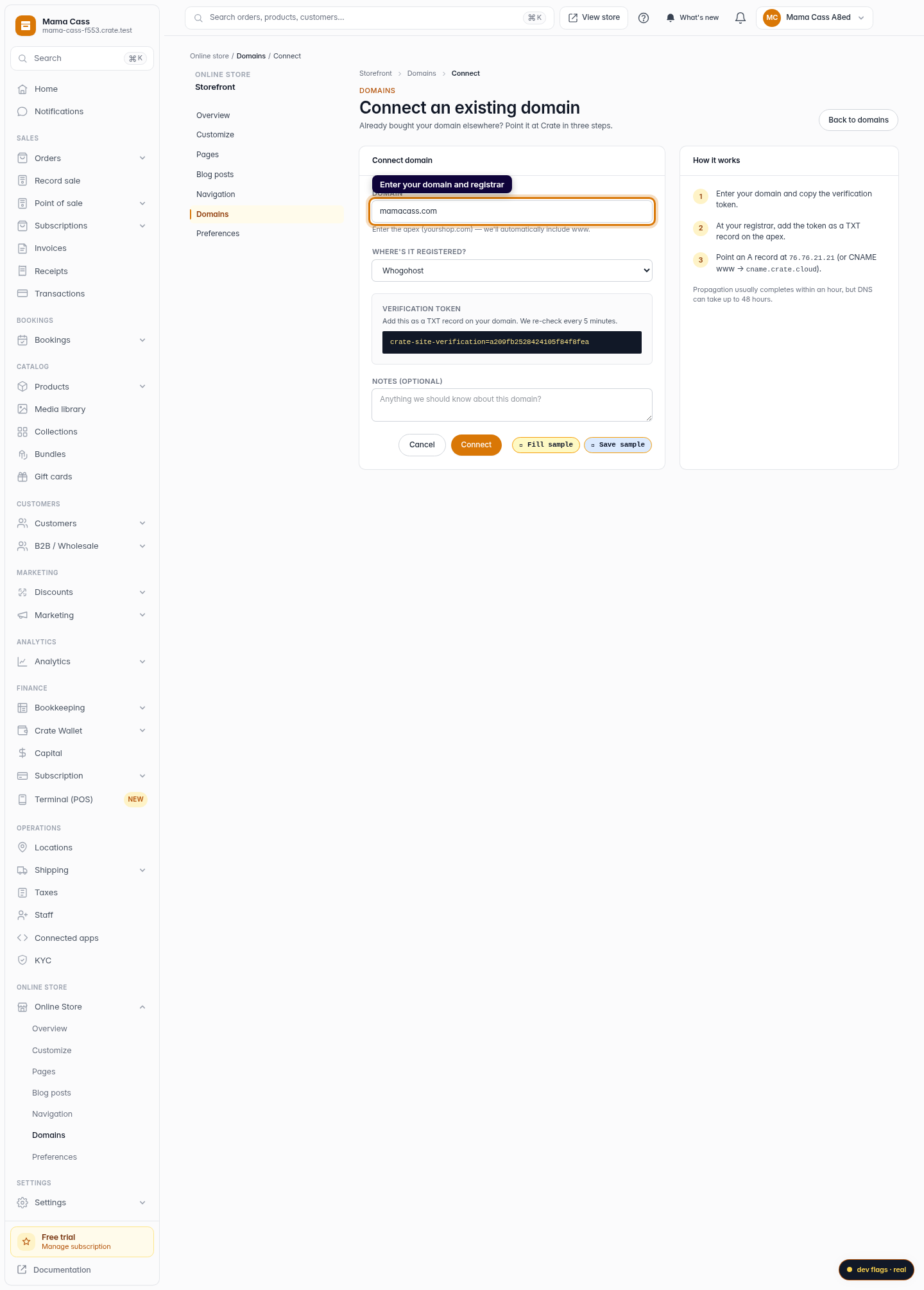
Enter your domain
Type the apex of your domain — for example yourshop.com. You don't need to add www; Crate includes it automatically. Pick the registrar you bought it from so we can tailor the instructions.
Web 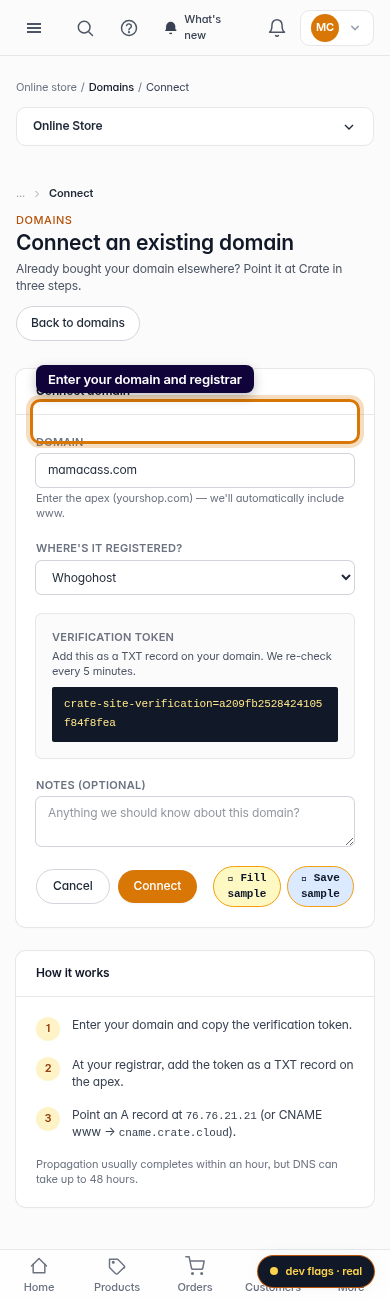
Mobile -
4
Copy your verification token
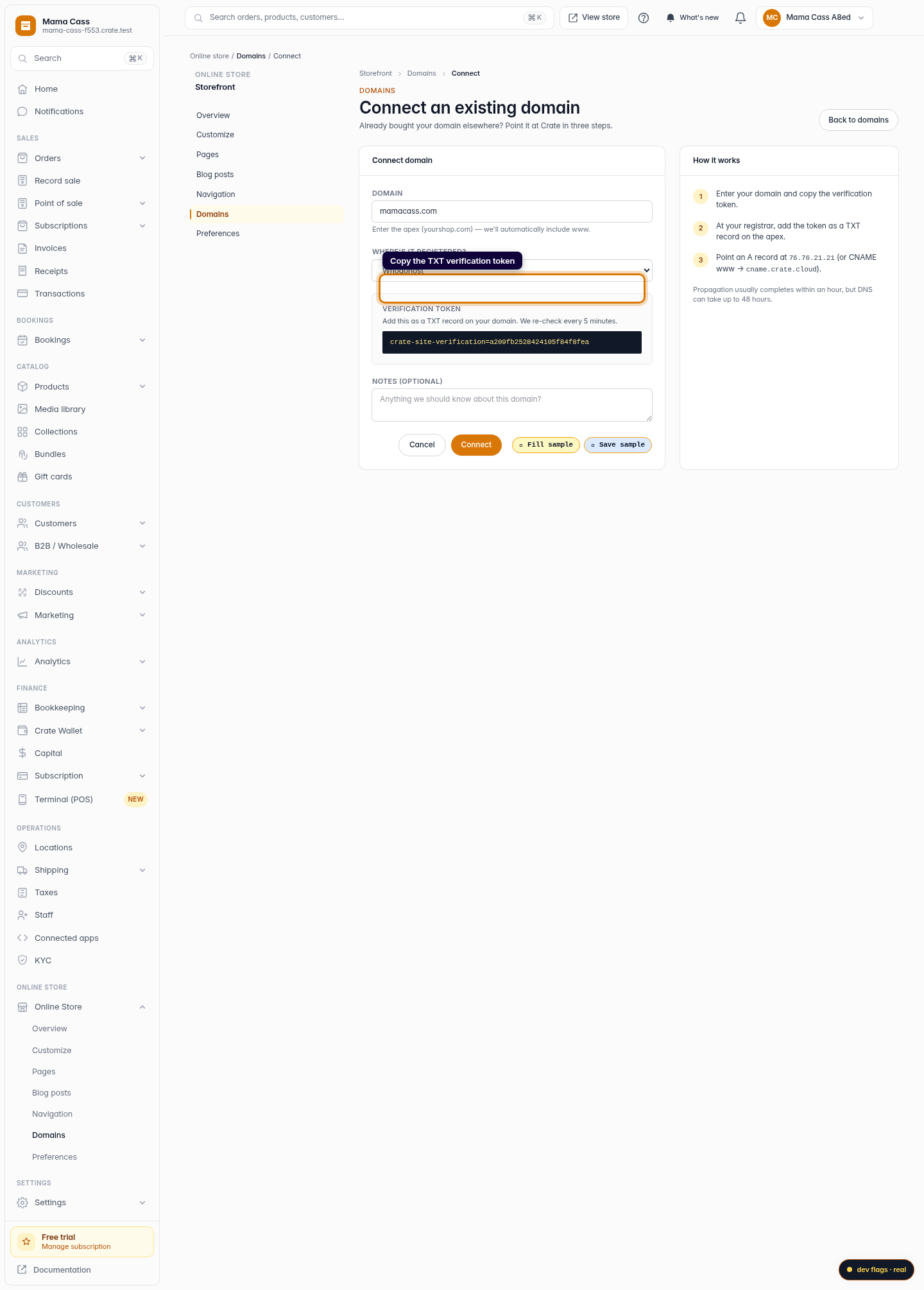
Crate generates a one-time verification token. Copy it and add it as a TXT record on your domain at your registrar. This proves you own the domain. Crate re-checks every 5 minutes.
Web -
5
Point your DNS at Crate
At your registrar, add an A record for the apex pointing at
76.76.21.21, and a CNAME forwwwpointing atcname.crate.cloud. These two records route visitors to your store.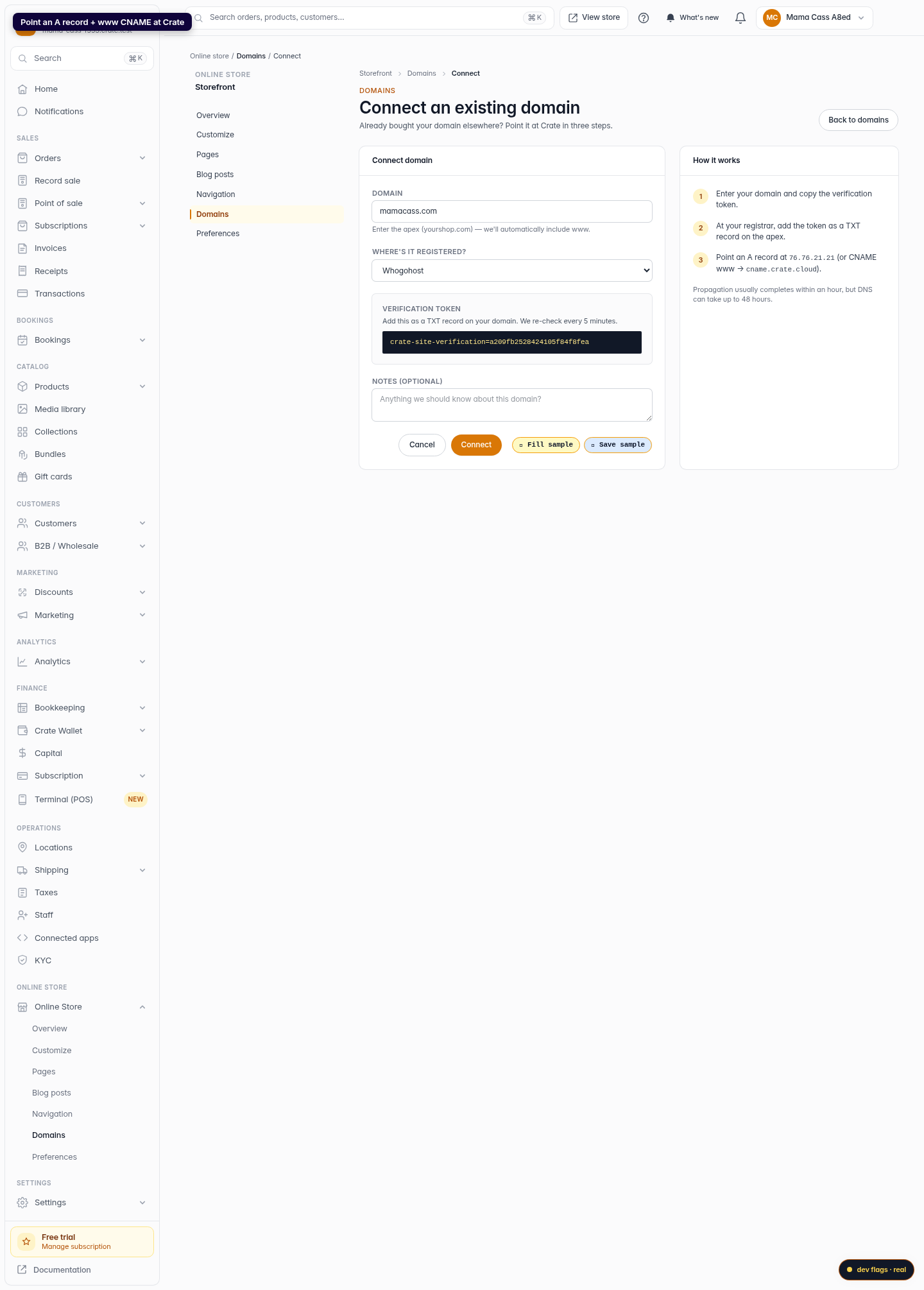
Web -
6
Connect
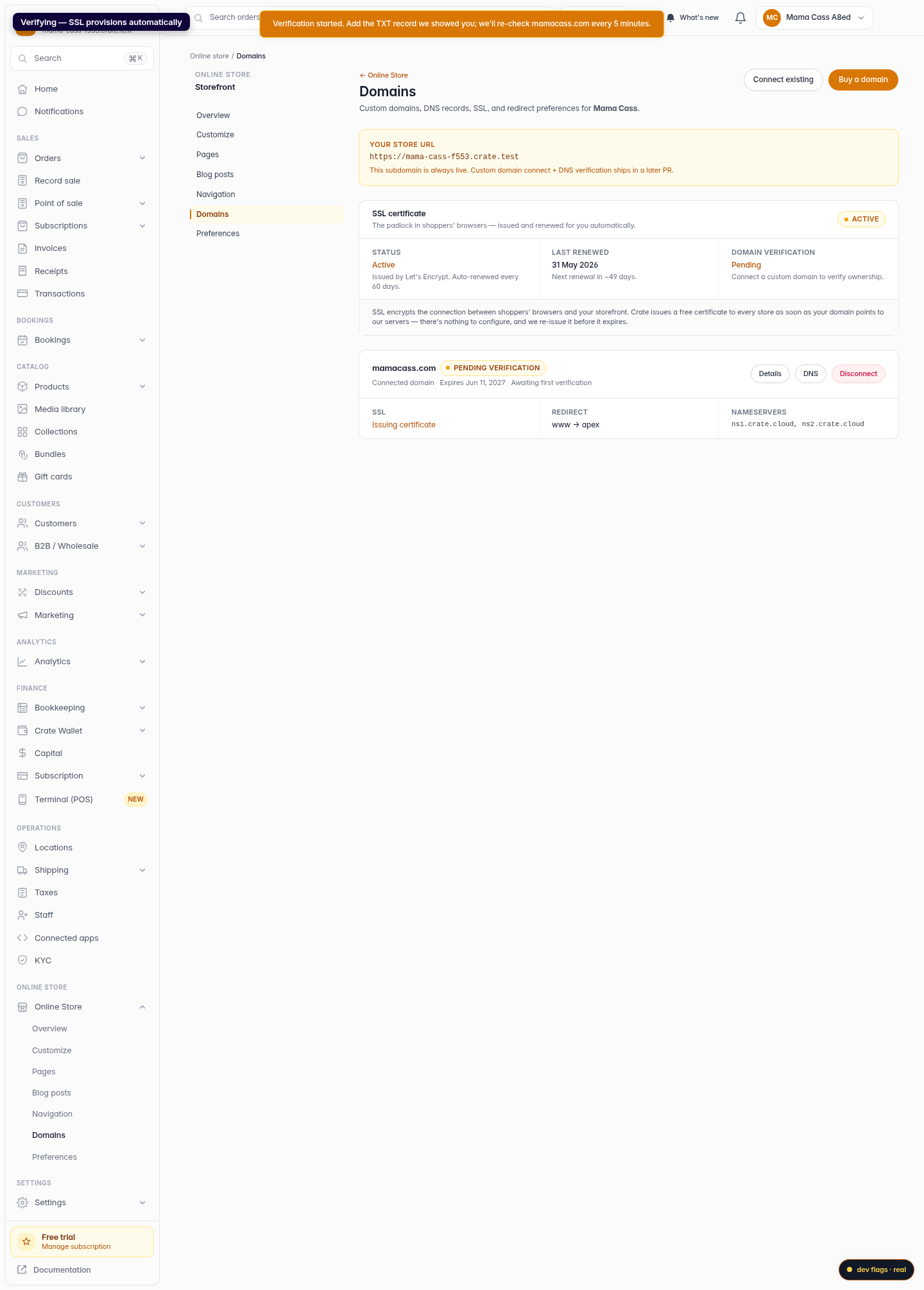
Click Connect. Crate starts verifying and issuing an SSL certificate. Once the records propagate — usually within an hour, up to 48 hours — your store answers on your own domain.
Web 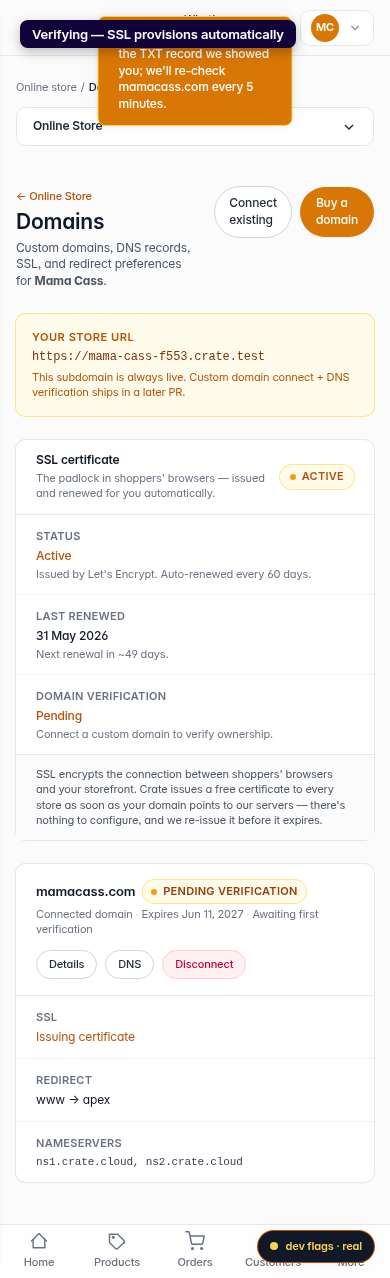
Mobile