Add a return policy page
Publish a clear returns and refunds page in minutes using Crate's Return policy template — it starts pre-written, so you only tweak the details to match your store.
A clear returns policy does real work: shoppers buy with more confidence when they know what happens if something isn't right, and a written policy saves you answering the same question over and over. Crate ships a Return policy template so you can publish one in a couple of minutes instead of writing it from scratch.
The template is a normal page — once it's created you can edit it like any other, change its URL, and link to it from your footer or checkout.
What the template gives you
Choosing Return policy creates a page already structured around the three things shoppers look for:
- Returns — your return window and the condition items must be in.
- Refunds — how and when money is returned once a return is received.
- How to start a return — exactly how a shopper reaches you to begin one.
You replace the placeholder copy with your own terms — there's nothing to lay out.
After you create it
The page opens in the editor so you can edit the text immediately. When you're happy, link to it where shoppers will look: your store footer and your checkout. Many stores also link it from product pages.
Tip: Keep the language plain and the window realistic. A policy you can actually honour beats a generous one you can't — shoppers remember a return that went smoothly.
-
1
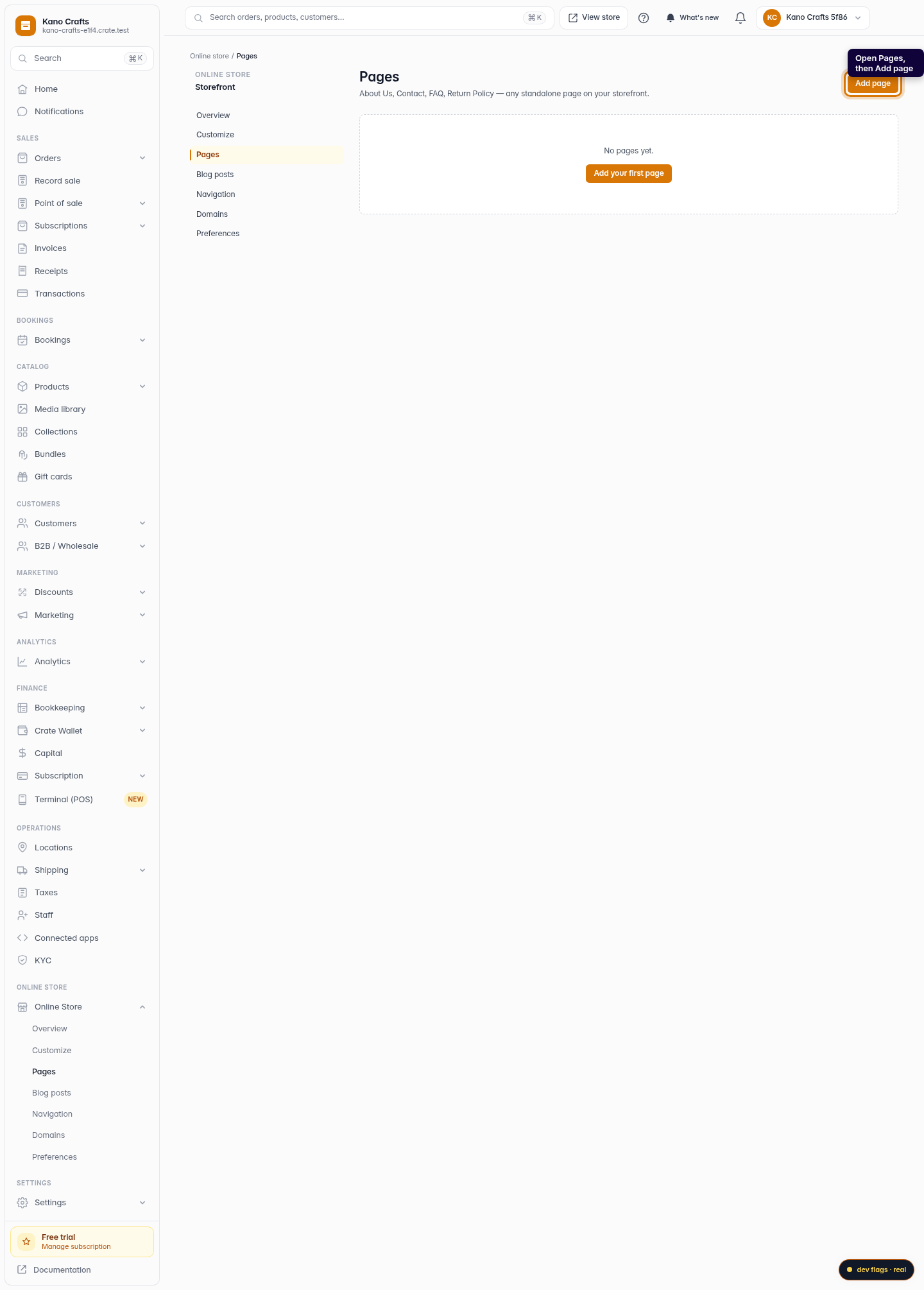
Open Pages
From your dashboard, open Online Store → Pages, then click Add page to start a new page.
Web 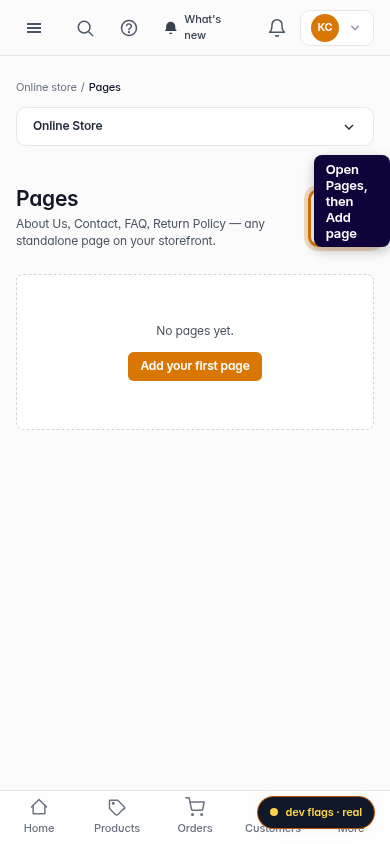
Mobile -
2
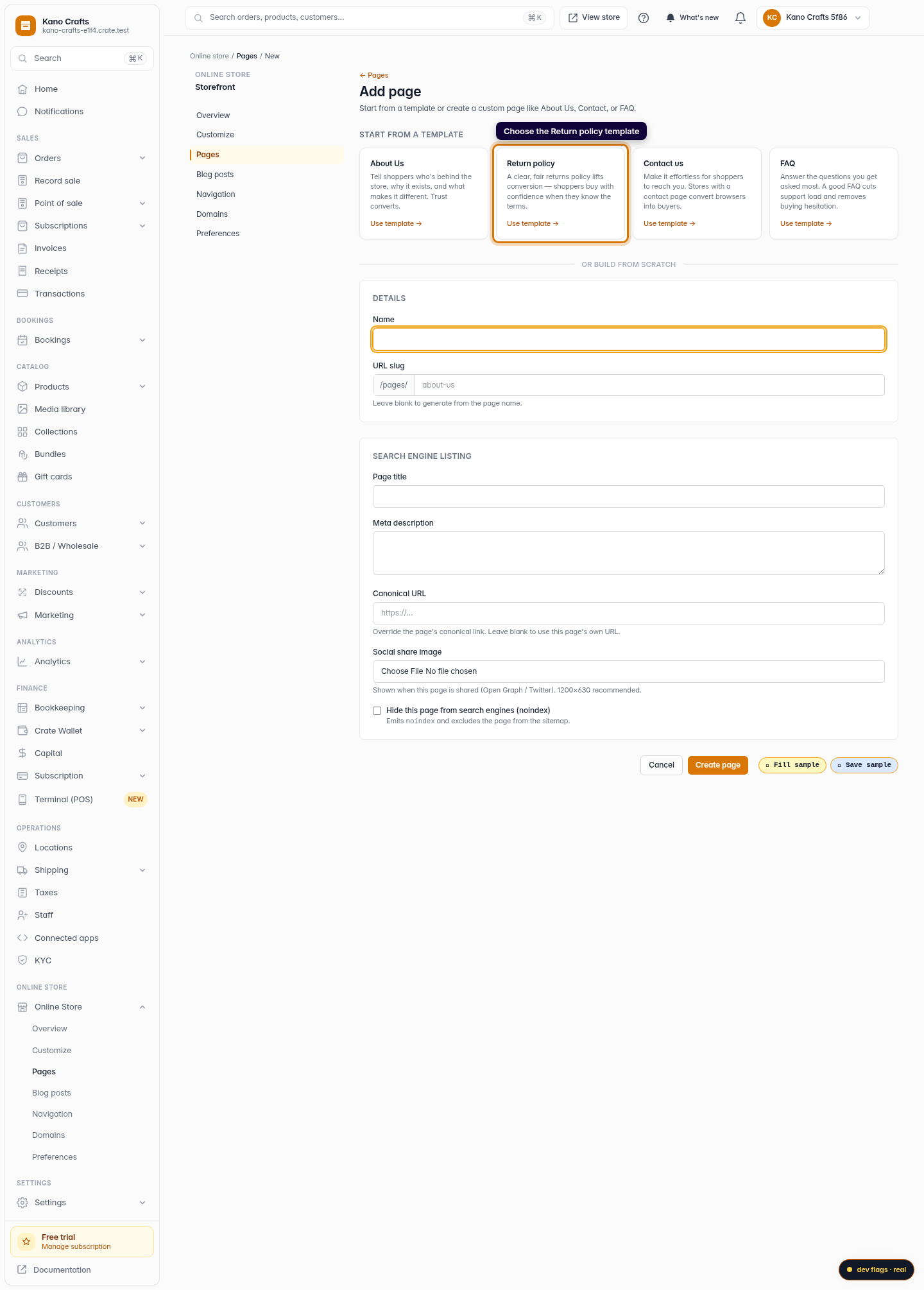
Choose the Return policy template
In the template gallery, pick Return policy. Templates start with sensible copy already in place so you're not staring at a blank page.
Web -
3
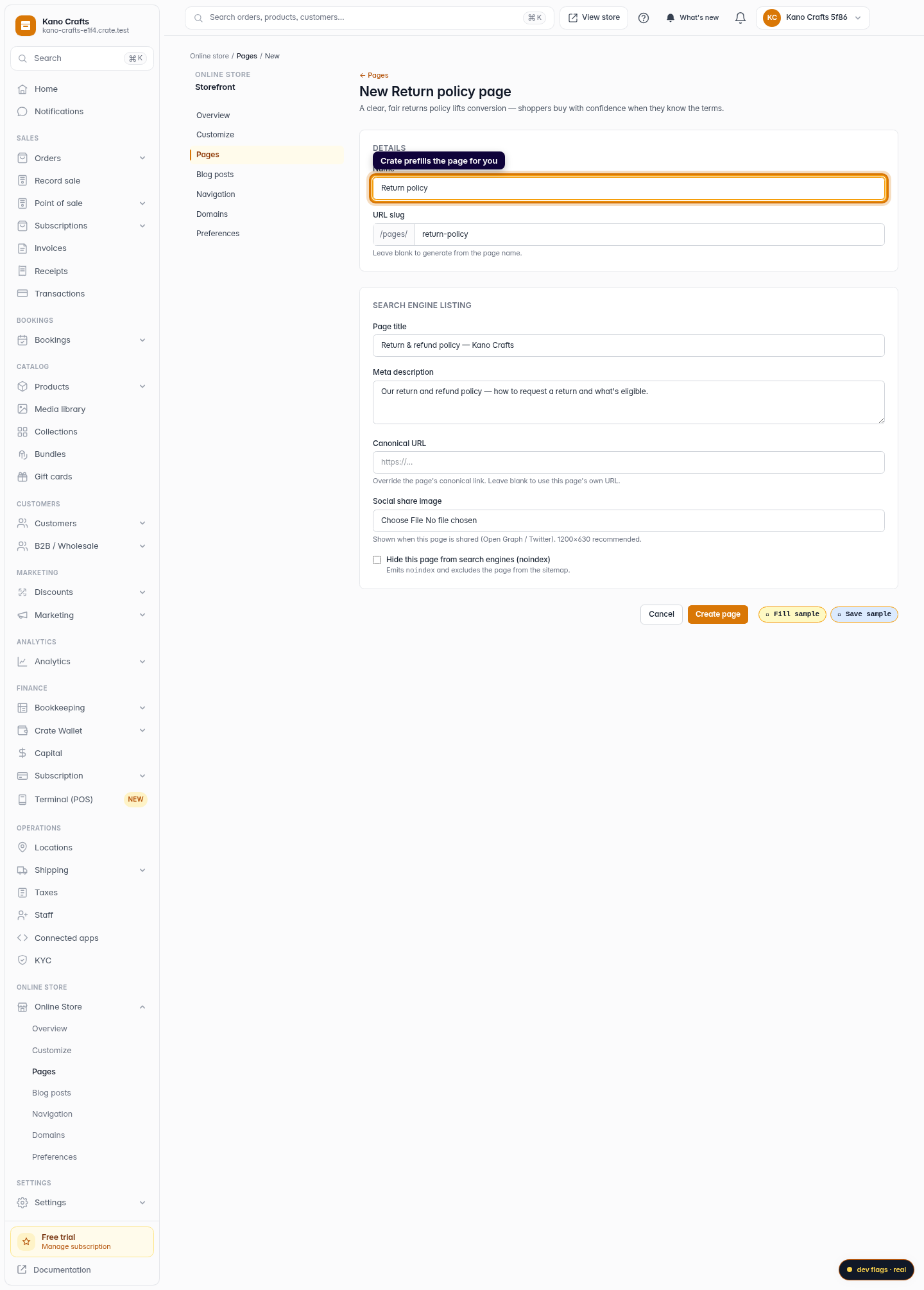
Crate prefills the page for you
The page opens pre-named Return policy with a returns/refunds structure ready to go. Adjust the name or URL slug if you like.
Web 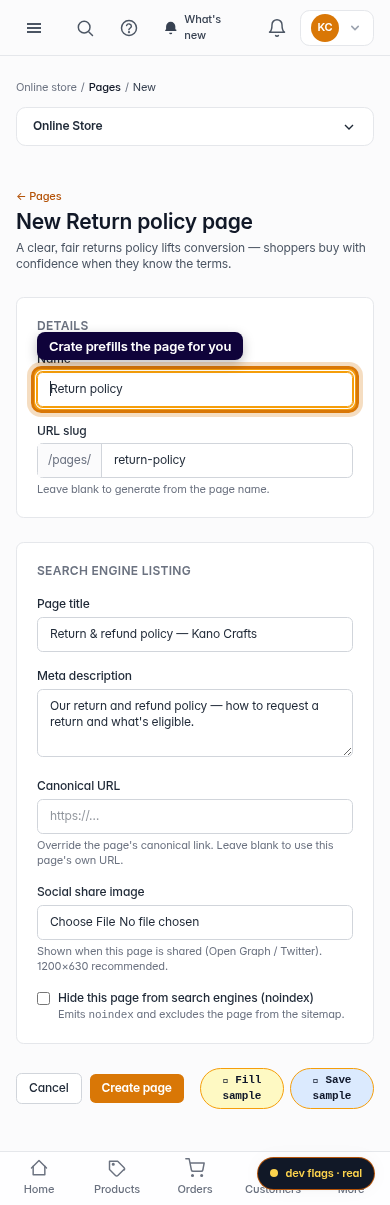
Mobile -
5
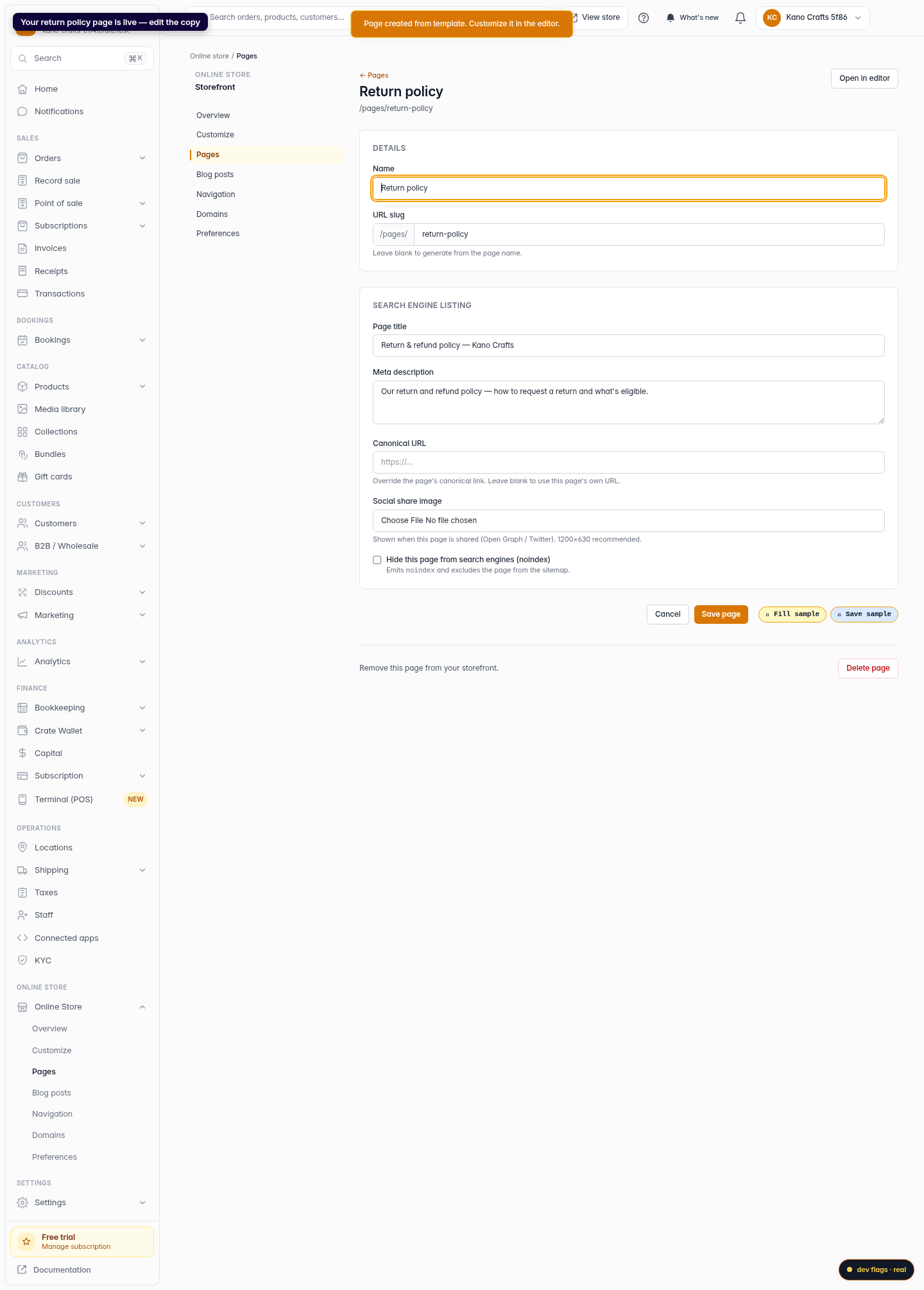
Create — your page is live
Click Create page. Crate creates the page and opens it in the editor so you can replace the placeholder text with your own terms.
Web