Reset your Crate Wallet PIN
Forgot your 4-digit Wallet PIN, or just want a fresh one? Reset it from the web dashboard in a few steps — Crate confirms it's really you with your password and an emailed code before you set a new PIN.
Your Crate Wallet PIN protects every withdrawal and payout you make. If you've forgotten it — or you just want to rotate it for peace of mind — you can reset it yourself from the web dashboard. There's no need to contact support.
Crate gates the reset behind two checks: your account password and a 6-digit code sent to your email. Both have to pass before the PIN field unlocks, so a lost or borrowed laptop can't be used to drain your balance.
Before you start
You'll need access to the email address on your Crate account, since that's where the reset code lands. The whole flow happens on one screen — confirm password, verify code, set PIN — and takes under a minute.
Forgot your account password too? Reset that first from the sign-in screen. Once you're back in, return to Wallet → Reset PIN and pick up where you left off.
After you save
Your new PIN is active the moment you save it. The old one stops working straightaway, and Crate clears the verified-code session so the reset screen can't be replayed. The next time you withdraw or pay out, you'll enter the new PIN.
-
1
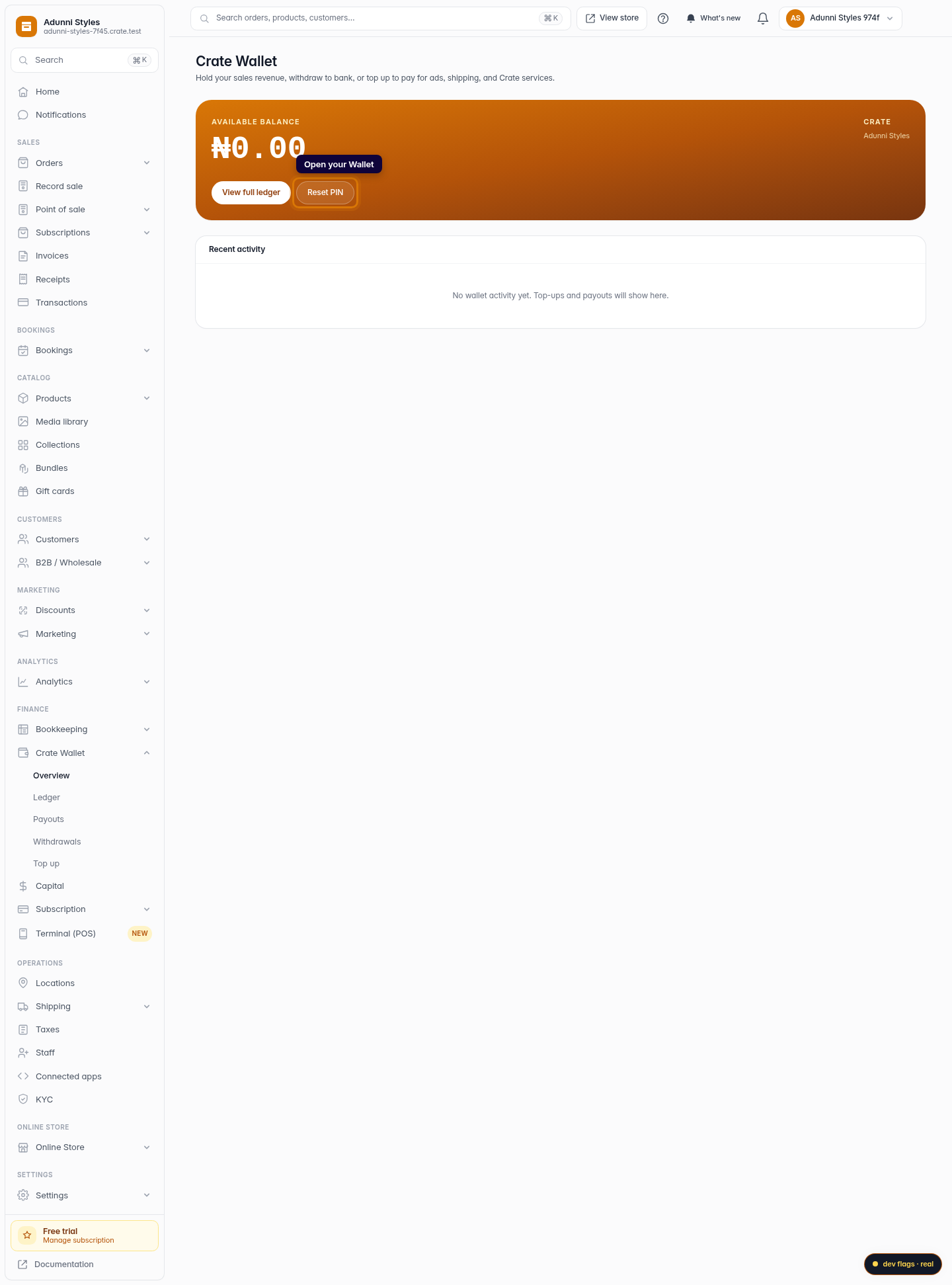
Open your Wallet
From the dashboard, open Wallet. Your balance and recent activity live here, alongside the controls for moving money in and out.
Web -
2
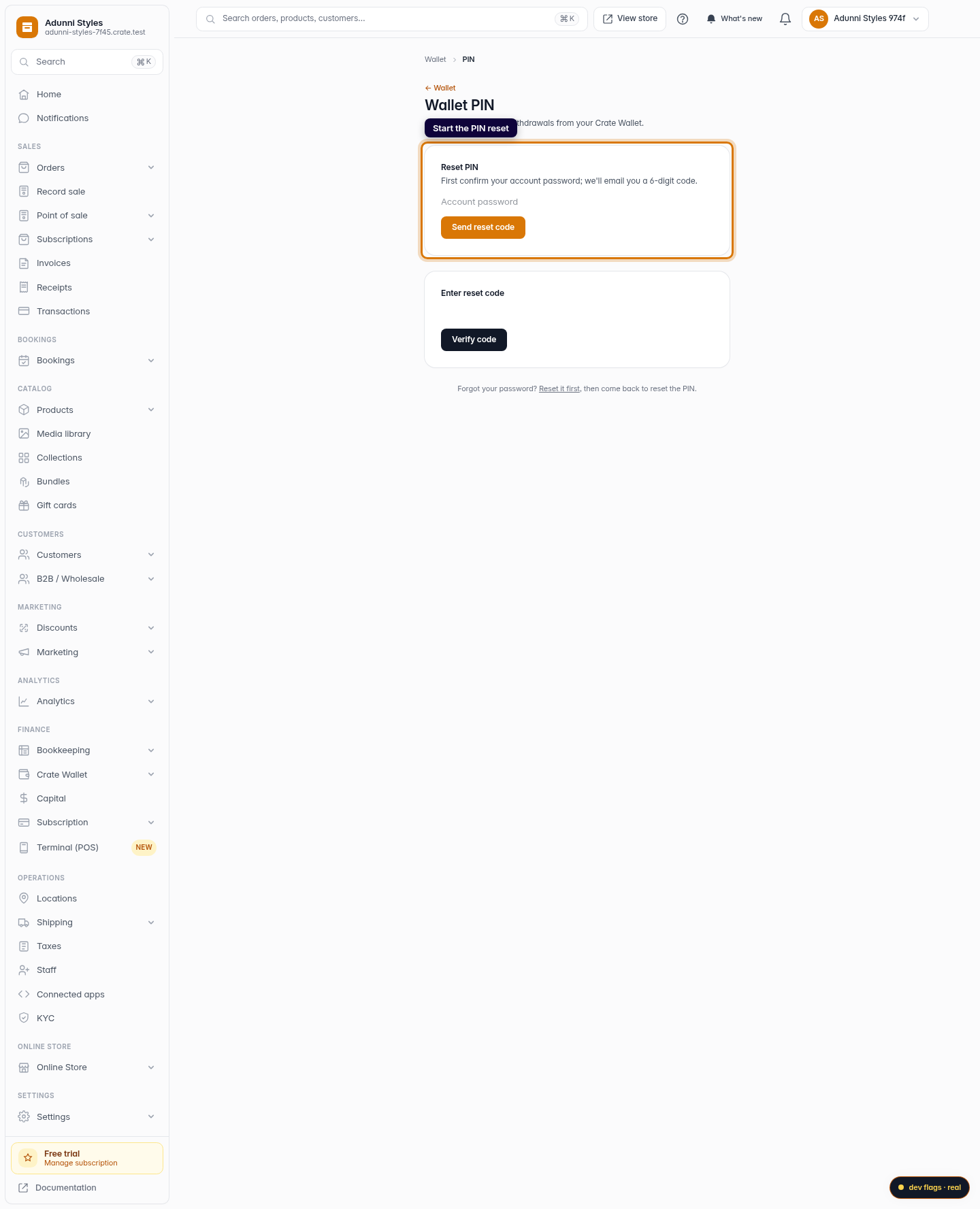
Start the PIN reset
On the wallet card, click Reset PIN. This opens the secure reset screen — your existing PIN is never shown, only replaced.
Web -
3
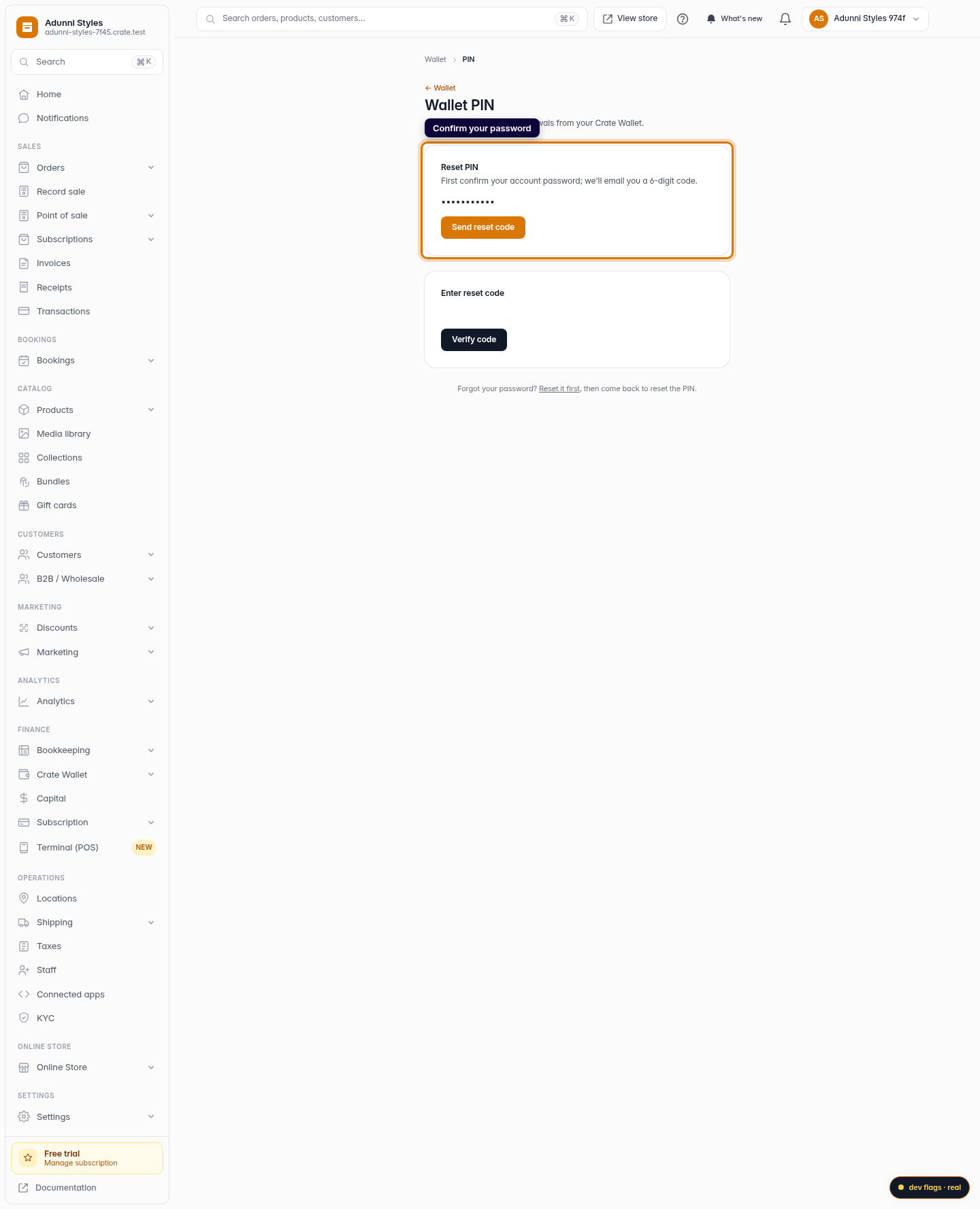
Confirm your account password
Enter your account password and click Send reset code. Confirming your password first stops anyone who happens to be at your screen from changing the PIN.
Web -
4
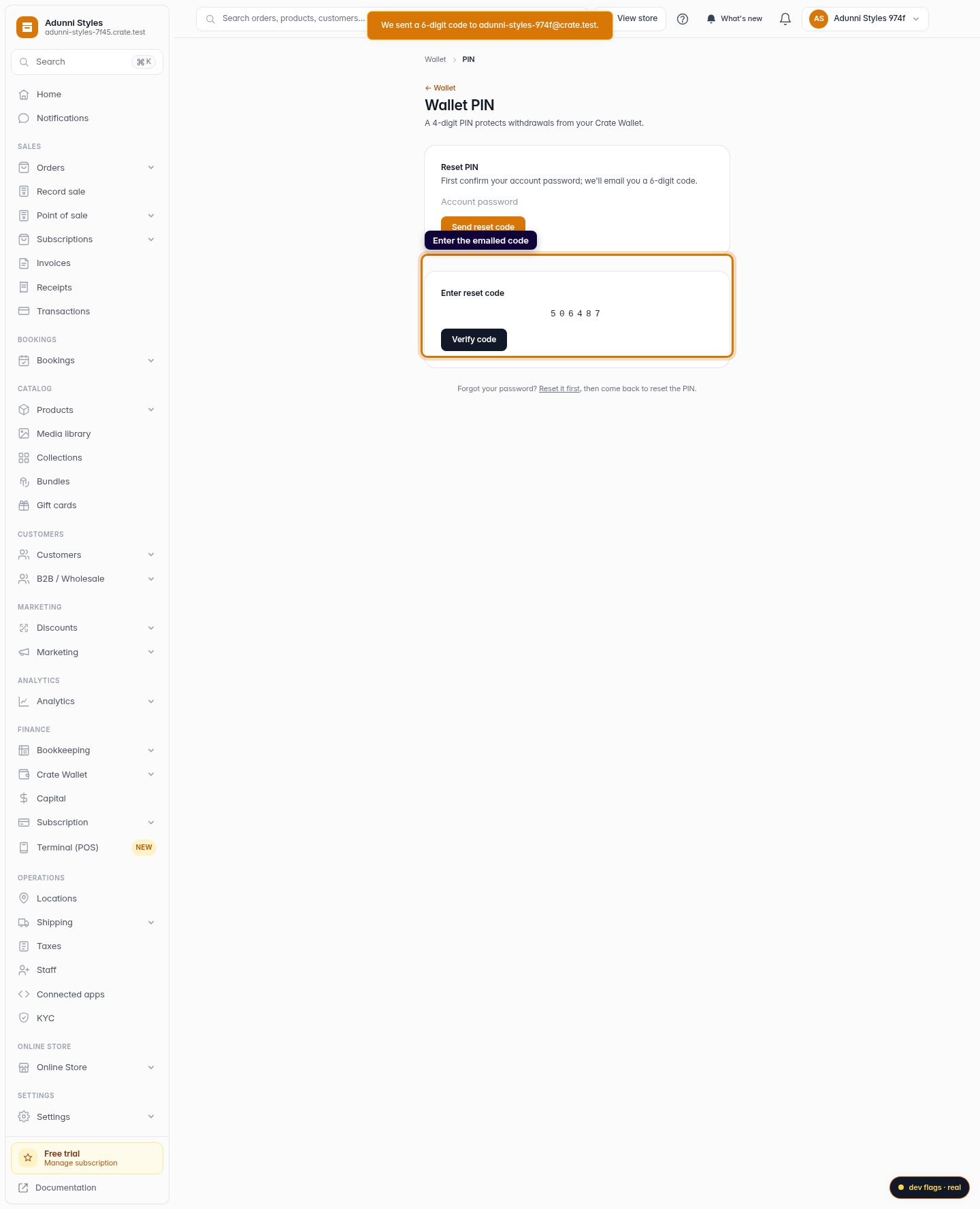
Enter the emailed code
Crate emails a 6-digit code to your account address. Type it in and click Verify code. Codes expire after 15 minutes, so use the latest one.
Web -
5
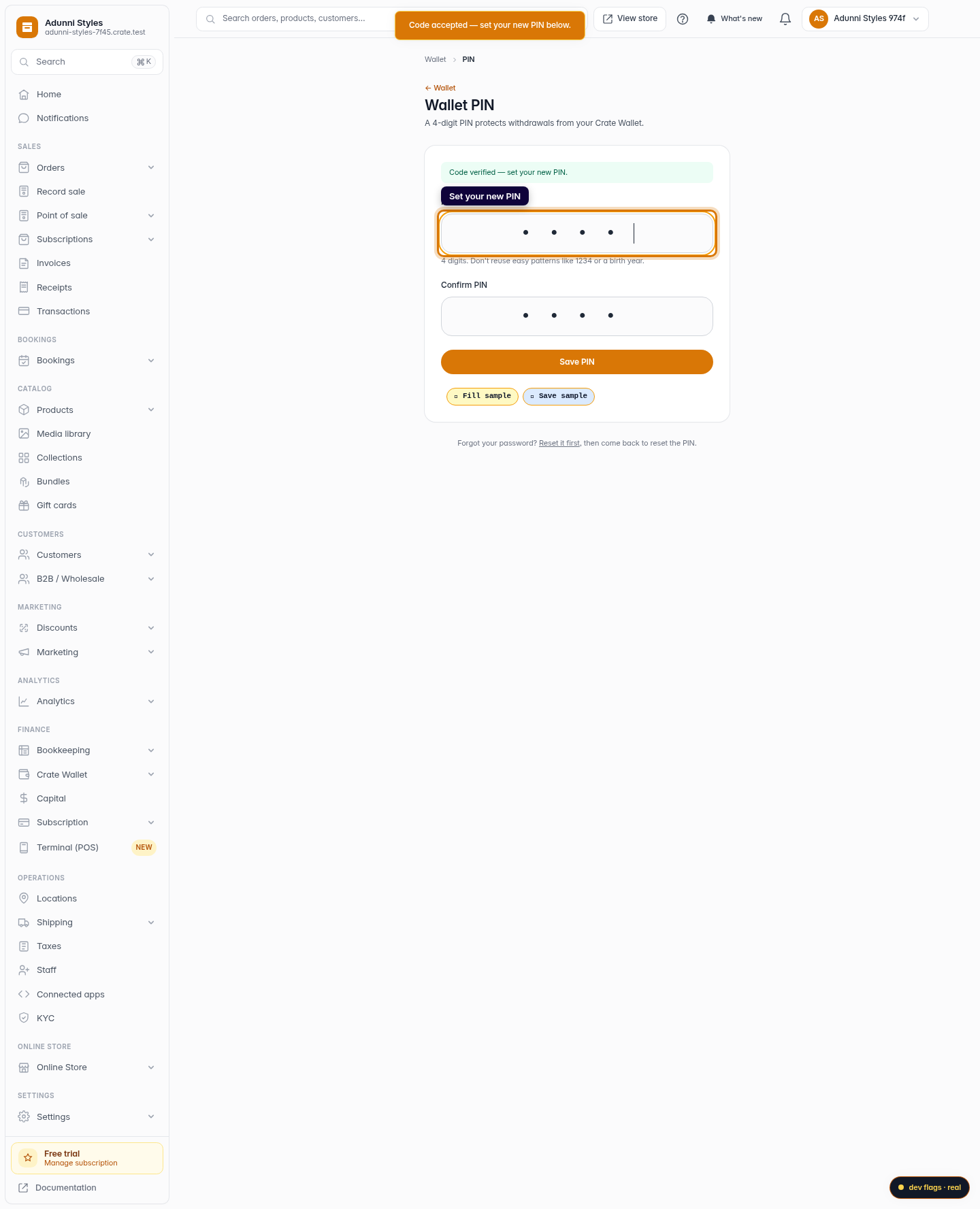
Set your new PIN
Enter a new 4-digit PIN, confirm it, and click Save PIN. Avoid easy patterns like 1234 or a birth year. Your new PIN takes effect immediately.
Web