Access your Terminal on the web
Manage Crate Terminal alongside the rest of your store. Request web access, confirm your details, and reach your virtual account, transactions and WhatsApp alerts from the dashboard.
Running Terminal on the web keeps your payments next to everything else — orders, products, settlements — in one dashboard. It's the easiest place to reconcile a busy day, because every transfer sits right beside the orders it should match.
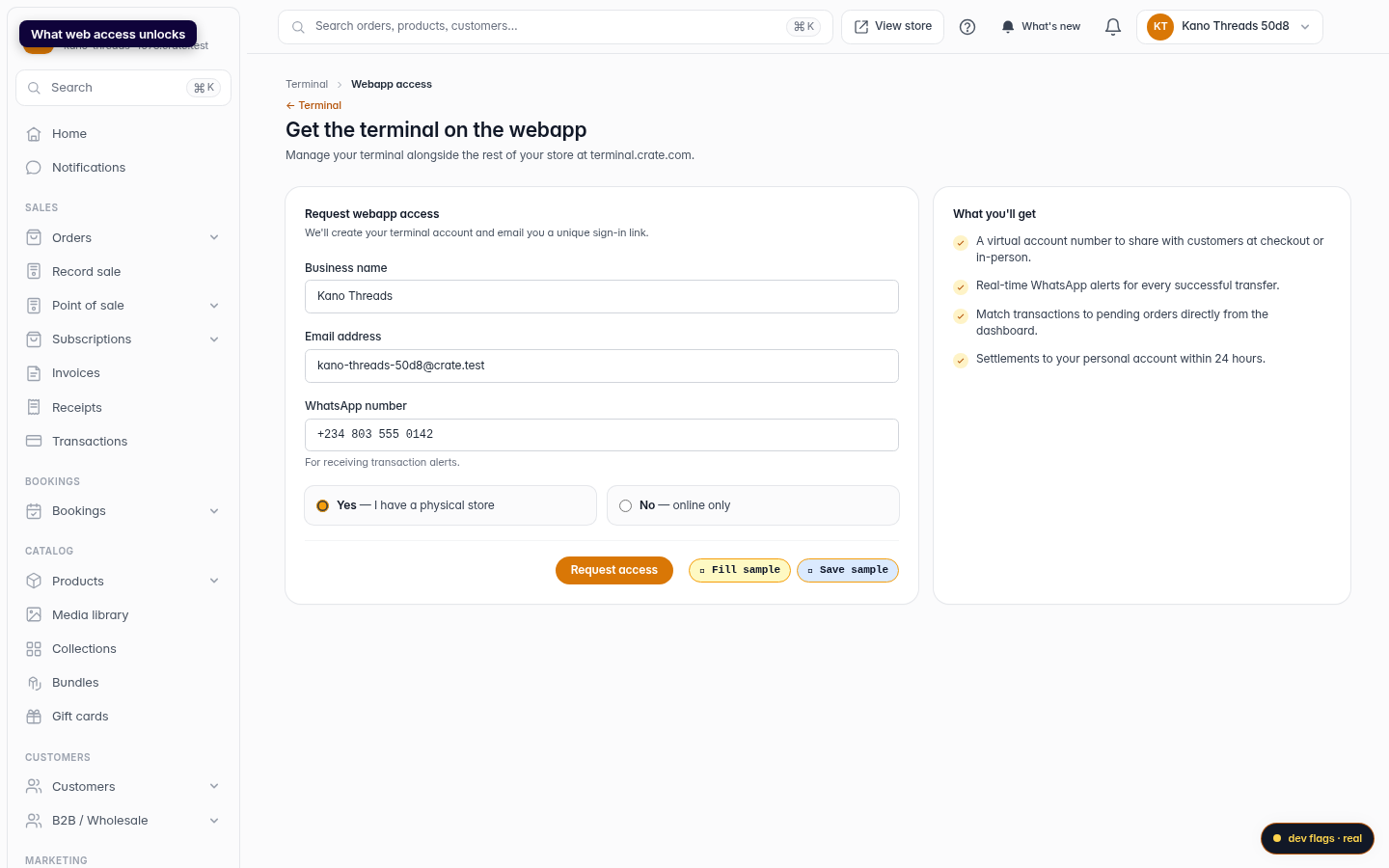
What web access unlocks
- A virtual account number to show at checkout or share with a walk-in customer.
- Real-time WhatsApp alerts for every successful transfer.
- The ability to match transactions to pending orders directly from the dashboard.
- Settlements to your personal account within 24 hours.
Signing in later
Crate Terminal uses a magic link rather than a password. When you want to come back, open Terminal → Login to portal, enter the email tied to your store, and we'll email you a link that signs you straight in. The link expires after a short window, so request a fresh one whenever you need it.
Tip: Web and mobile share the same terminal account. Set up your WhatsApp alert numbers once and they apply everywhere you sign in.
-
1
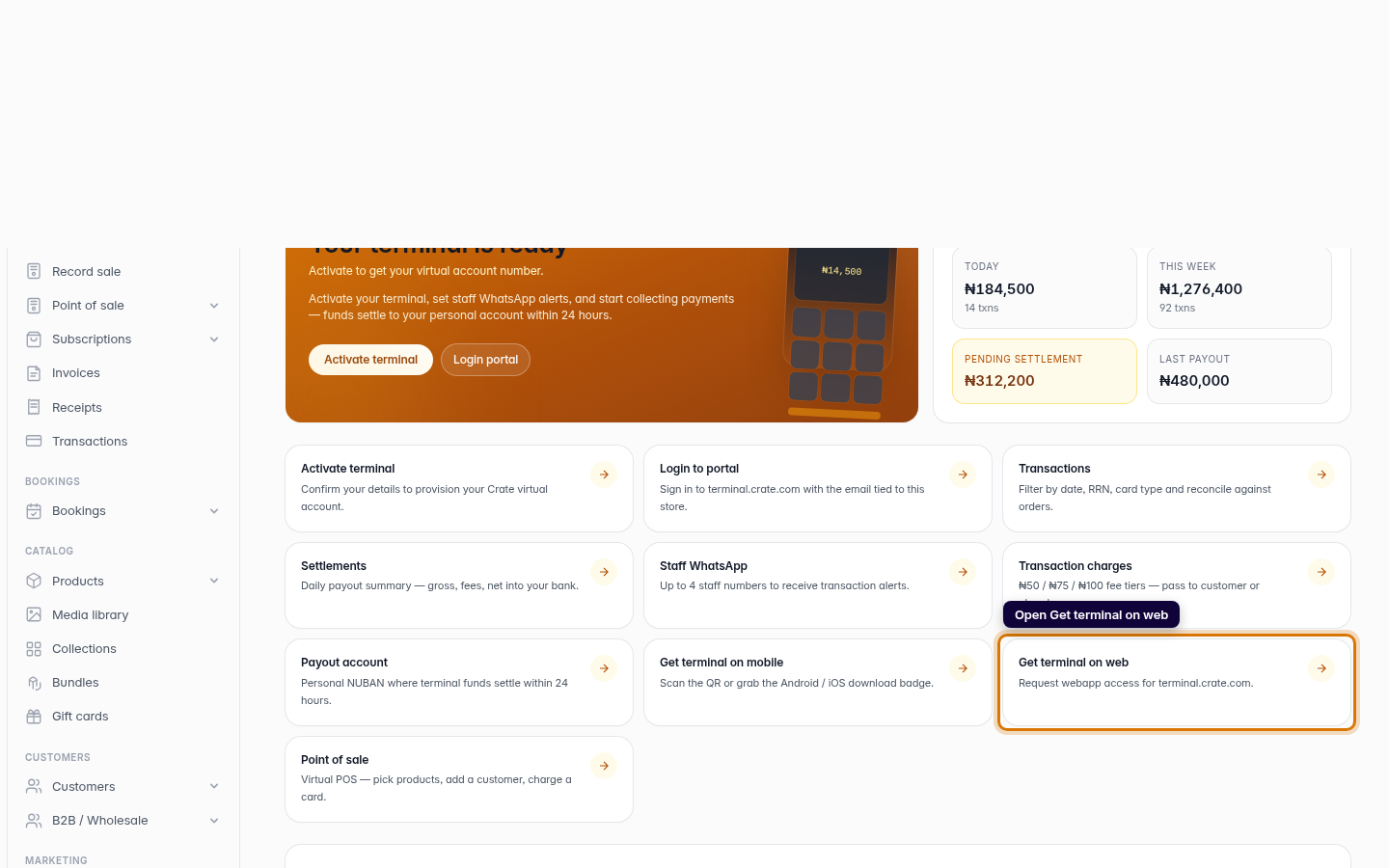
Open the Terminal hub
From your Crate dashboard, open Terminal and click Get terminal on web. This is where you request web access for your terminal.
Web -
2
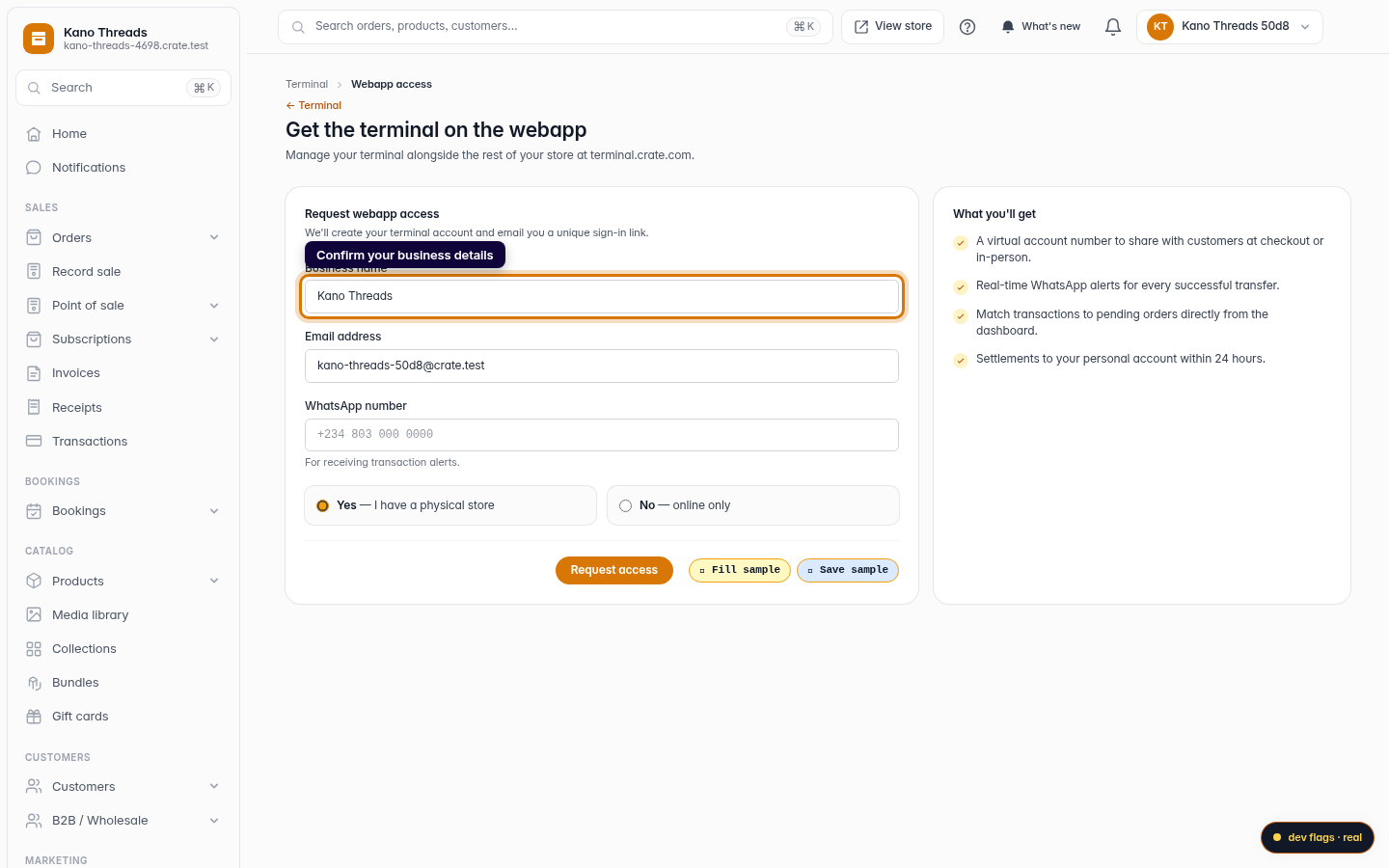
Confirm your business details
Check the business name and email Crate has pre-filled for you. These tie your terminal account to the right store.
Web -
3
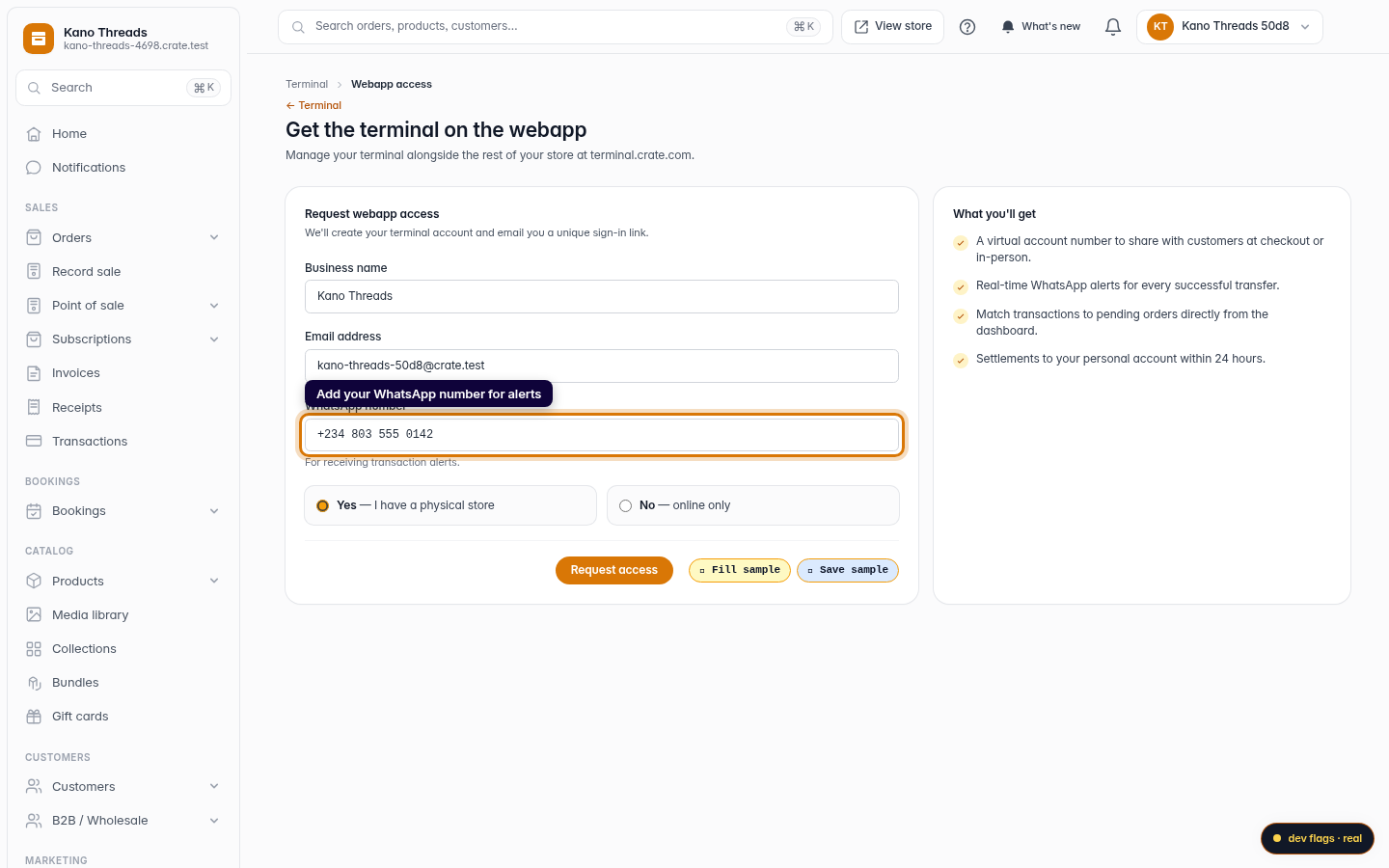
Add your WhatsApp number
Enter the WhatsApp number that should receive a real-time alert for every successful transfer, and tell us whether you have a physical store.
Web -
4
Request access
Click Request access. Crate creates your terminal account and emails you a unique sign-in link — no password to remember.
Web 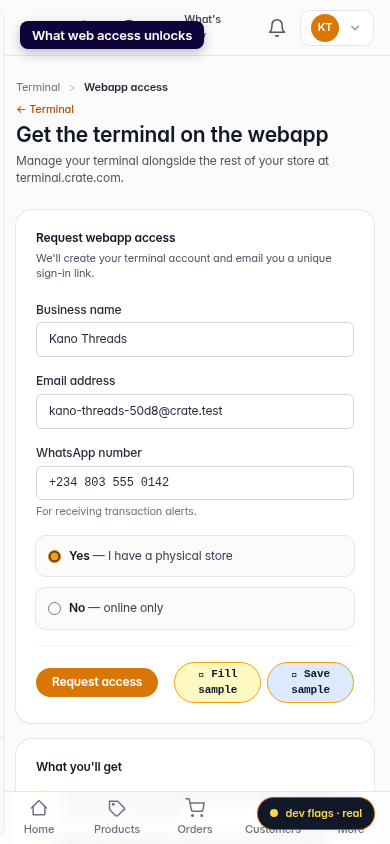
Mobile