View your Terminal settlements
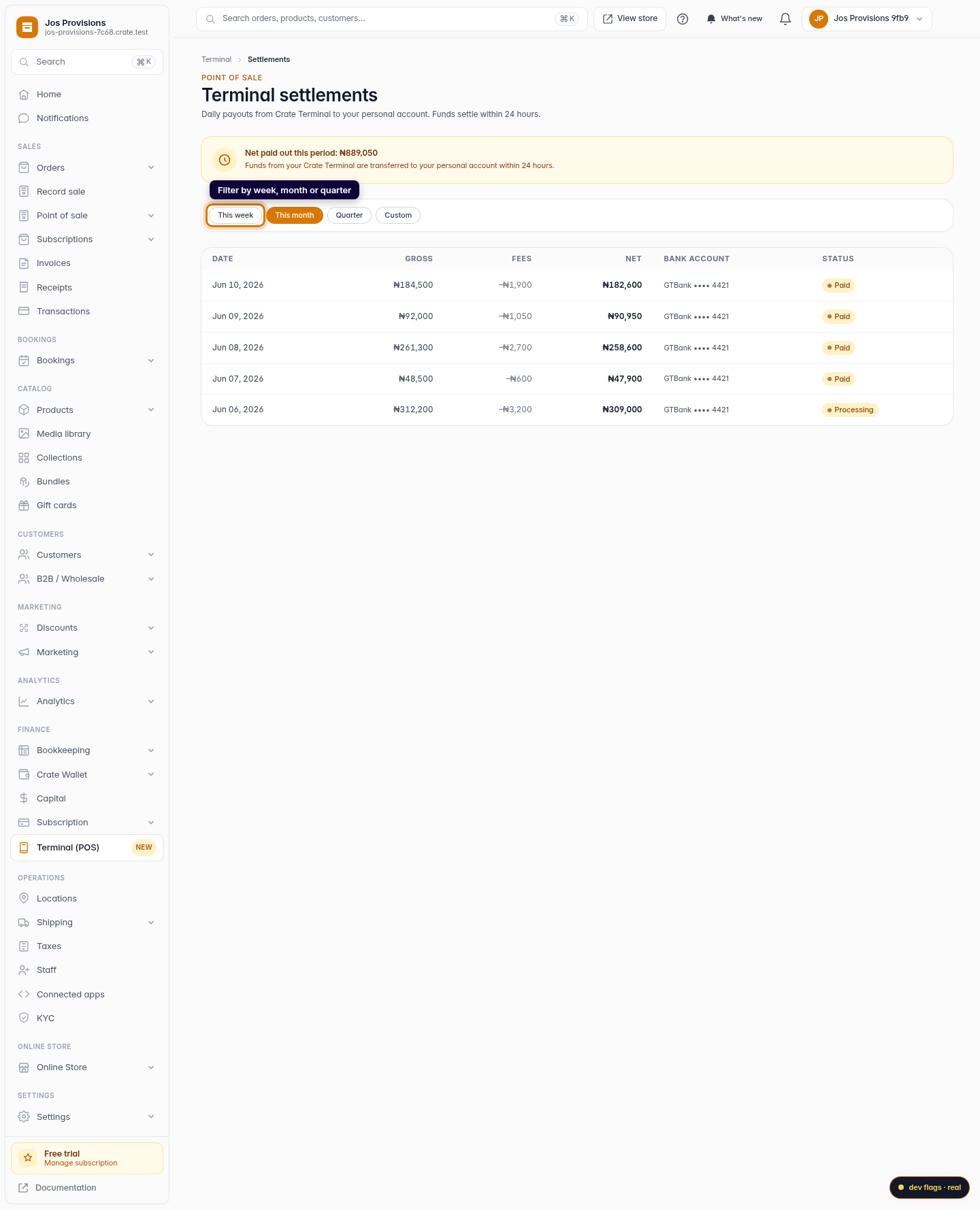
See exactly what your Crate Terminal paid out — gross, fees and net — and filter the history by week, month or quarter so reconciling is effortless.
A settlement is the money your Crate Terminal moves into your bank. Every day's in-person takings are batched, the per-transaction fee is taken out, and the net is transferred to your payout account within 24 hours. The Settlements page is your running record of all of it.
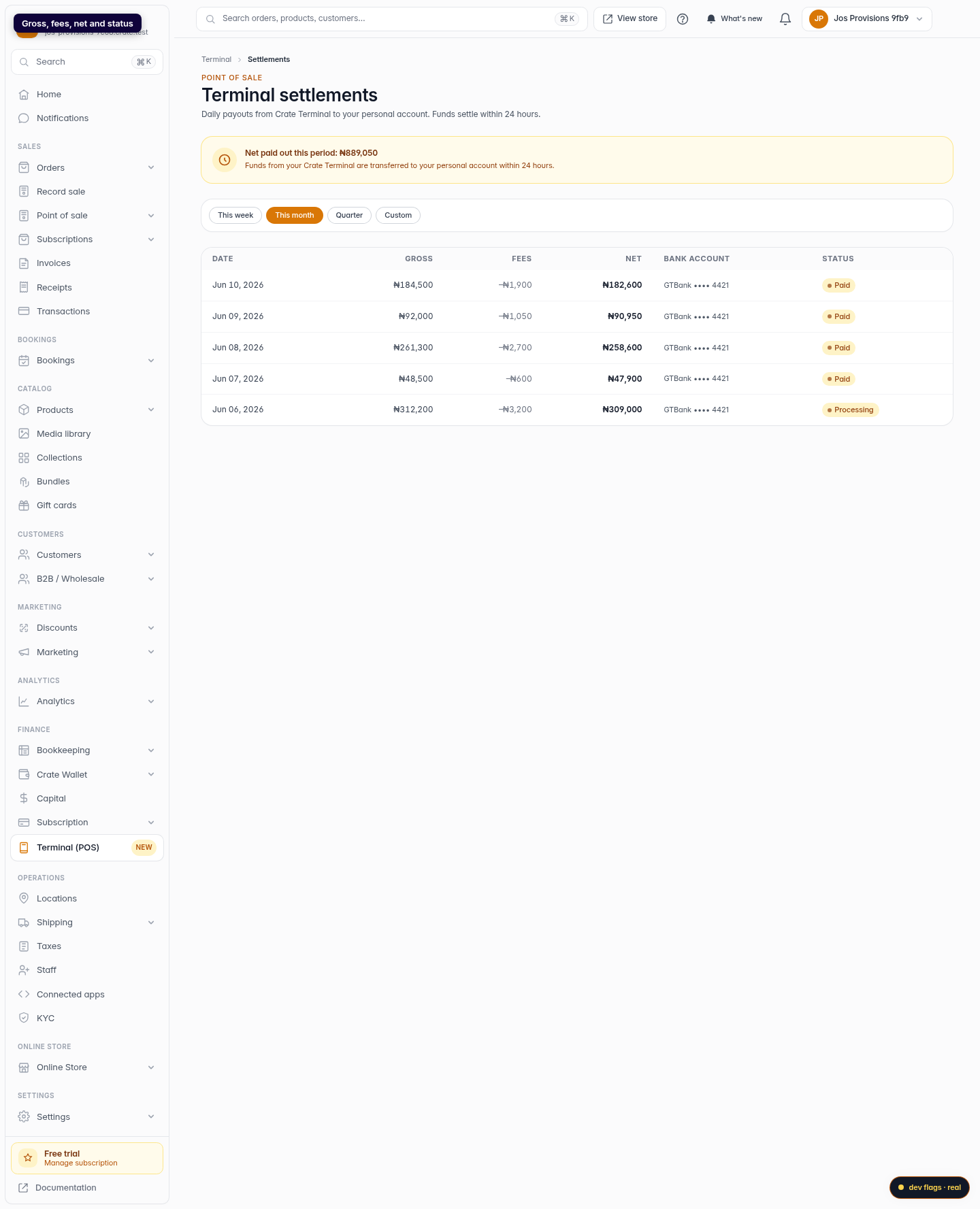
What each column means
- Gross — everything customers paid on your terminal that day.
- Fees — Crate's per-transaction charge for processing those payments.
- Net — gross minus fees: the exact amount that landed in your bank.
- Status — Paid means it's already in your account; Processing means it's on the way.
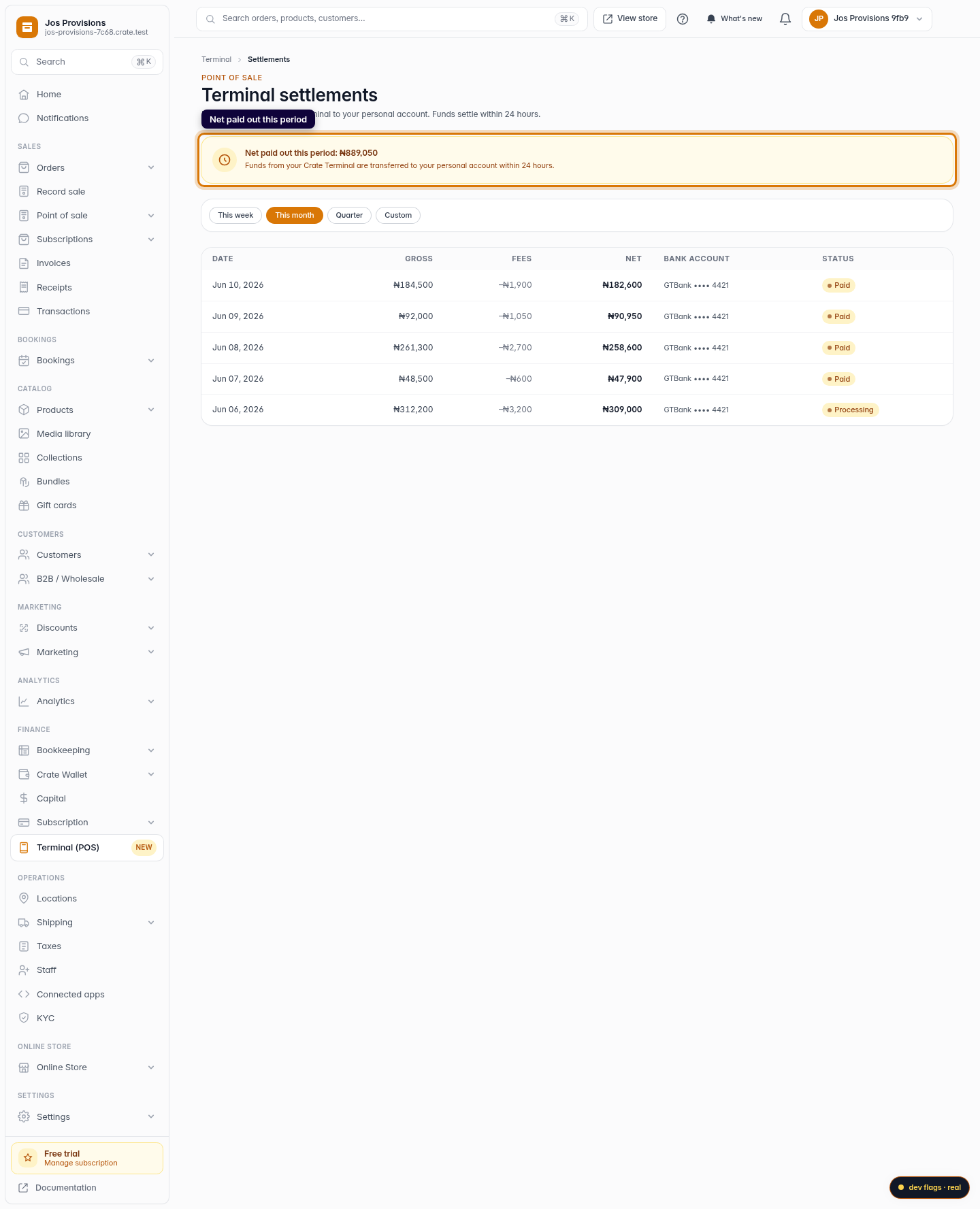
The banner at the top totals the net paid out for whichever period you're viewing, so you can see your real cash-in at a glance.
Filtering the history
By default you see this month. Switch to This week for a quick recent view, or Quarter when you're closing the books. Each filter recalculates the totals so the headline figure always matches the rows below it.
Tip: reconcile by net, not gross. The net column is what your bank statement will show — matching on that saves you chasing phantom differences caused by fees.
-
1
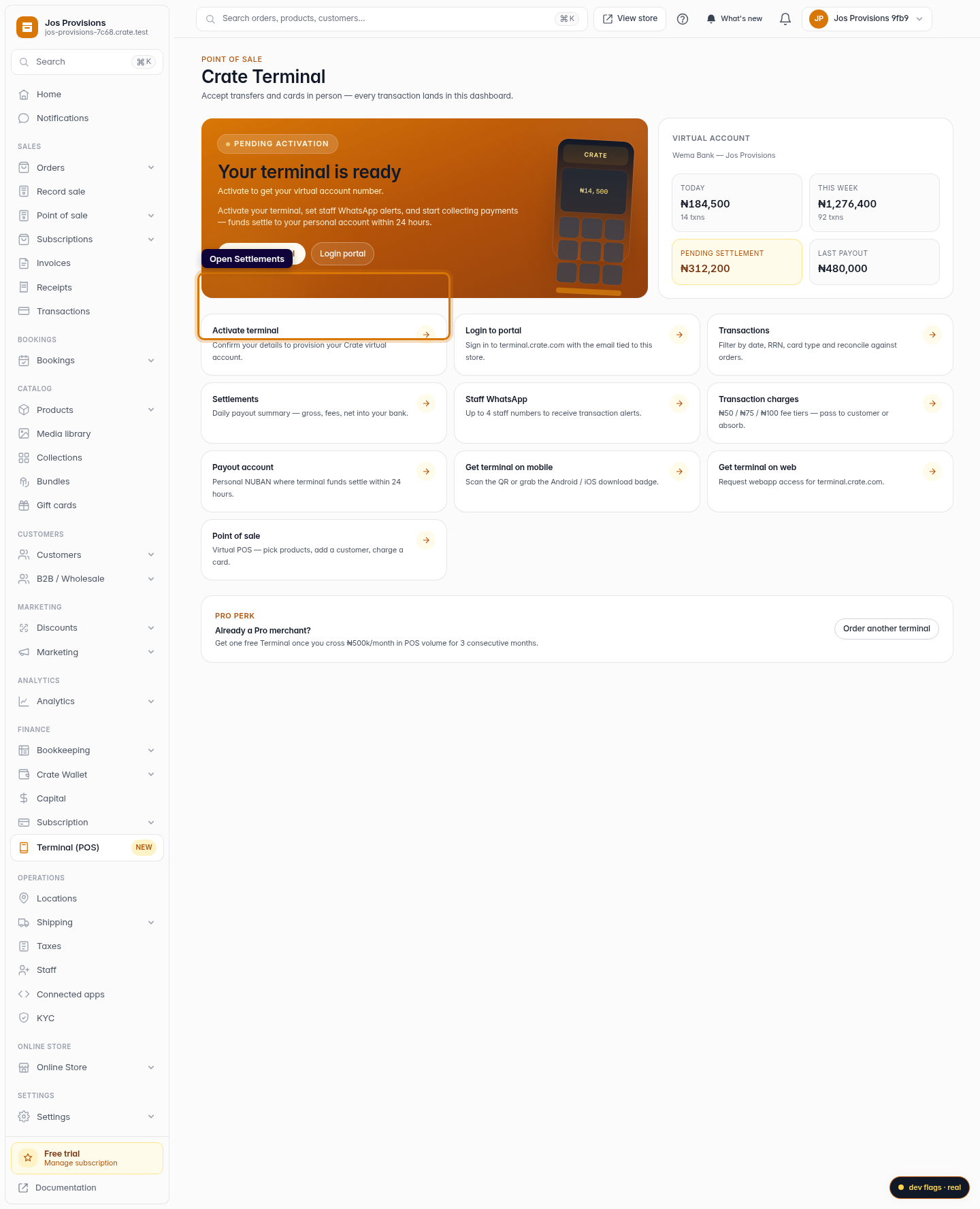
Open Terminal
From your dashboard, open Terminal (POS) in the sidebar.
Web 
Mobile -
2
Open Settlements
On the Terminal hub, choose Settlements to see every payout from your terminal to your bank.
Web -
3
Read each payout
Each row shows the date, gross takings, the fees deducted, the net that hit your bank, and whether it's already paid or still processing.
Web 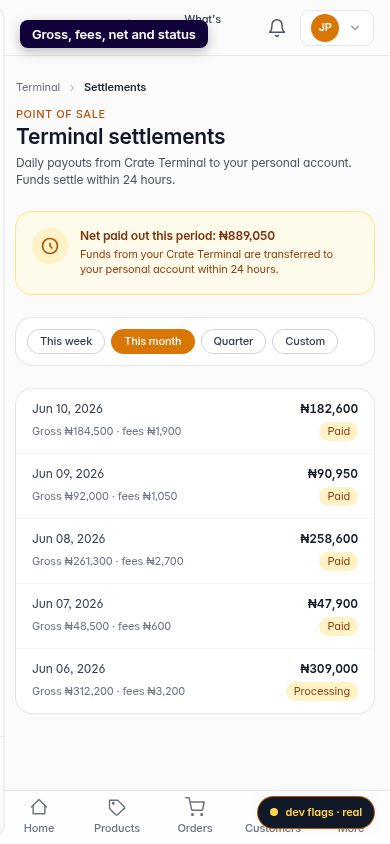
Mobile -
4
Filter by period
Use This week, This month or Quarter to narrow the list — handy at the end of a sales period when you're reconciling against your bank statement.
Web