Crate Terminal: setup and user guide
A full walkthrough of Crate Terminal — request your virtual account, sign in to the portal, understand settlement and transaction charges, and start accepting transfers online and in person.
Crate Terminal is a fast, low-cost way to accept transfers both online and in your physical store. This guide takes you from a fresh request through to taking your first payment.
1. Get your account
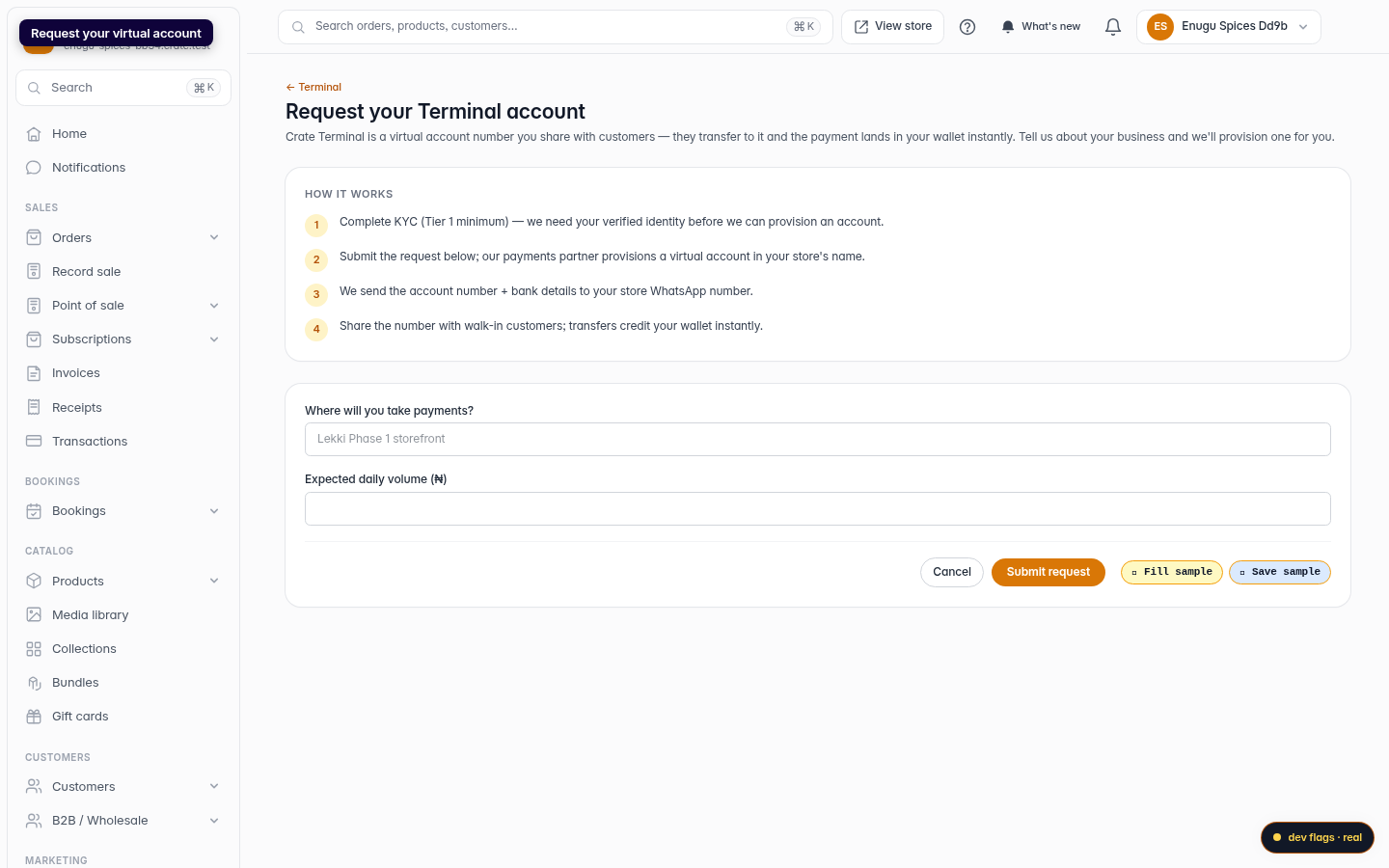
Open Terminal → Activate and submit the short form. You'll need at least Tier 1 KYC completed so we can verify your identity before provisioning. Once your request is processed, our payments partner issues a virtual account number in your store's name and sends it to your store WhatsApp.
2. Sign in to the portal
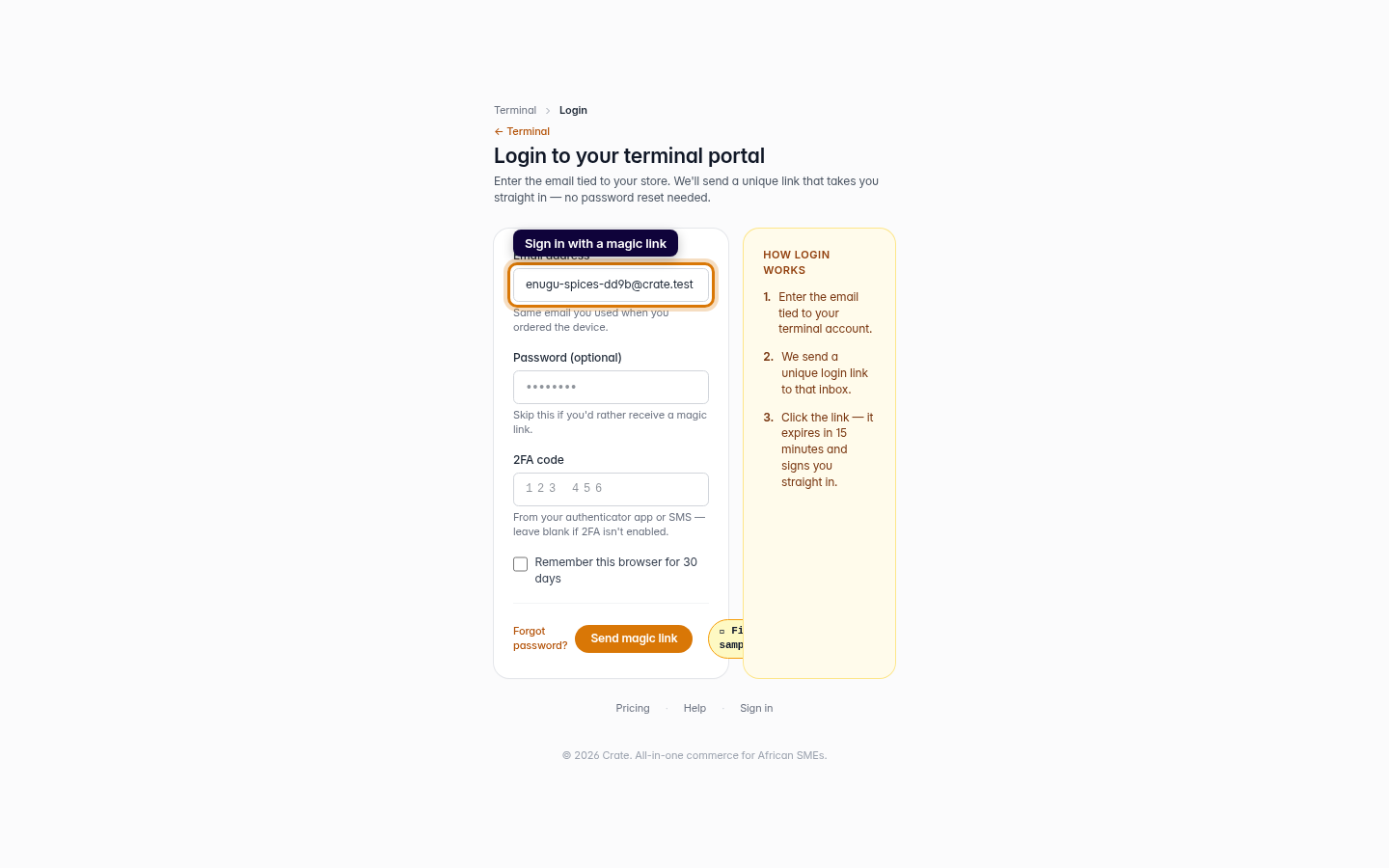
Crate Terminal uses magic-link sign-in — no password to remember. Open Terminal → Login, enter the email tied to your store, and click the link we email you. It expires after a short window, so request a fresh one whenever you need it.
3. Set up alerts
Add the WhatsApp numbers that should receive an alert for every successful transfer. You can add several, change them at any time, and remove a teammate the moment they no longer need alerts.
4. Take payments
- Online: your terminal account number appears to customers at checkout as a direct bank-transfer option.
- In person: share the same number with walk-in customers and at fairs.
5. Settlement and charges
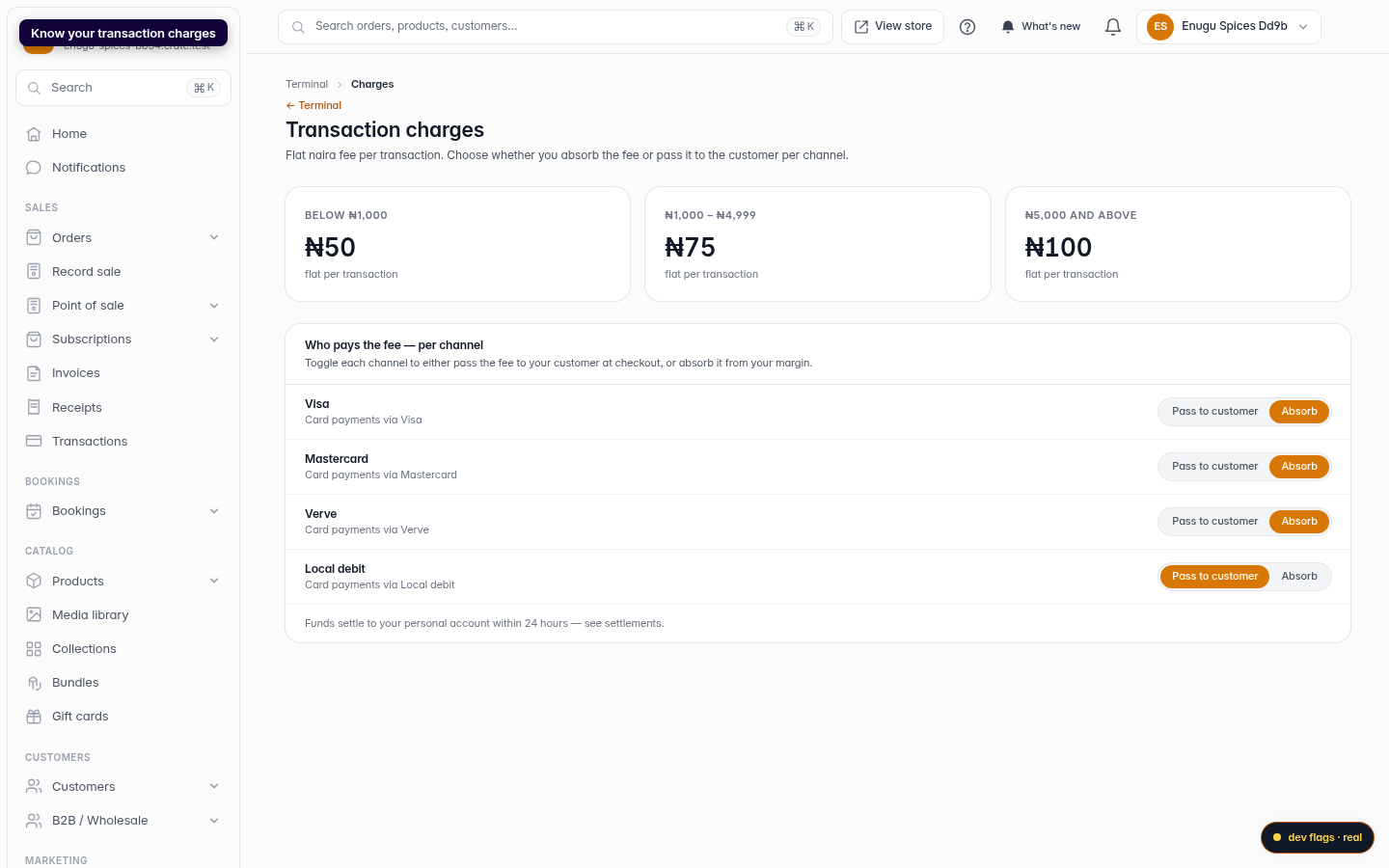
Funds paid to your terminal settle to your personal bank account, typically within 24 hours. A small flat fee applies per transfer, banded by amount — review the tiers on the Transaction charges page and decide whether to absorb or pass it on.
Note: Your terminal account is for collecting payments, not for holding a balance — it isn't a settlement account. Funds move out to your bank on the normal settlement schedule.
-
1
Request your terminal account
From your Crate dashboard, open Terminal → Activate. The page explains how it works and what we need to provision your virtual account.
Web 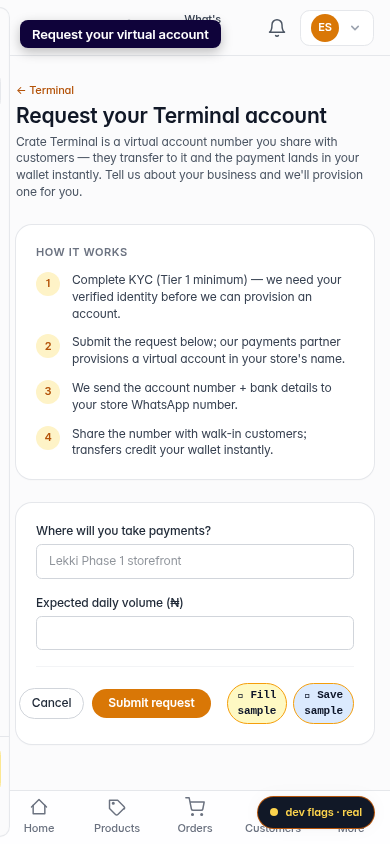
Mobile -
2
Tell us about your business
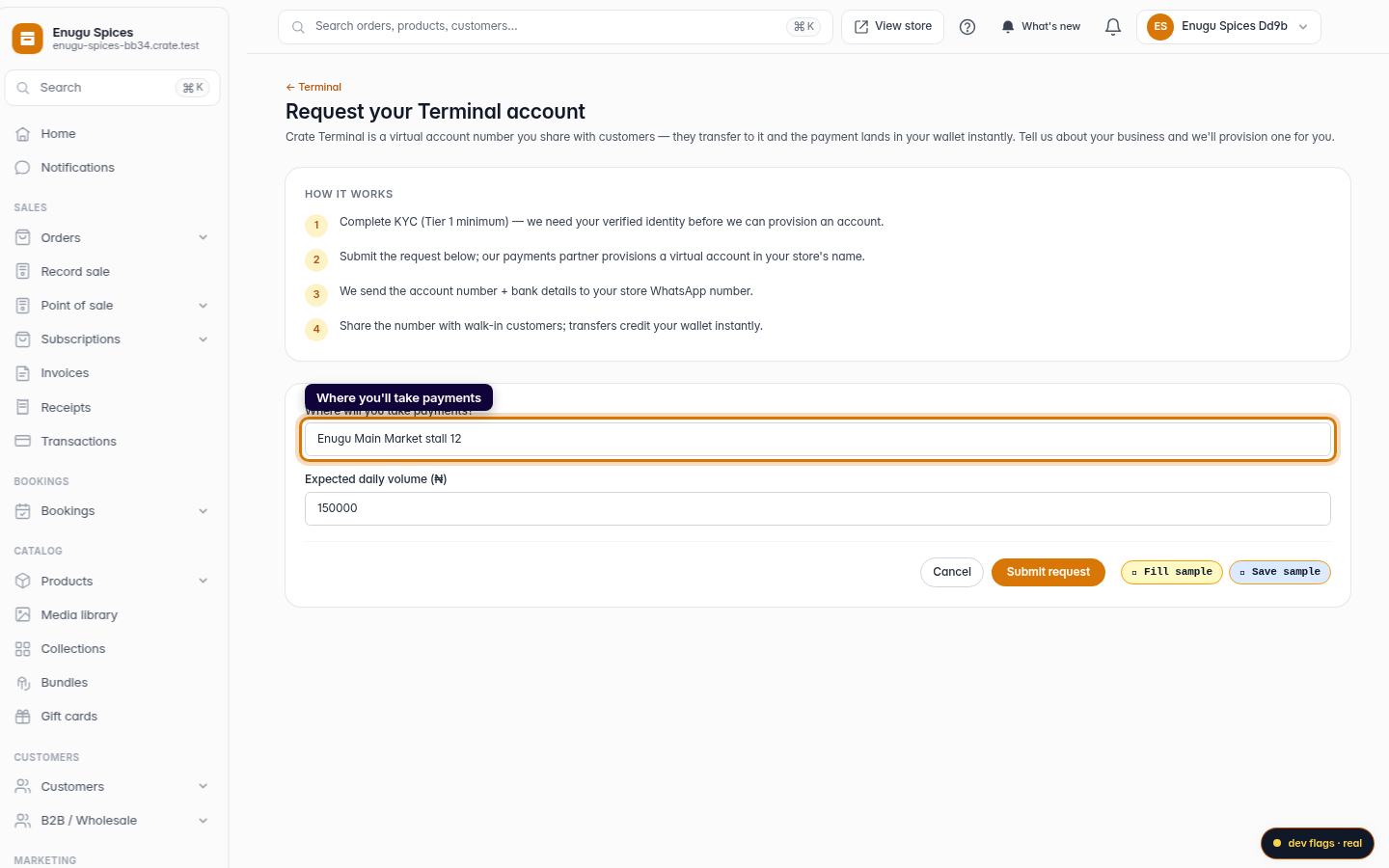
Enter where you'll take payments and your expected daily volume, then submit. Our payments partner provisions a virtual account in your store's name and sends the details to your WhatsApp.
Web -
3
Sign in to the portal
To manage your terminal, open Terminal → Login. Enter the email tied to your store and we'll send a magic link that signs you straight in.
Web -
4
Know your transaction charges
Open Transaction charges to see the flat fee bands and choose, per channel, whether you absorb the fee or pass it to the customer.
Web 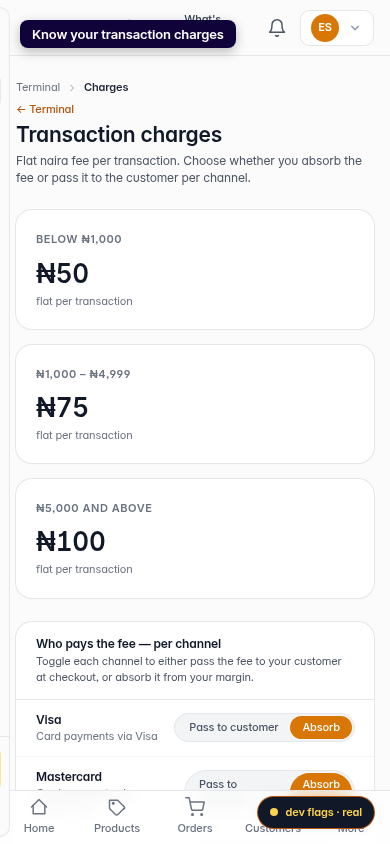
Mobile