Set up a pickup option
Let customers collect their orders in person for free by adding a pickup option with your address and collection hours.
Not every customer wants delivery. Offering pickup lets shoppers near you collect their order in person — they skip the delivery fee, and you skip the courier. It's the simplest, cheapest fulfilment option for a local customer base.
In Crate, a pickup option is a zone with its rate set to Pickup. Because the buyer collects in person, the option is free, and you attach your address and collection hours so they know exactly where to go.
Setting it up
Open Shipping, start a New zone, and name it something obvious like Pickup at store. Tick the states where pickup is available — usually just the state your shop is in — then set the rate calculation to Pickup.
Fill in your pickup address and pickup hours at the bottom of the form. These show to the customer at checkout, so be specific: a full address and a clear window like Mon–Sat, 10am–6pm save you a lot of "where are you?" messages.
Tip: If you run more than one shop, create a separate pickup zone for each location with its own address and hours.
After you save
Pickup appears at checkout as a free option for buyers in the states you chose. To add a delivery option alongside it, create another zone with a flat rate — see Add a manual shipping price.
-
1
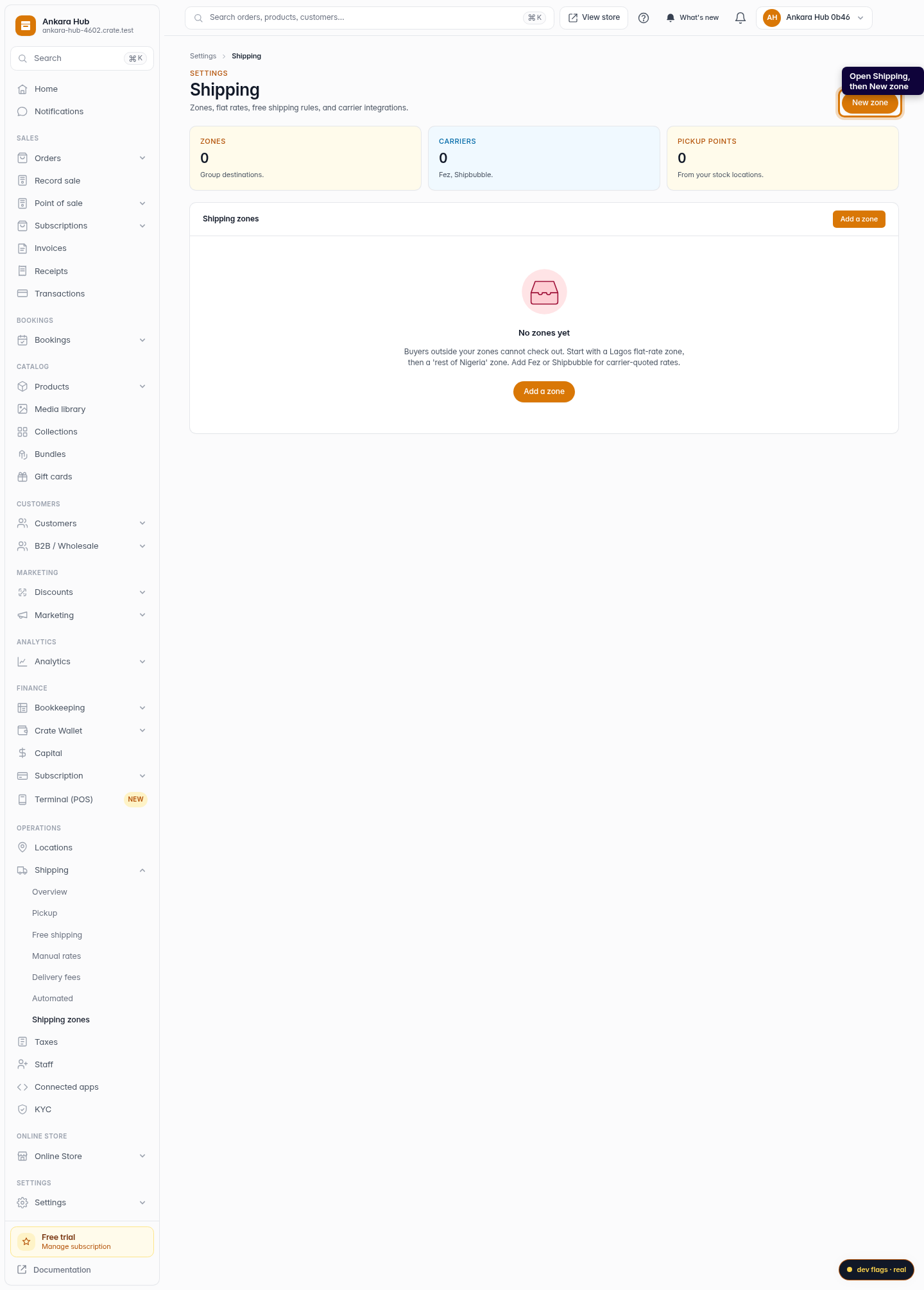
Open Shipping
Go to Shipping in your Crate dashboard, then click New zone — a pickup option is a zone with its rate set to pickup.
Web 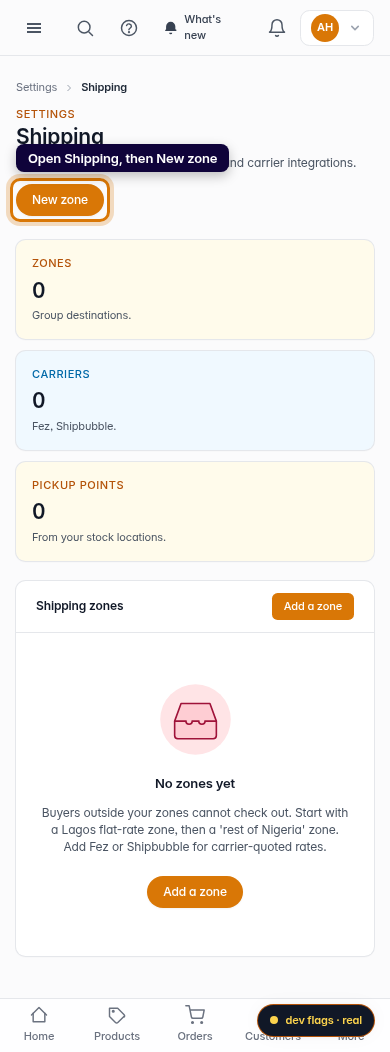
Mobile -
2
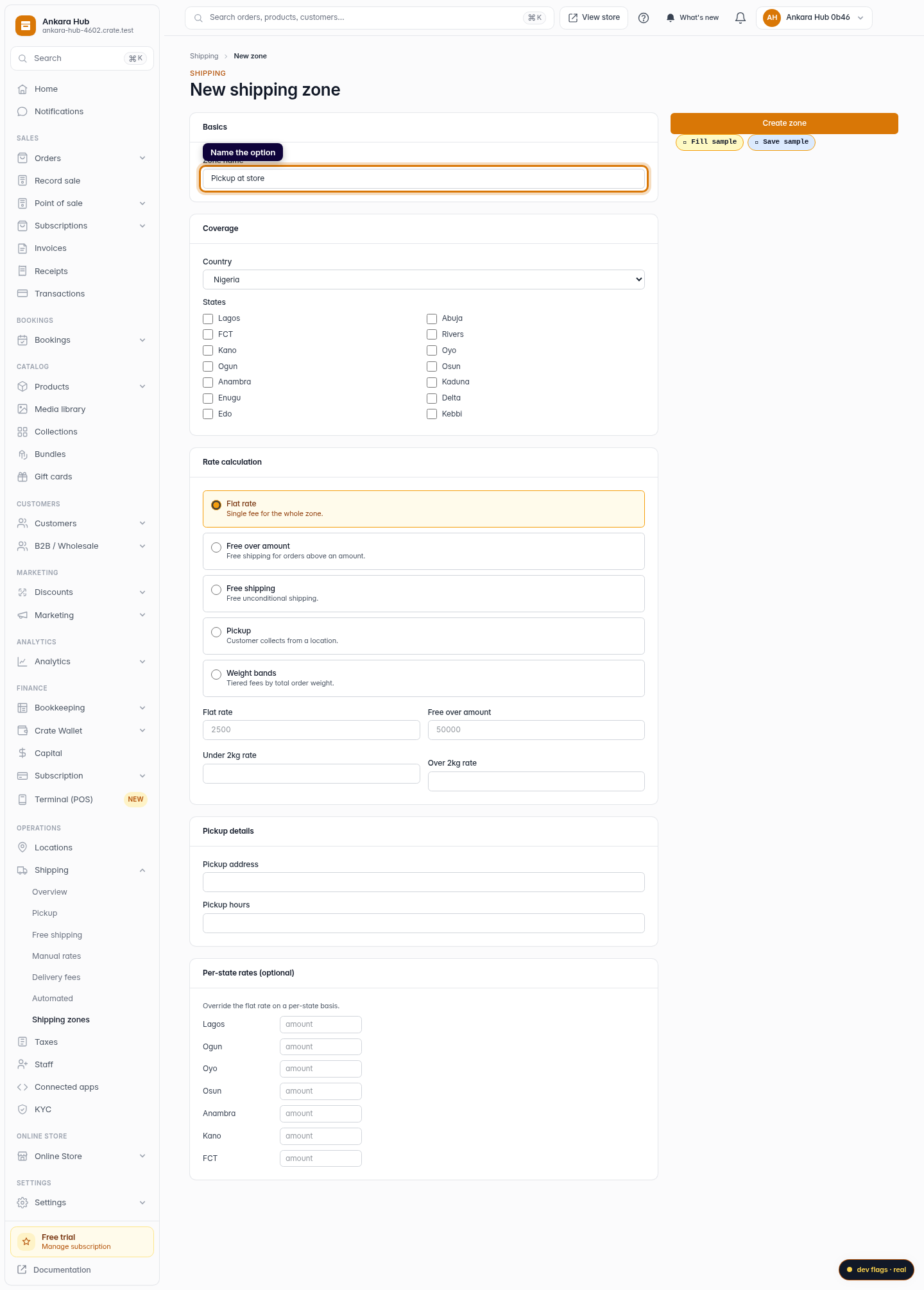
Name the option
Name it so buyers recognise it at checkout — for example Pickup at store.
Web 
Mobile -
3
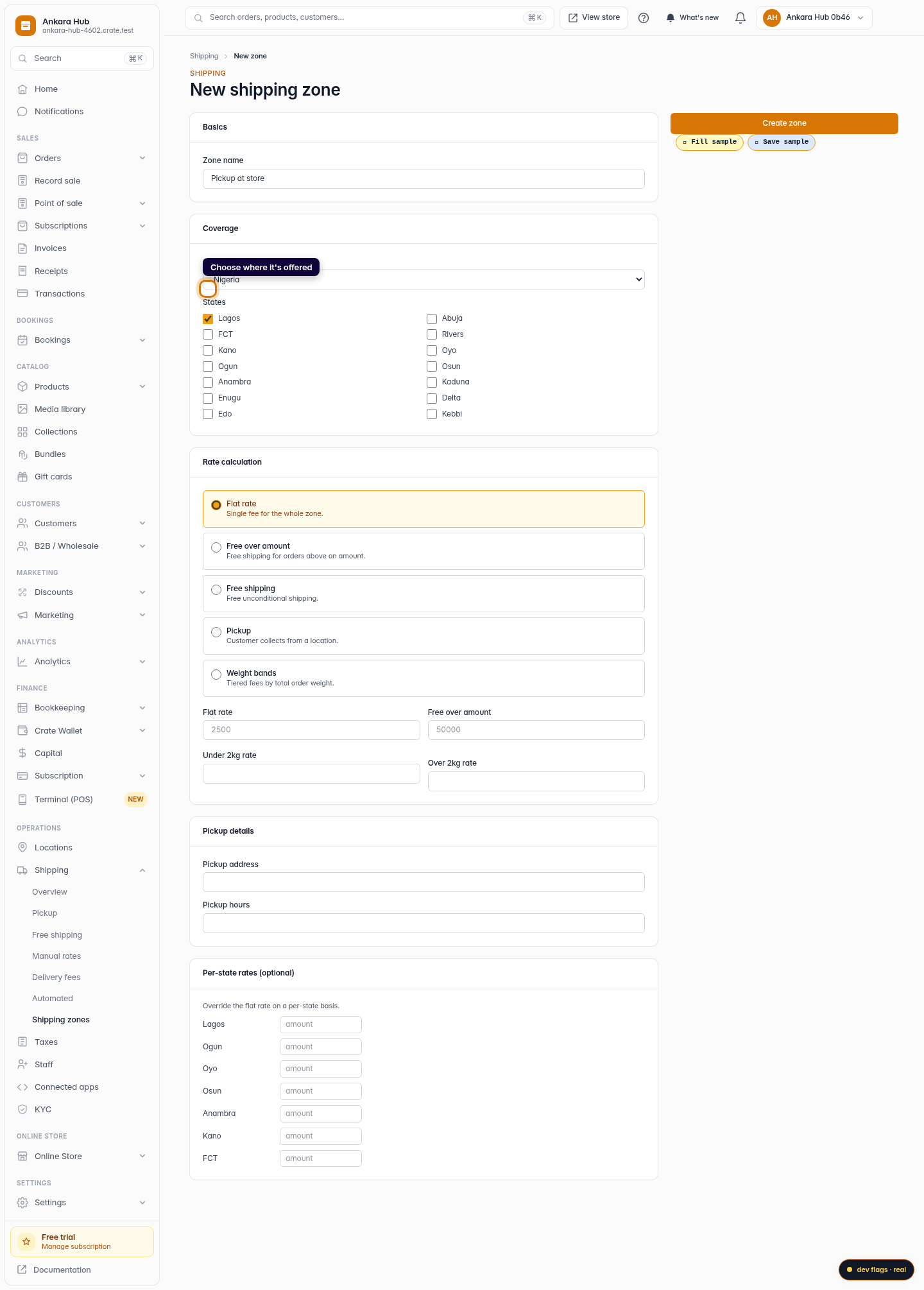
Choose where it's offered
Tick the states where customers can come and collect. Most stores offer pickup in the state their shop is in.
Web -
4
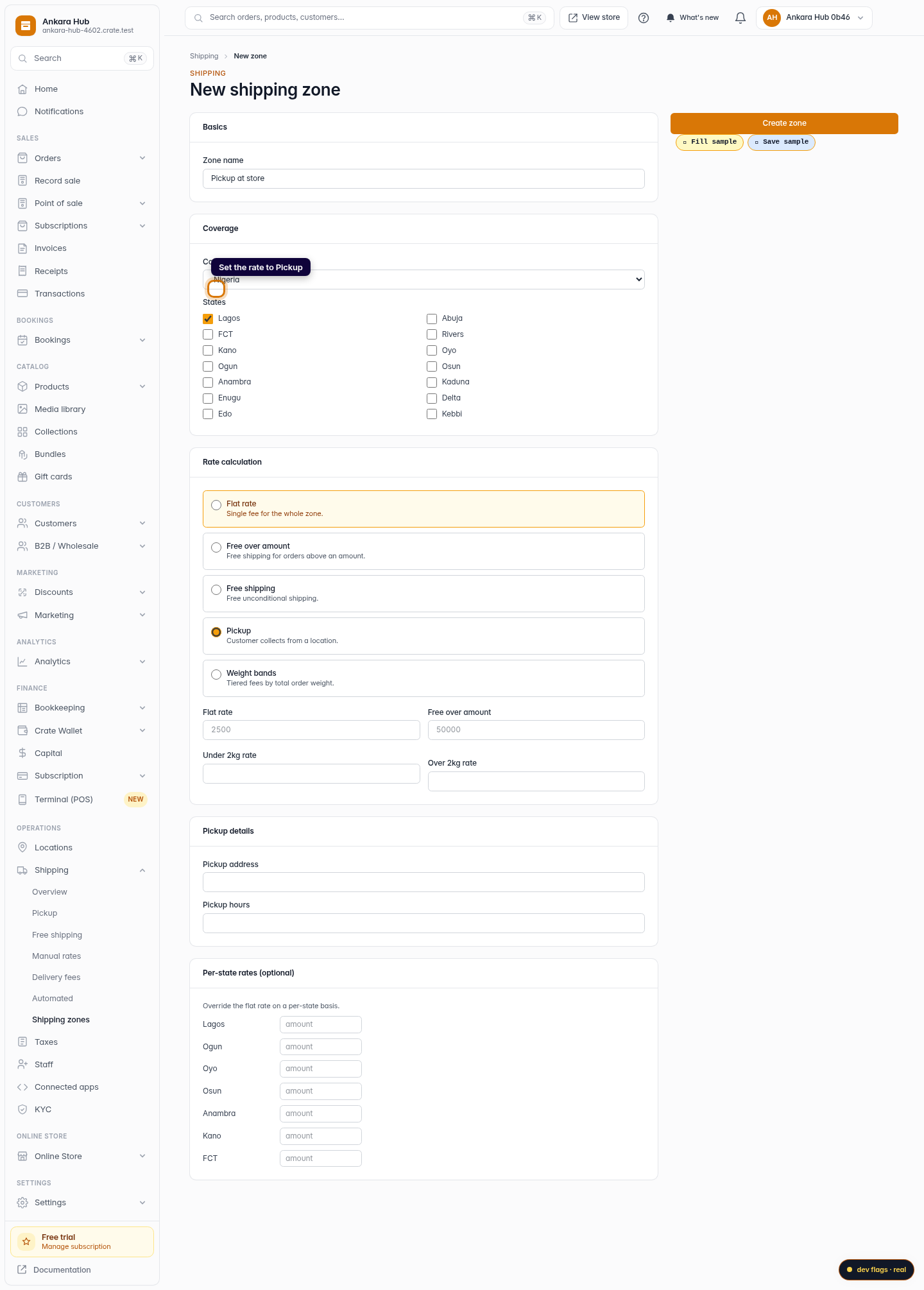
Set the rate to Pickup
Under Rate calculation, choose Pickup. This makes the option free — the customer collects in person, so there's no delivery fee.
Web -
5
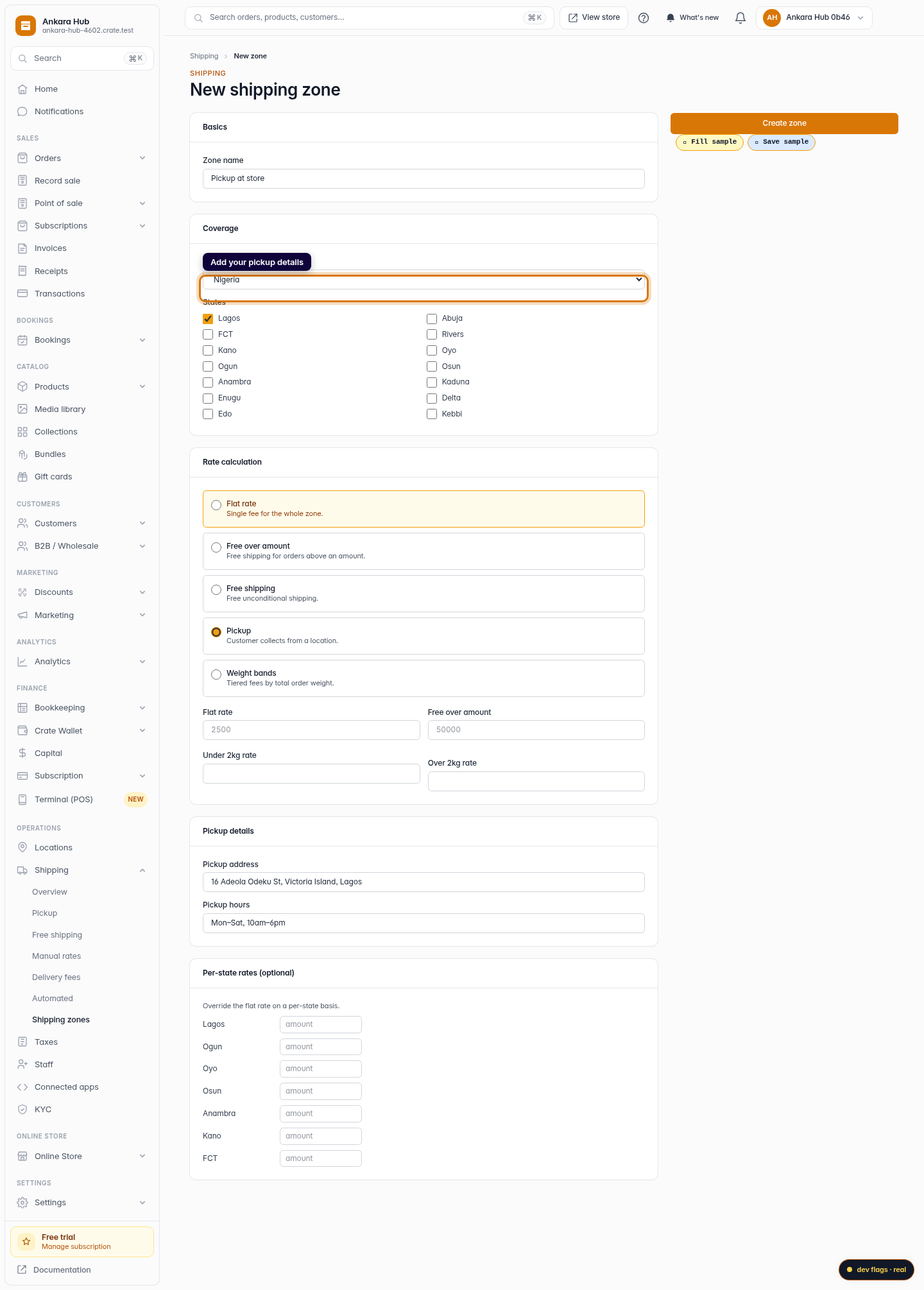
Add your pickup details
Enter your pickup address and pickup hours so customers know where and when to collect.
Web 
Mobile -
6
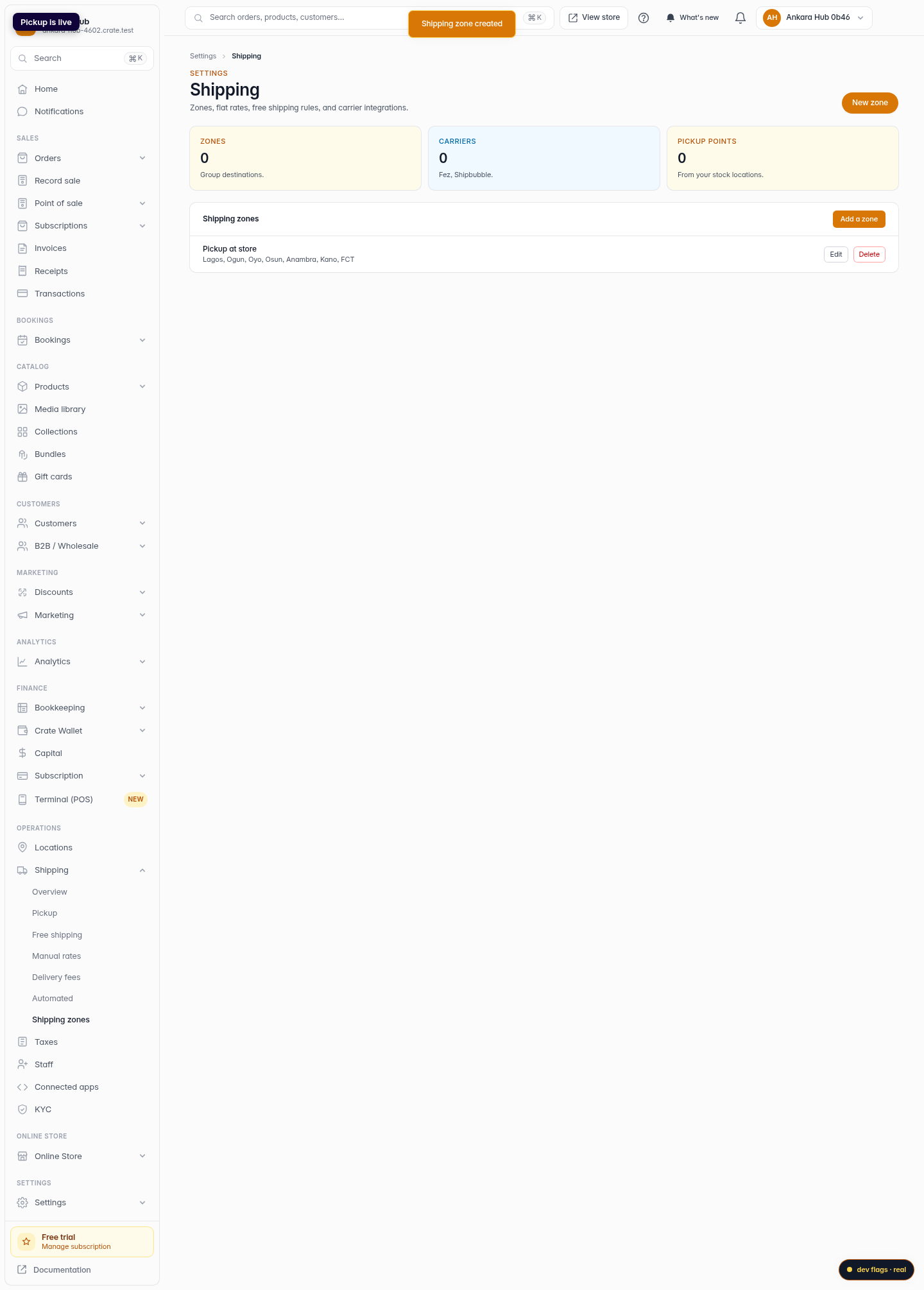
Save — pickup is live
Click Create zone. Pickup now appears at checkout for buyers in those areas, free of charge.
Web 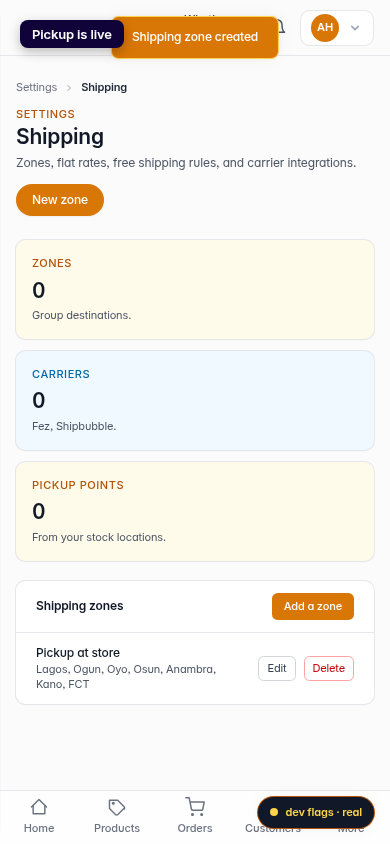
Mobile